MENU
V+
V-
P+
P-
MENU
V+
V-
P+
P-
MENU
V+
V-
P+
P-
Searching channels
Continued
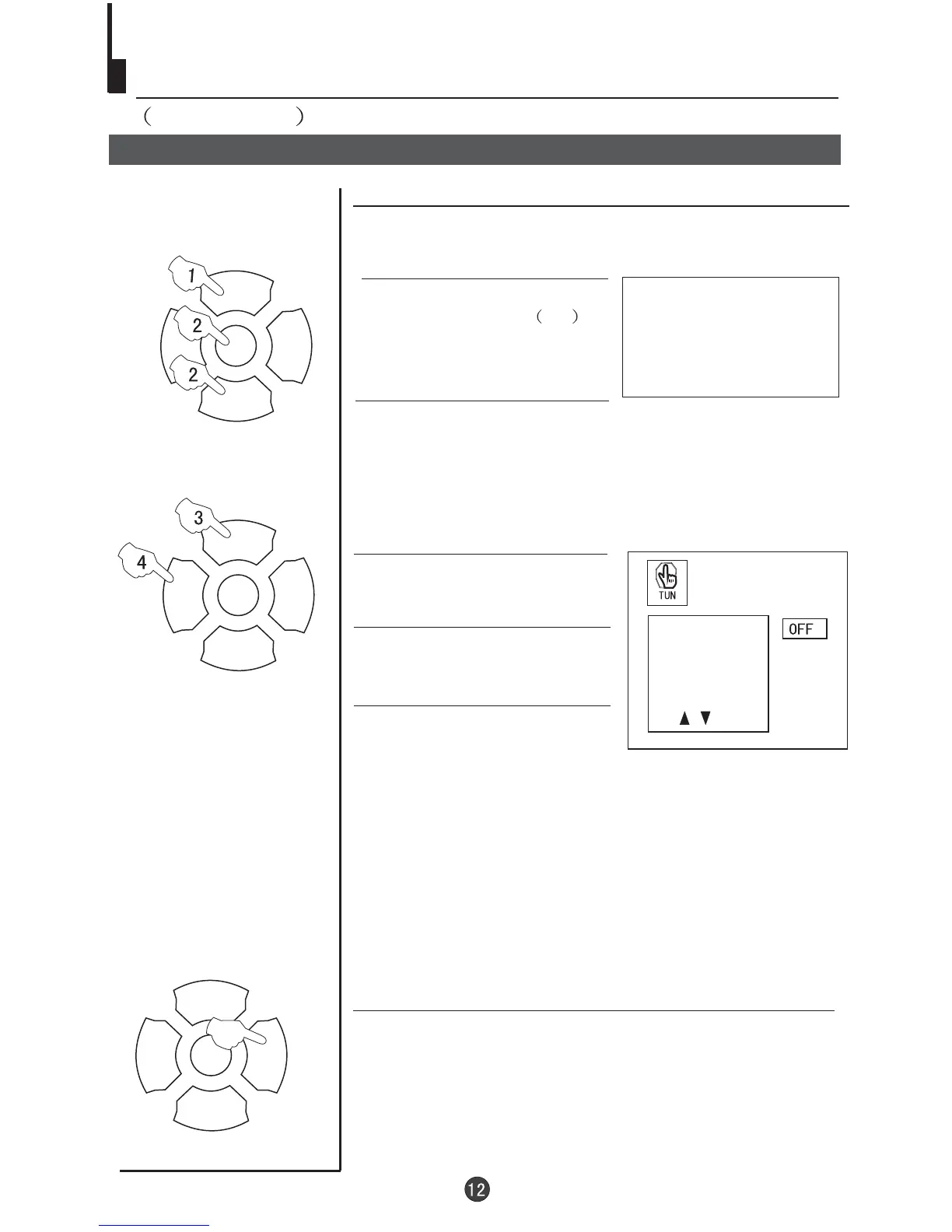
Program skip
Program skip
3 buttons to
select "SKIP".
Press the P+/-
4 Press the V-/+ buttons to
turn the SKIP function "ON".
5 Press the EXIT button to close
the menu. When you use the P /
buttons to select channel, this
channel will be skipped. However,
you can still use the PROGRAM
NUMBER buttons to select the
skipped channel numbers.
+-
If you want to recover the skipped channel
1 Use the PROGRAM NUMBER buttons to select the channel
number to be recovered.
2 Repeat steps 1-3 above.
3 Press the VOL-/+ buttons to turn the SKIP function "OFF".
1 Press the P+/- buttons or
PROGRAM NUMBER 0-9
button to choose the desired
channel (e.g. channel 1).
1
AUTO
BG
Channels can be set so that they are skipped during
program selection.
SKIP
PROG NO
ORGANISE
SEARCH
FINE TUNE
2 Press the MENU button. The MAIN MENU will appear
with the PIC (picture) icon flashing. Press the MENU
button a further 3 times until the TUN (tuning) icon is
flashing.Press P- to enter the TUNING menu.



 To Next Page