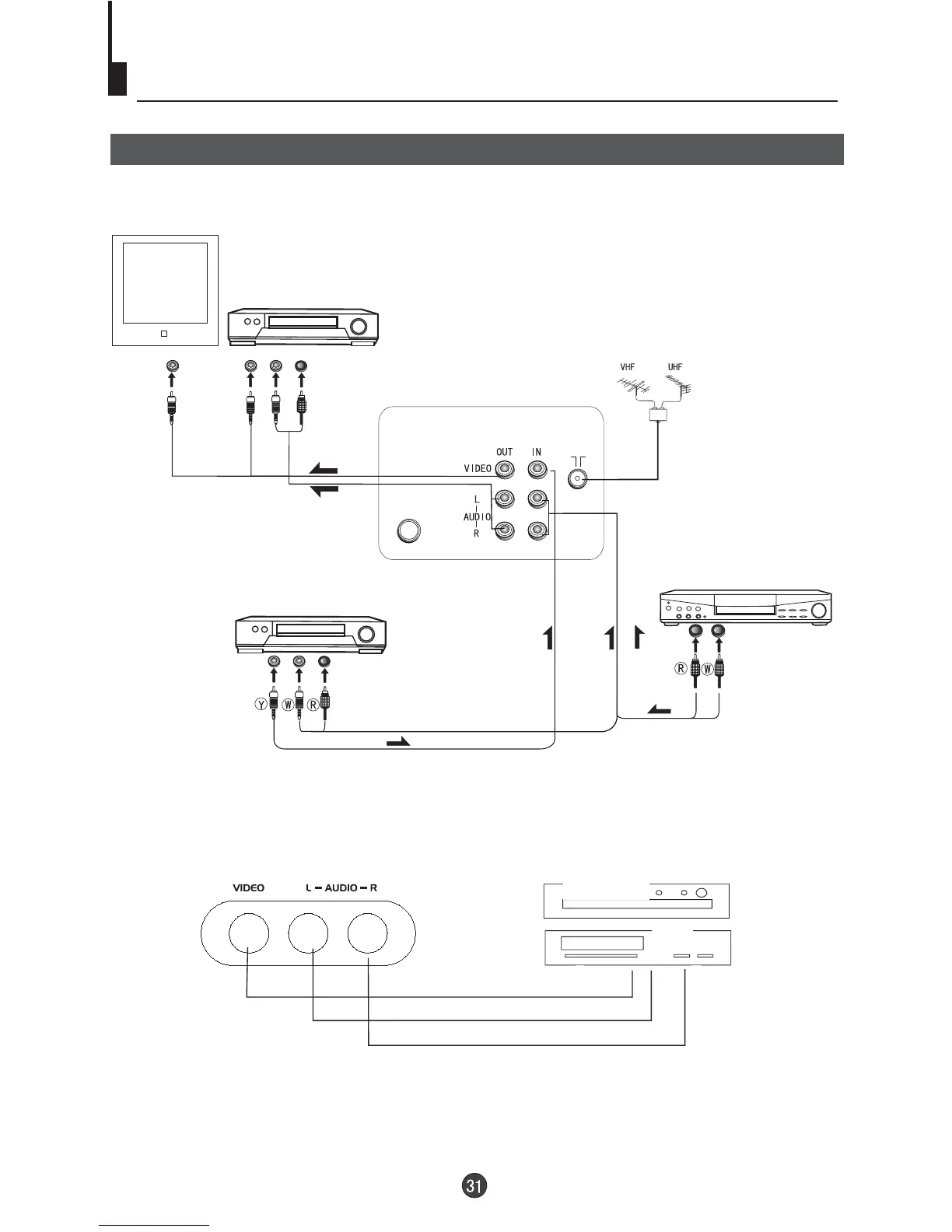
Connecting the TV set to the other video and audio equipment
The figure below shows hot to connect external equipment using AV signals.
There is also an AV input on the side of your television. Use the Left Audio input (white terminal on
the TV), if you are connecting equipment with mono sound. The MONO sound will be delivered by
both left and right speakers.
Connection of AV input /output terminal
COAXIAL
DVD, VCD or other units
Video output
an additional TV
Laser DVD with output terminal
To audio output
To audio input
To video input
DVD, VCD or other units
DVD player
VCR
Audio left output
Audio right output
V
ideo output



 To Next Page