EasyManua.ls Logo

Teac DVTV3401 - Using the Remote Control

Teac DVTV3401
37 pages
Print Icon
To Next Page IconTo Next Page
To Previous Page IconTo Previous Page
Loading...
Using the Remote Control
OPEN/CLOSE
POWER
SCAN
SWAP
CALL
MUTE
12
3
4
5
6
78
TV/DVD
MENU
V+
EXIT
P. ST D
9
0
-/--
TV/AV
STOP
PLAY/ENTER
PAUSE/STEP
REV FWD PREV NEXT
SETUP
D.MENU
REPEAT
TITLE/PBC
SEARCH
ANGLE
AUDIO
ZOOM
P
V
P+
A-B
SLOW
PROGRAM
CAPTION
D.CALL
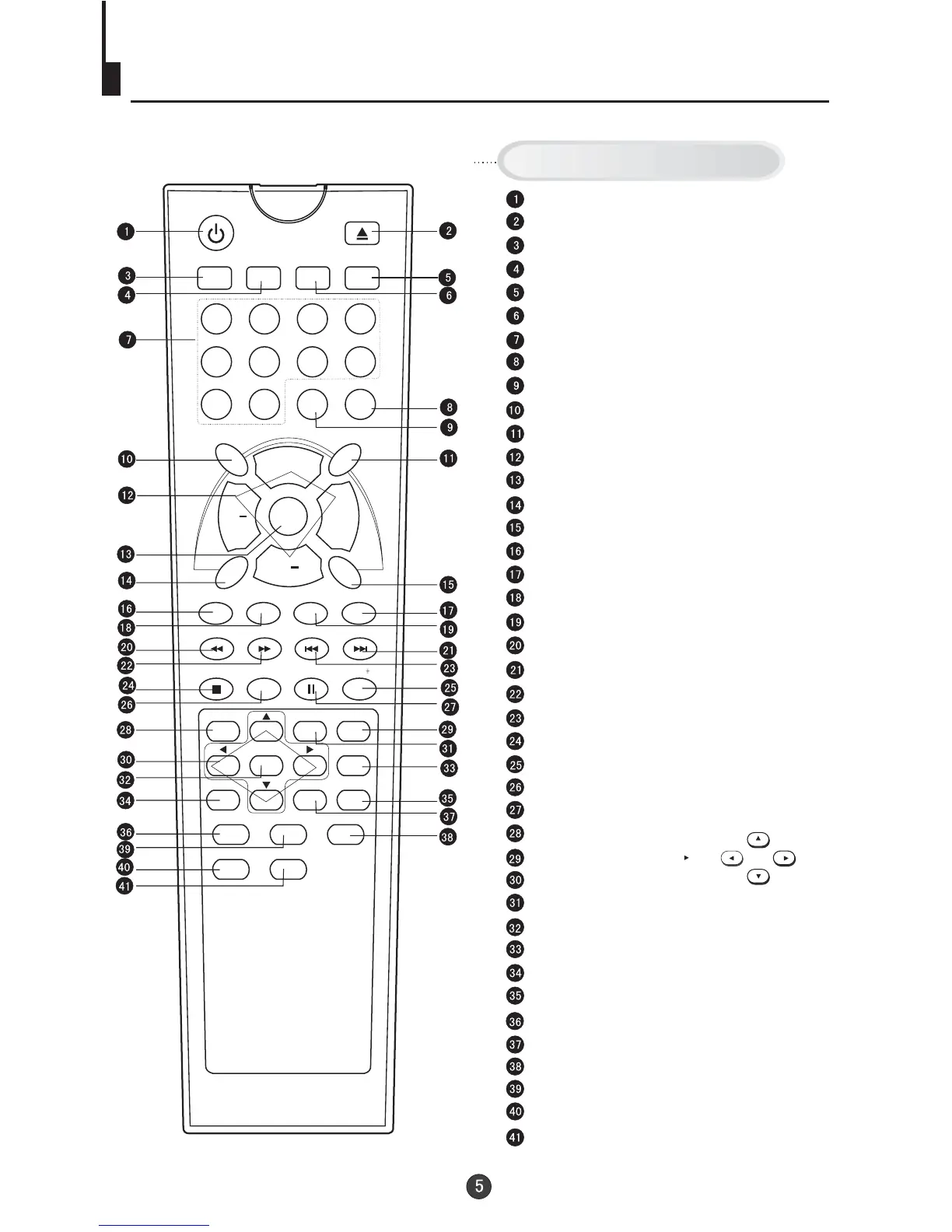
Stand By
DVD Open/close
Scan
Former Program
Mute
Call Screen Display
Program Number
TV/AV Exchange
Digital Selector
H.LOCK
TV/DVD
Volume/Channel Selection
MENU
Exit Screen Display
Picture Mode
Calendar
(Not available)
Time
(Not available)
DVD NEXT
DVD STOP
10+
DVD SETUP
DVD PAUSE/STEP
DVD MENU
DVD A-B REPEAT
DVD Cursor Move button
DVD REPEAT
DVD PLAY/ENTER
DVD SLOW
DVD ANGLE
DVD SEARCH
DVD AUDIO
DVD TITLE
Zoom
DVD PROGRAM
DVD CALL
DVD CAPTION (SUBTITLE)
DVD PREVIOUS
DVD FAST FORWARD
DVD FAST REVERSE
Buttons on the remote control
UP
DOWN
LEFT
RIGHT
H.LOCK
CALENDAR
TIME
10

Related product manuals