Multiple picture modes
How to select picture modes
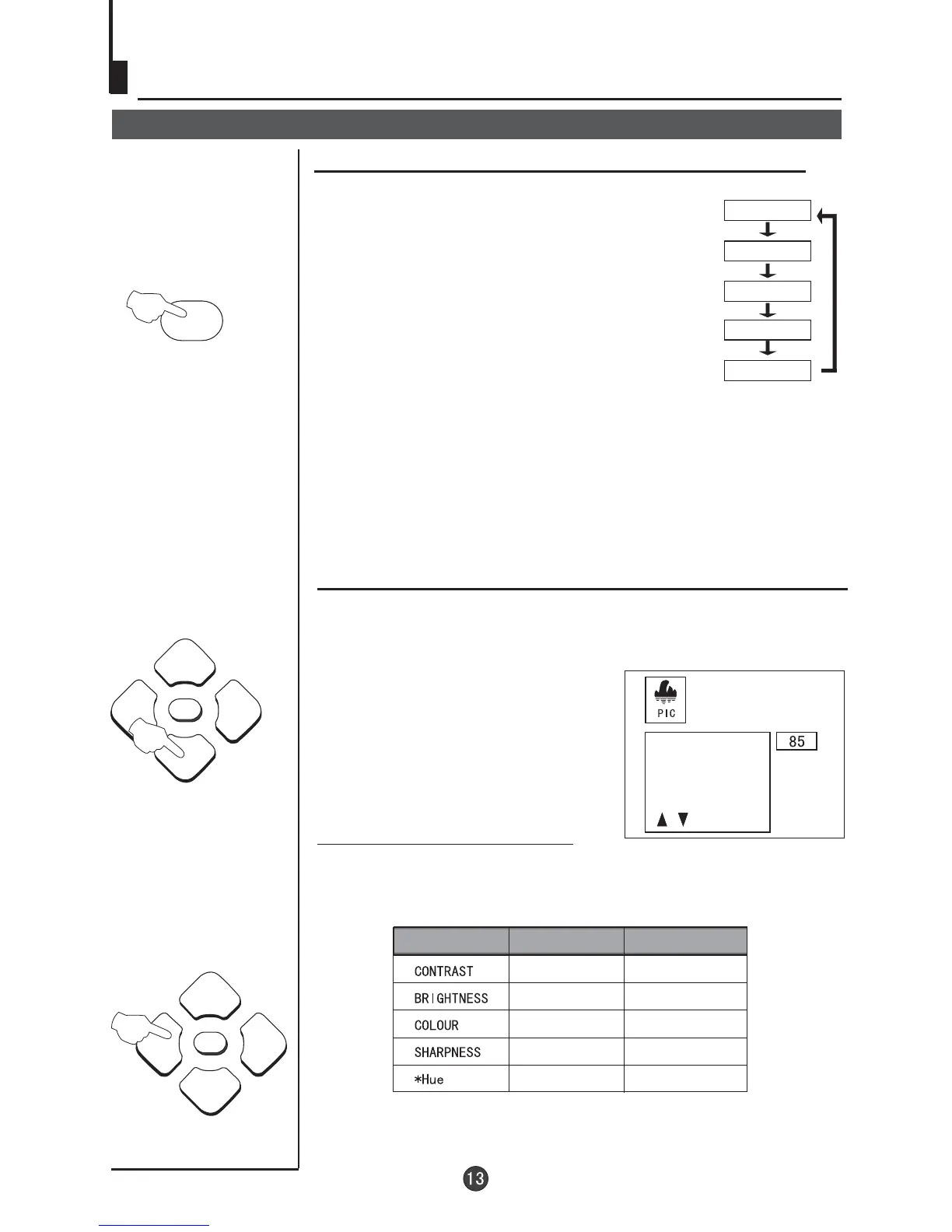
You can quickly select the desired picture mode from
four preset modes and one customized mode.
Convenient picture and sound control functions
Press the P.STD button to select the desired
picture quality. Five kinds of picture modes
(i.e., RICH", "USER","LISTEN",
"SOFT" ) can be selected in turn.
"STANDARD","
USER
LISTEN
RICH
STANDARD
SOFT
How to customize your own picture status
2 Press the P+/- buttons to select the item to adjusted, then press
the VOL-/+ buttons to obtain the desired effect.
Weak
Shallow
Dark
Soft
lean to purple
Strong
Deep
Bright
Sharp
lean to green
ITEM
Press VOL-
Press VOL+
Note:The "Hue" item only appears when the colour system is NTSC.
The 5 modes are
Listen-This is a new feature that blacks out
the TV screen when listening to music only channels;
Soft-Designed for night time low light viewing;
Standard -Designed for rooms that have good all round
lighting;
Rich-Designed for rooms with high ambient lighting such
as daytime sport;
User-A spare setting that can be adjusted to personal
tastes.
CONTRAST
BRIGHTNESS
COLOR
SHARPNESS
1 Press the MENU button. The MAIN MENU will appear with
the PIC (picture) icon flashing.Press P- to enter the PICTURE
menu.
P.STD



 To Next Page