EasyManua.ls Logo

Teac DVTV5190F - Using the Remote Control

Teac DVTV5190F
40 pages
Print Icon
To Next Page IconTo Next Page
To Previous Page IconTo Previous Page
Loading...
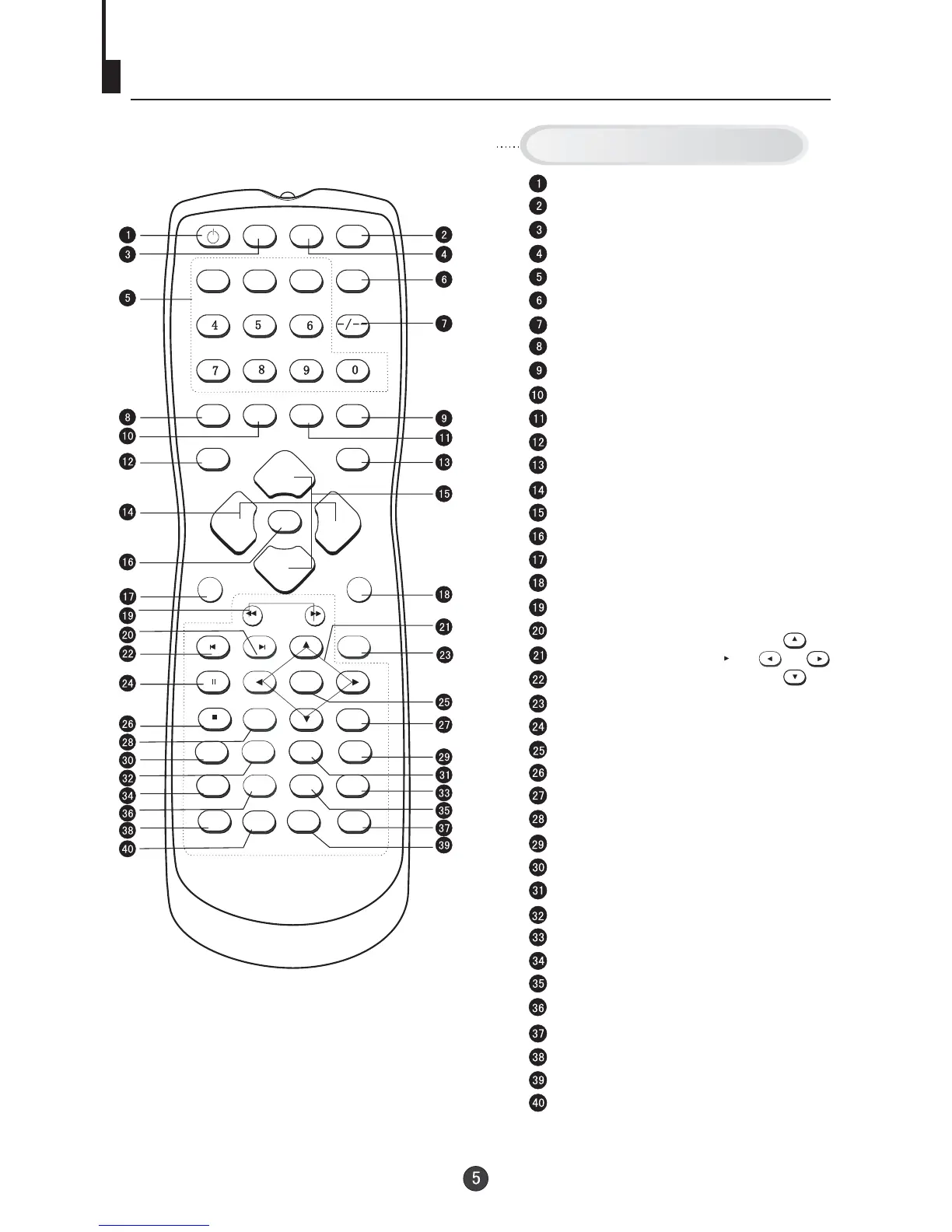
Using the Remote Control
DVD/TV
OPEN/CLOSE
NEXTPREV
REV
FWD
STOP
PAUSE/STEP
D.MENU
P+
P-
PLAY/ENTER
VOL+
VOL+
VOL-
SETUP
SETUP
CAPTION
CAPTION
A-B
REPEAT
1
2
3
PROGRAM
TITLE/PBC
TITLE/PBC
ANGLE
CALENDAR
AUDIO
MENU
MUTE
SCAN
SWAP
EXIT
TV/AVP.STD
TIME
SLOW
CALL
POWER
SL
SEARCH
H.LOCK
I-II
D.CALL
10+
DVD SEARCH
DVD SETUP
Stand By
DVD Open/close
TV/DVD
Mute
Number Buttons
(Not available)
Digital Selector
Call Screen Display
Former Program
Exit TV Menu
Time Menu
Picture Mode
TV/AV Exchange
Volume Adjust
Channel Selection
TV MENU
Calendar
Scan through TV channels
DVD FAST REVERSE / FAST FORWARD
DVD NEXT
DVD Cursor Move button
DVD PREVIOUS
H.LOCK
DVD PAUSE/STEP
DVD PLAY/ENTER
DVD STOP
DVD MENU
1O+
DVD SUBTITLE
DVD SLOW
DVD REPEAT
DVD PROGRAM
DVD ANGLE
DVD TITLE
DVD AUDIO
(Not available)
DVD Status display CALL
Buttons on the remote control
DVD A-B REPEAT
UP
DOWN
LEFT
RIGHT

Other manuals for Teac DVTV5190F