Rear Panel
TEAC DVD Duplicator User’s Manual 5
Rear Panel
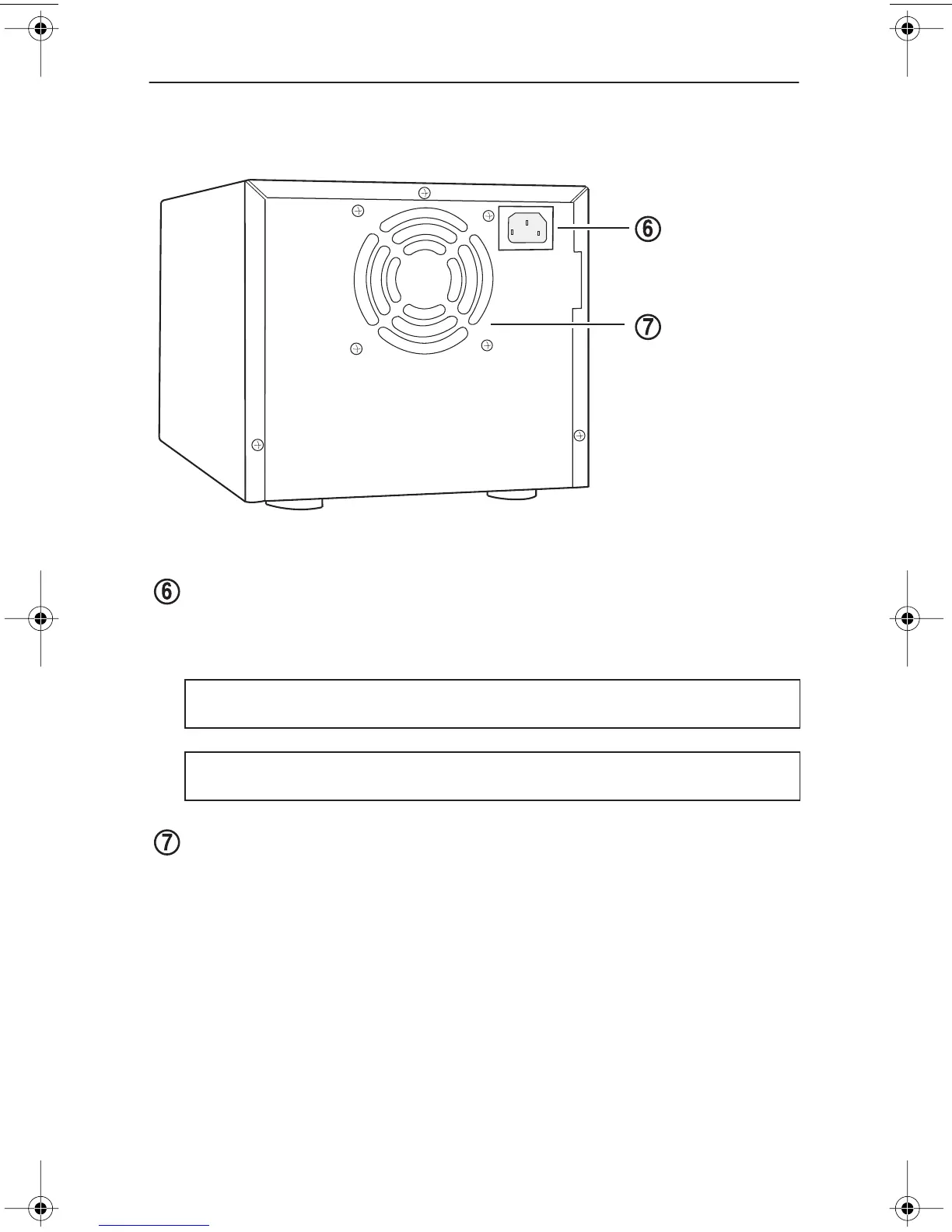
Figure 4 illustrates the rear panel of the DVD Duplicator unit.
Figure 4. Rear Panel of the DVD Duplicator Unit
AC IN power connector:
Connect the included AC power cable to this input
connector. Plug the other end of the power cable into a three-prong receptacle
AC power outlet.
cooling fan:
Ball-bearing fan cools the DVD Duplicator.
Caution:
Do not attempt to bypass the grounding plug. Otherwise, you risk
electrical shock or damage to the unit.
Note:
To ensure proper operation, use only the original AC power cable with
your TEAC DVD Duplicator unit.
AC IN
cooling fans
power connector
TEACdvwd11.book Page 5 Sunday, May 1, 2005 6:04 PM


 To Next Page