EasyManua.ls Logo

Teac FD-235 Series - User Manual

Teac FD-235 Series
4 pages
Print Icon
To Next Page IconTo Next Page
Loading...
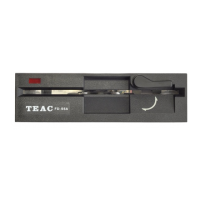
TEAC FD-235 Series
3 1/2" 1.44 MB Floppy Disk Drive
Installation Guide
3 1/2'' diskette
insertion window
Activity indicator
Eject Button
Your FD-235 package includes:
* FD-235 3 1/2" floppy disk drive
* Installation Guide
Introduction
Thank you for purchasing the TEAC FD-235 Series 1.44 MB floppy disk
drive. This product is intended for use in IBM PC/AT compatible computers.
This quality drive will provide trouble-free operation for your computer
system if properly installed. PLEASE READ THE ENTIRE INSTALLATION
GUIDE THOROUGHLY BEFORE YOU BEGIN THE INSTALLATION.
Use a standard floppy controller card or the floppy connector (34 Pin) on
the motherboard.

Questions and Answers

  • J
    James StephensAug 13, 2025
    How to fix drive type mismatch during boot for Teac FD-235 Floppy Disk Drive?
    • B
      boylechristopherAug 13, 2025
      If you encounter a drive type mismatch during boot with your Teac Floppy Disk Drive, check the CMOS setup to ensure the correct drive type is selected: 3.5" 1.44 MB.
  • O
    orogersAug 16, 2025
    What to do if I get a 'Drive not ready' error on my Teac FD-235 Floppy Disk Drive?
    • S
      Steve GatesAug 16, 2025
      If you're getting a 'Drive not ready' error when reading drive X on your Teac Floppy Disk Drive, it could be due to a missing diskette or the motor not spinning. The drive may need service, or there could be a bad cable.
  • B
    becky69Aug 20, 2025
    Why am I getting a general failure error on my Teac FD-235 Floppy Disk Drive?
    • K
      Karen YorkAug 20, 2025
      If you encounter a general failure error while reading drive X on your Teac Floppy Disk Drive, it could be due to an unformatted diskette, drive misalignment, a DSDD disk formatted to 1.44MB, or an HD disk formatted for 720K. Try using the correct disk. The drive may need service.
  • P
    Paul WatkinsAug 25, 2025
    What to do if I get 'Invalid media' error on my Teac FD-235?
    • X
      xdurhamAug 25, 2025
      If you receive an 'Invalid media' or 'Track 00 bad' error when formatting on your Teac Floppy Disk Drive, it might be because you're attempting to format an HD diskette to 720K or a DD diskette to 1.44 MB. Check the CMOS setup to ensure the drive is properly set. Also, verify that the controller card is configured correctly by referring to the controller documentation.
  • J
    jason18Aug 27, 2025
    Why is the indicator light always on for my Teac FD-235 Floppy Disk Drive?
    • D
      Destiny NewmanAug 27, 2025
      If the indicator light on your Teac Floppy Disk Drive comes on as soon as power is applied and stays on, the ribbon cable may be reversed. Check Pin #1 orientation and inspect the cable for damage.
  • B
    Bernard NguyenAug 31, 2025
    Why does my Teac Floppy Disk Drive show the same directory for different disks?
    • L
      littlemicheleSep 1, 2025
      If the same directory is displayed for different diskettes on your Teac Floppy Disk Drive, the controller might not be receiving the disk change signal. This could be due to a broken Pin #34 on the ribbon cable, or the disk drive may be malfunctioning.
  • L
    Lisa MurphySep 4, 2025
    What causes a 'Sector not found' error on a Teac FD-235?
    • C
      Christopher HayesSep 4, 2025
      A 'Sector not found' error on your Teac Floppy Disk Drive indicates a head seek error or drive misalignment. It could also be caused by bad media or a faulty drive.
  • D
    David NewmanSep 7, 2025
    How to fix Teac FD-235 Floppy Disk Drive indicator light not working?
    • J
      John McneilSep 8, 2025
      If the indicator light never turns on when executing READ or WRITE operations on your Teac Floppy Disk Drive, ensure that the interface cable and power cable are properly connected and that the CMOS setup configuration is correct.

Summary

Introduction

Preparing Your Computer for Installation

Pre-Installation Steps

Steps to prepare your computer by unplugging, opening, and disconnecting the old drive.

Drive Physical Features

Diagram and labels detailing the rear view of the FD-235, including connectors.

Configuring Drive Letter (A: or B:)

Connecting the Floppy Drive

Instructions on connecting the drive to the ribbon cable for A: or B: configuration.

CMOS and OS Configuration

Details on setting up the CMOS BIOS and OS recognition for the new floppy drive.

Troubleshooting Common Issues

Teac FD-235 Series Specifications

General IconGeneral
Form Factor3.5 inch
Capacity1.44 MB
Power Supply5V DC
Rotation Speed300 RPM
Average Access Time94 ms
Data Transfer Rate500 Kbit/s

Related product manuals