PANEL AND REMOTE OPERATION
7
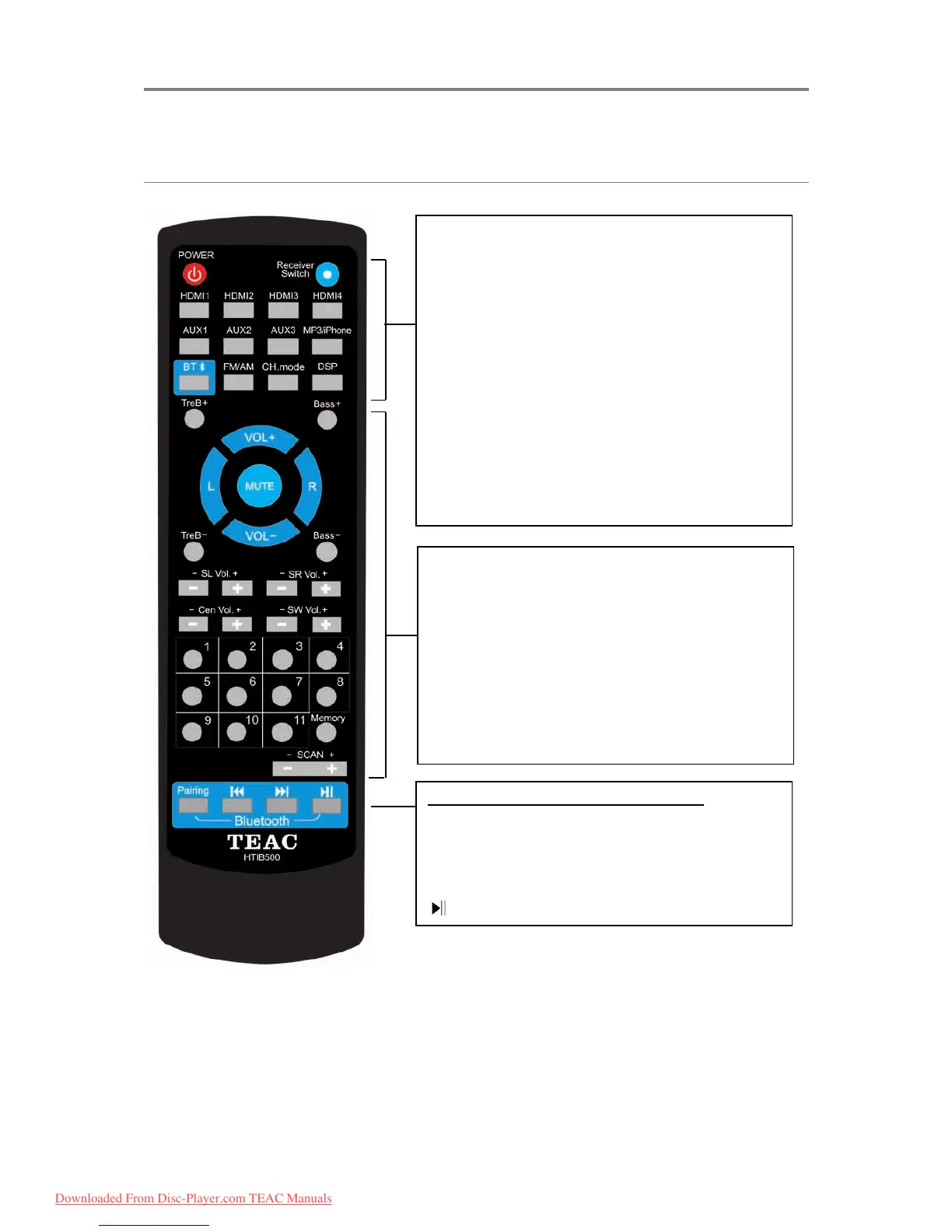
Remote Control
POWER: Turn unit on or back to Standby.
HDMI/TV SOUND: Toggle audio output between
HDMI and TV.
HDMI 1/2/3/4: Switch to HDMI input 1-4.
AUX 1/2/3: Switch to AUX input 1-3.
MP3/iPhone: Switch to MP3/iPhone (3.5mm aux
in jack) input.
BT: Switch to Bluetooth input.
FM/AM: Switch to FM/AM tuner input.
CH.mode: Switch between multichannel audio
- 2.1: 2 channels
- 3.1: 3 channels
- 5.1: 5 channels
DSP: Cycle through Digital Sound Processing
options (Live/Hall/Church) by pressing the button
repeatedly.
VOL+/-: Adjust Master Volume
L/R: Adjust Left/Right speaker sound balance
TreB +/-: Adjust Treble balance
Bass +/-: Adjust Bass balance
Side R/L Vol +/-: Adjust side surround speaker
R/L volume
Center Vol +/-: Adjust center speaker volume
Subwoofer Vol +/-: Adjust subwoofer volume
Numbers 1-11: Number buttons
Memory: Use in FM/AM mode to preset stations
SCAN +/-: Tune the frequency in FM/AM mode
Bluetooth Playback Control Buttons
Pairing: Press when ready to pair via BT
: Play from the beginning of the track. Press
again quickly to play the previous track
: Play next track
: Play/pause from the paired device.
Downloaded From Disc-Player.com TEAC Manuals



 To Next Page