REVEAL
INPUT
POWER
TV/TXT CANCEL
HOLD SIZE INDEXSUBPAGE
123
456
789
0
OK
FAV
MENU
NICAM/A2
TV/RADIO
EXIT
CH
INFO
PICTURE
SOUND
SLEEP
SUBTITLE
DTV
CH/LIST
STOP
VOL
REP
EPG
USB
ASPECT
+
-
MUTE
118020260
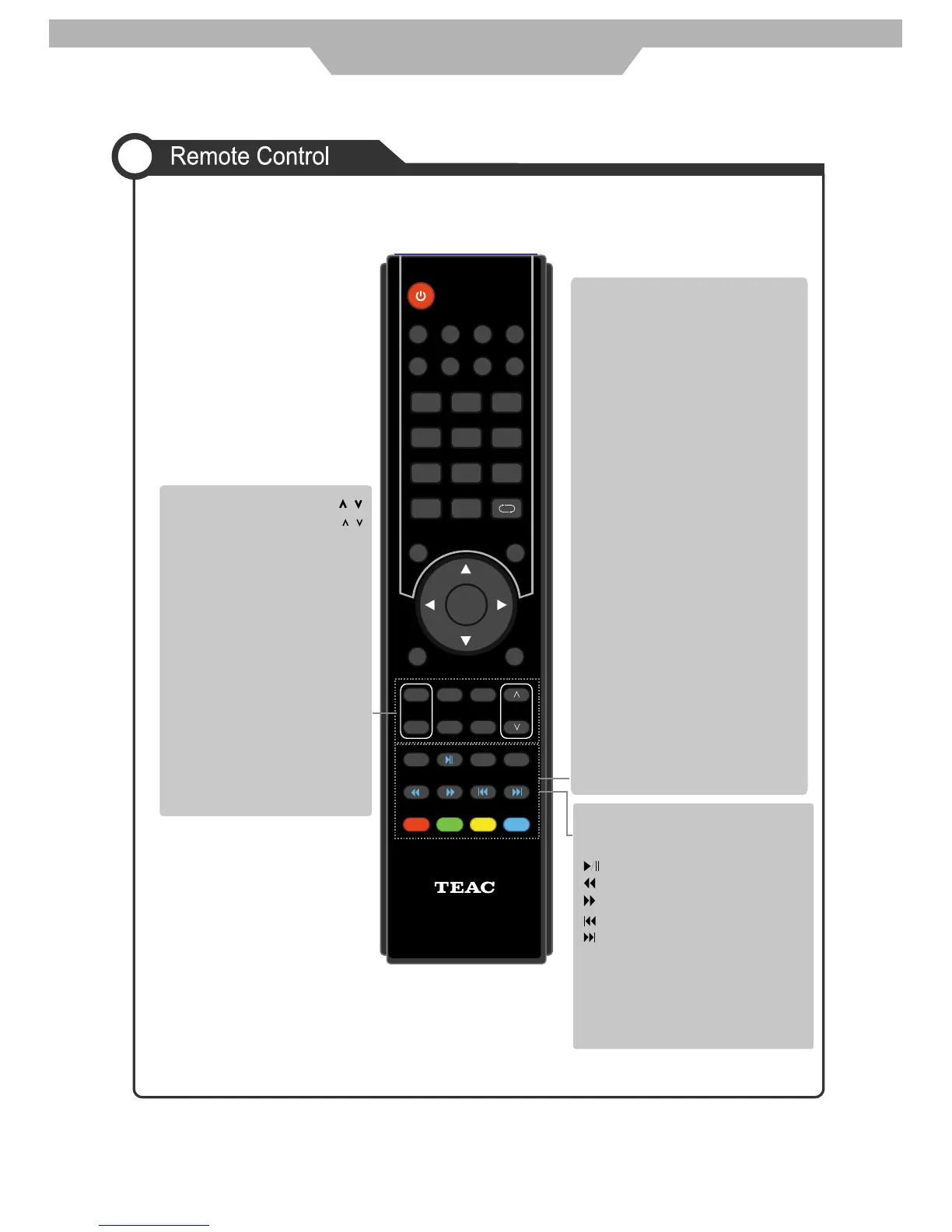
CH
Channel/Program .
VOL+/-
Volume +/-.
/
/
PICTURE
Press repeatedly to cycle
through the available video
picture modes.
SOUND
Press to cycle through the
different sound settings.
CH/LIST
Display the programs list.
EPG
To show the Electronic
Program Guide.
TV/TXT
Turn off/on the Teletext display.
CANCEL
Cancel the Teletext display.
REVEAL
Reveal any hidden text.
HOLD
Hold or carry on the current
subpage.
SIZE
Press to see top half of page
double size, Press again
to see the bottom half of page
double size. Press again for
normal size.
SUBPAGE
Press to subpage, again to cancel.
INDEX
Go to index.
Colour buttons
Short cuts-follow the coloured
links in the text.
Buttons for TELETEXT operating
Teletext is an information system
broadcast by certain channels which
can be consulted for news, weather
forecasts, puzzles, etc, and also offers
subtitles for viewers with hearing
problems or who are not familiar with
the transmitted language. Subject to
availability.
Buttons for USB operation The
following functions are only available in
USB mode:
STOP
Stop Multimedia program.
REP
Repeat Multimedia program.
Fast reverse
Fast forward
Previous track
Next track
Play / Pause
General Description
11



 To Next Page