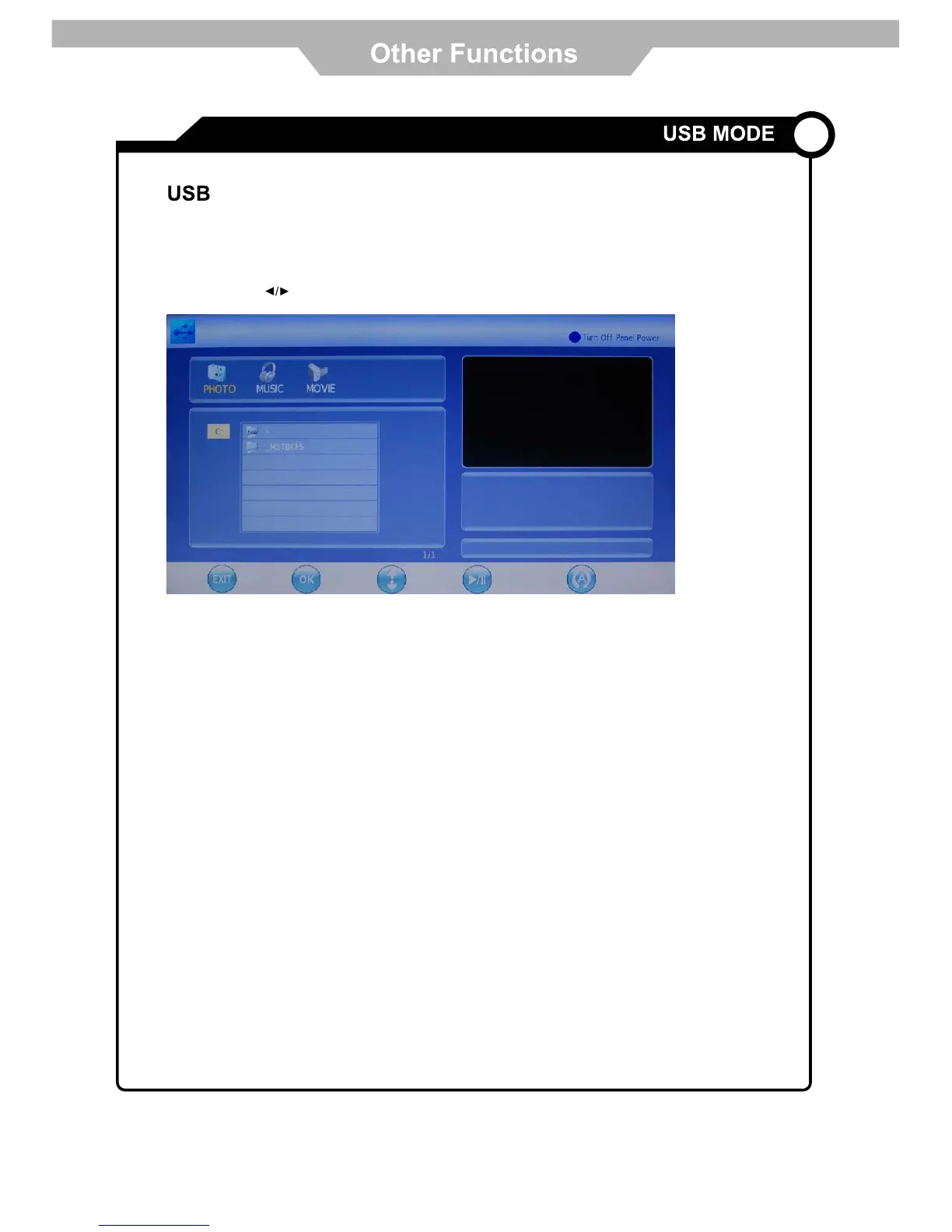
The LCD/LED TV is equipped with a USB Multimedia player. It supports playback function for Music, Picture and
Video files from compatible USB devices.
Insert a USB device into the USB port on the back panel. Press INPUTXVHWKHŸźEXWWRQVWRVHOHFW86%DQG
press OK button to access USB mode. The compatible audio, video and photo files will be displayed at the following
interface. Use the keys to select PHOTO, MUSIC or MOVIE menu, and press OK to enter. Use
ŸźNH\VWRKLJKOLJKWGHVLUHGILOHRUIROGHU3UHVV2.WRSOD\ILOH
Basic operations during playback include Play/Pause, Stop, Fast Forward/Reverse, Skip and Repeat. Please see
pg.11 for Multimedia Player buttons.
NOTE:
1. USB devices are produced by different manufacturers to differing standards, we do not guarantee to support all
USB devices, please see table below for further details.
2. Some video files may be compressed to different standards and may not be supported.
3. Larger sized files may take longer to load, please wait for file to load.
4. Do not disconnect USB device during playback.
22
Preview SelectBack Play/Pause Repeat



 To Next Page