Tint
Tint
Quit QuitBack BackSelect
Quit Back Select
Select
Size
PC Setup
Note: Only available in VGA mode.
Colour
Colour Temperature
NOTE: Contrast, Brightness, Colour and Sharpness are only available to adjust
when Picture Mode is set to 'User'. Standard, Dynamic and Mild settings are all
preset and not adjustable.
Only available to adjust for NTSC signal.
picture noise
to your preferred settings.
can
15
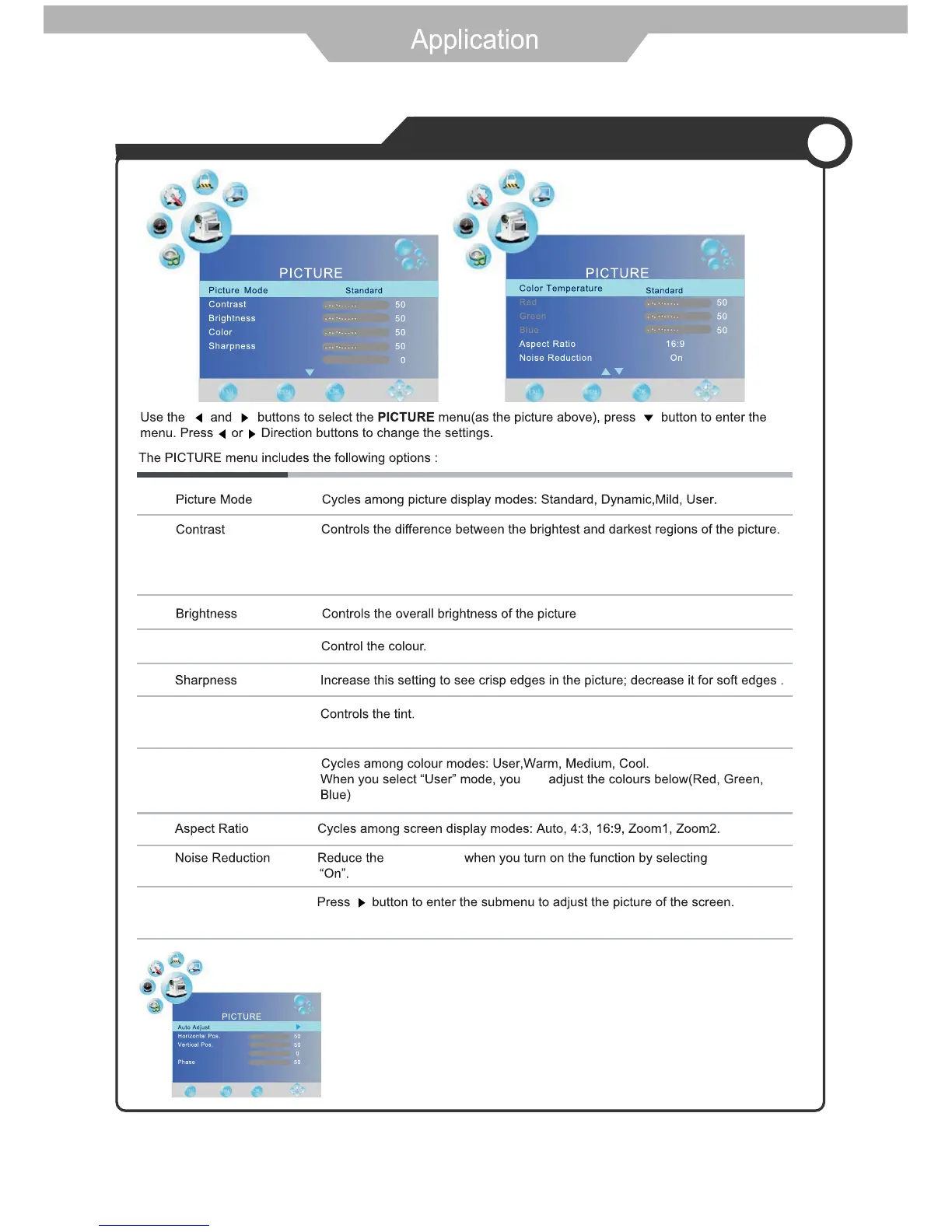
Auto adjust: Enter sub menu to enable automatic adjustment of the image
settings, such as position and phase.
Horizontal Position: Moves the image on the screen left or right.
Vertical Position: Moves the image on the screen up or down.
Size: Adjust the horizontal width of the image on the screen.
Phase: Improves the focusing of a static image.
Customising PICTURE Settings



 To Next Page