2. TV PLACEMENT SETUP
Wall Mounting
1. Ensure that the selected wall is made of appropriate material and can support the
weight of the TV. Make sure there are no pipes or cables inside the wall on your
chosen position.
2. Obtain a suitable wall mounting bracket and mounting eyebolts (thread size M6x12mm)
and screws from your local hardware store.
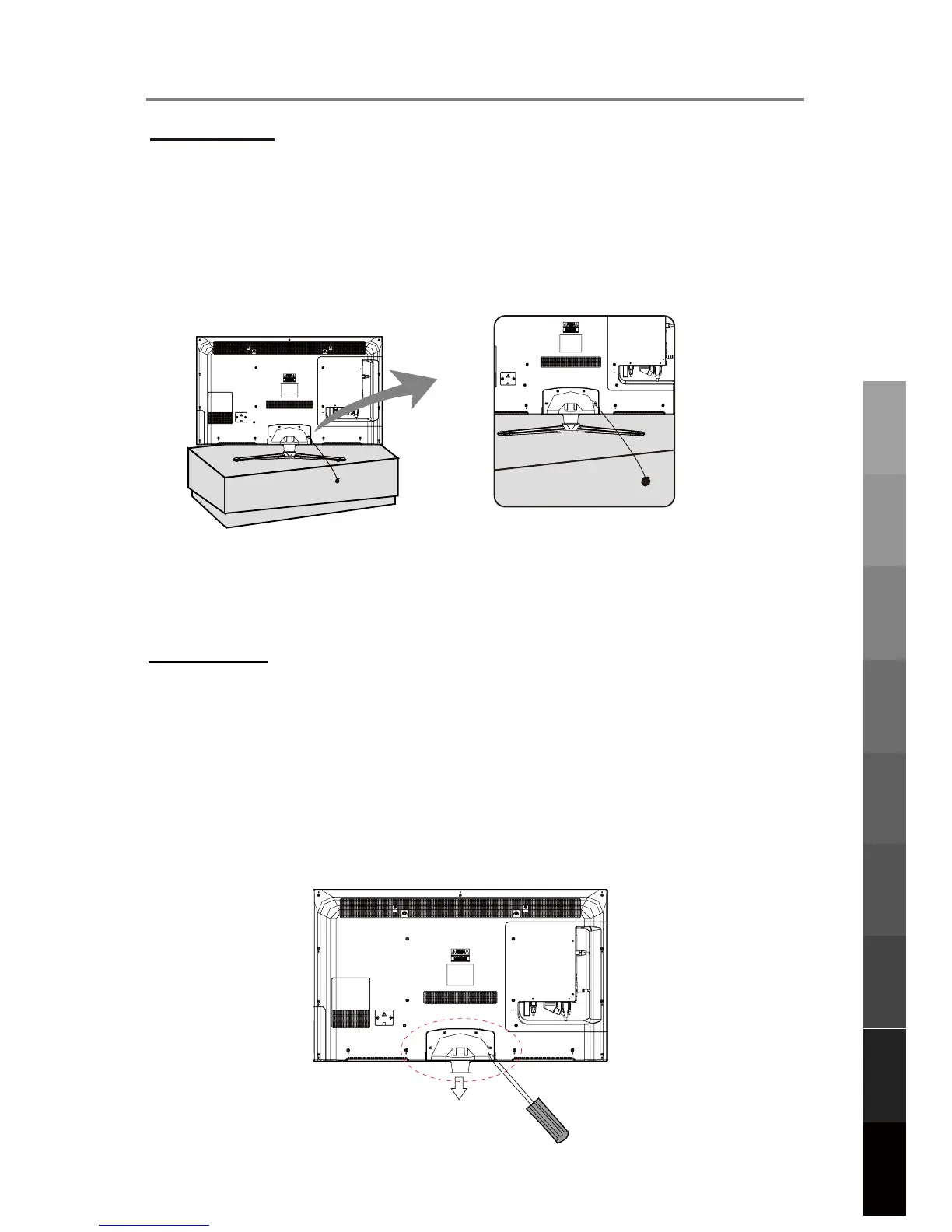
3. Place the unit face down on a soft surface.
4. Remove the attached leg at the bottom of the TV by removing the 5 screws on the
leg cover.
5. Refit the cover securely by replacing the 5 screws into their original positions.
7
Parts & Connections
USB Multimedia
Playback
TV Placement
Setup
Initial Setup &
Input Sources
Remote Control
On-Screen DisplayTV & Electronic
Programme Guide
Digital Video
Recording (DVR)
(OSD) Menu
Reference
Fall Prevention
To prevent the TV from tilting forward and falling over to cause damage or injury, please
secure the TV to your table or wall using screws or eyebolts and strong cord (not provided).
An example on fixing the TV to a table is shown below
1. Install a wood screw or eyebolt into the table that is supporting the TV.
2. Fix a machine screw into a screw hole near the base in the back of the TV.
Alternatively, secure the TV to the wall directly behind it by fixing eyebolts to the wall and
tying them to screws fixed on the centre of the TV back panel.
3. Tie the wood screw or eyebolt to the machine screw with a strong cord.



 To Next Page