Function
Menu system instruction
35
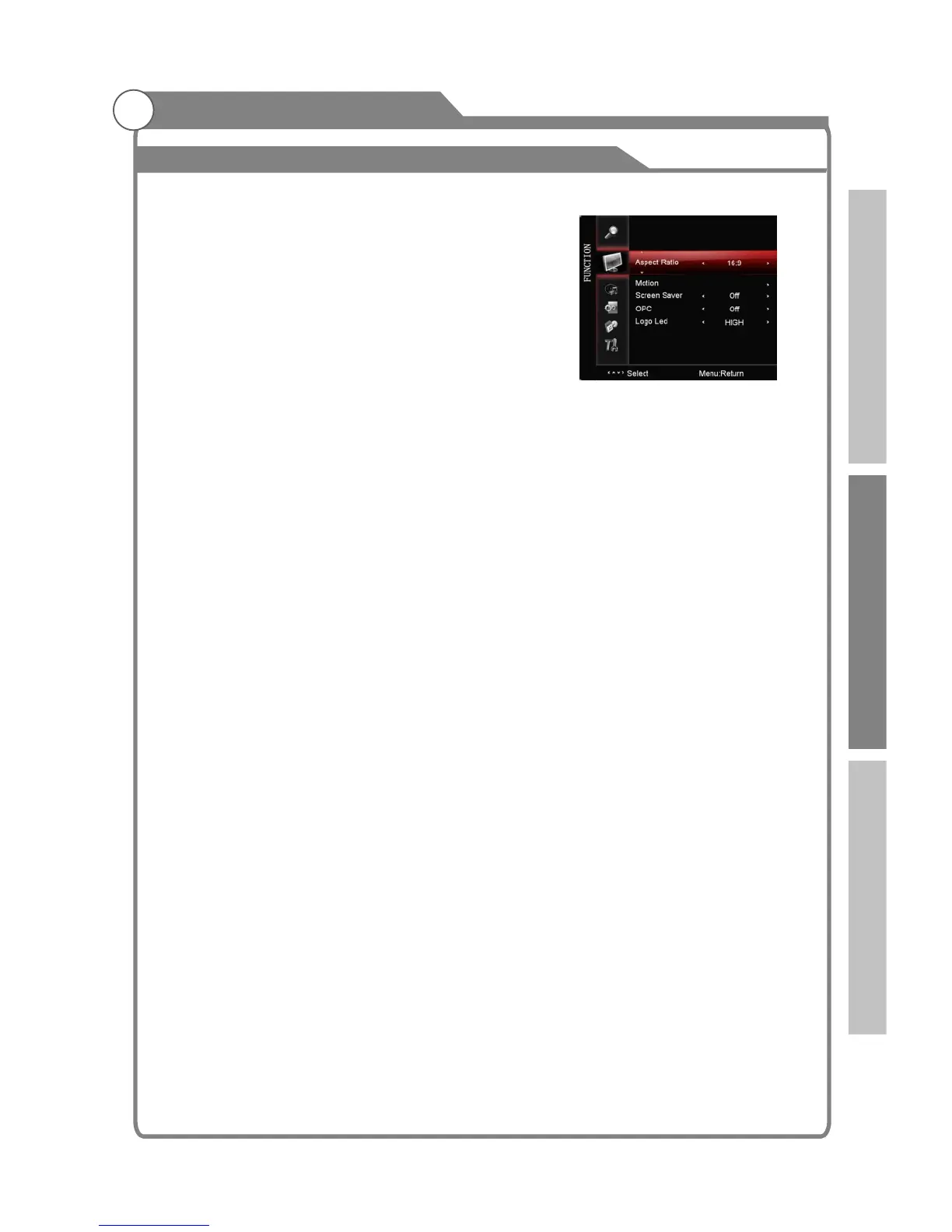
Aspect Ratio
You can select the picture size which best corresponds
to your viewing
1. Press p/q key to select “ " option.
2. Press t/u key to set the scale mode.
You can also press “ ” key on the remode control
to select one of the scale modes.
(Auto, 16:9,4:3,Panorama,Movie,Subtitle. Panorama is
disabled when it is in )
Motion
After selecting the “Motion” option, press OK or key to enter the submenu.
1. ME/MC: Press key to select the ME/MC mode: On/Demo. The moving pictures
will be more liquid in “On” mode. Your eyes can also be protected. In “Demo” mode,
the panel will be divided into two parts to show this function. The right part open the
function, and the left part does not. This option is not used in DVI/ VGA/ USB mode.
2. Detail enhance: Press key to select the detail enhance mode: Off/On. The detail
will be stronger when it is in “On” mode.
3. Noise Reduction: Press key to select the Noise Reduction mode: LOW/MIDDLE/
HIGH/DEFAULT/Off. You can select the right mode to match the pictures.
Screen Saver
This option is only used in ATV mode.
1.Press p/q key to select “Screen Save” option.
2.Press t/u to choose on or off.
OPC
Press t/u button to select “On”, “Off” and “Demo”. In “On” mode, according to bright dark
DVI-HDMI modes or on signal.
s
If “OPC” is in “Demo” mode, it will turn to “On” automatically the next time you
turn on the TV.
Logo led
1. Press p/q key to select “Logo Led" option.
2. Press t/u key to choose “hight”, “Low”, “off” for logo led lighting.
requirement.
Aspect
Aspect
Component/HDMI/PC mode.
screen image changes, the system will automatically adjust the allocation of power, so as
to achieve the effect of energy-saving. ''Off'' is the default setting and disables the OPC
function. In “Demo”mode, TV will show the OPC effect of real-time in the lower right
corner of the screen, there will be DLC, DCC and PW.The Demo mode is not available in
PC, USB and
Note: 1. The Demo mode can not show together with other menu .
2.
note: Logo Led must be set to 'High' or 'Low' to enable the TEAC logo to flash during
recording.
u
t/u
t/u
t/u
Introduction Basic operation Reference



 To Next Page