7
Control Panel Buttons
VOL+ : Volume up / navigate right
VOL- : Volume down / navigate left
CH+: Next TV channel / navigate up
CH - : Previous TV channel / navigate down
/ MENU: Press to turn the TV on / enter menu / return
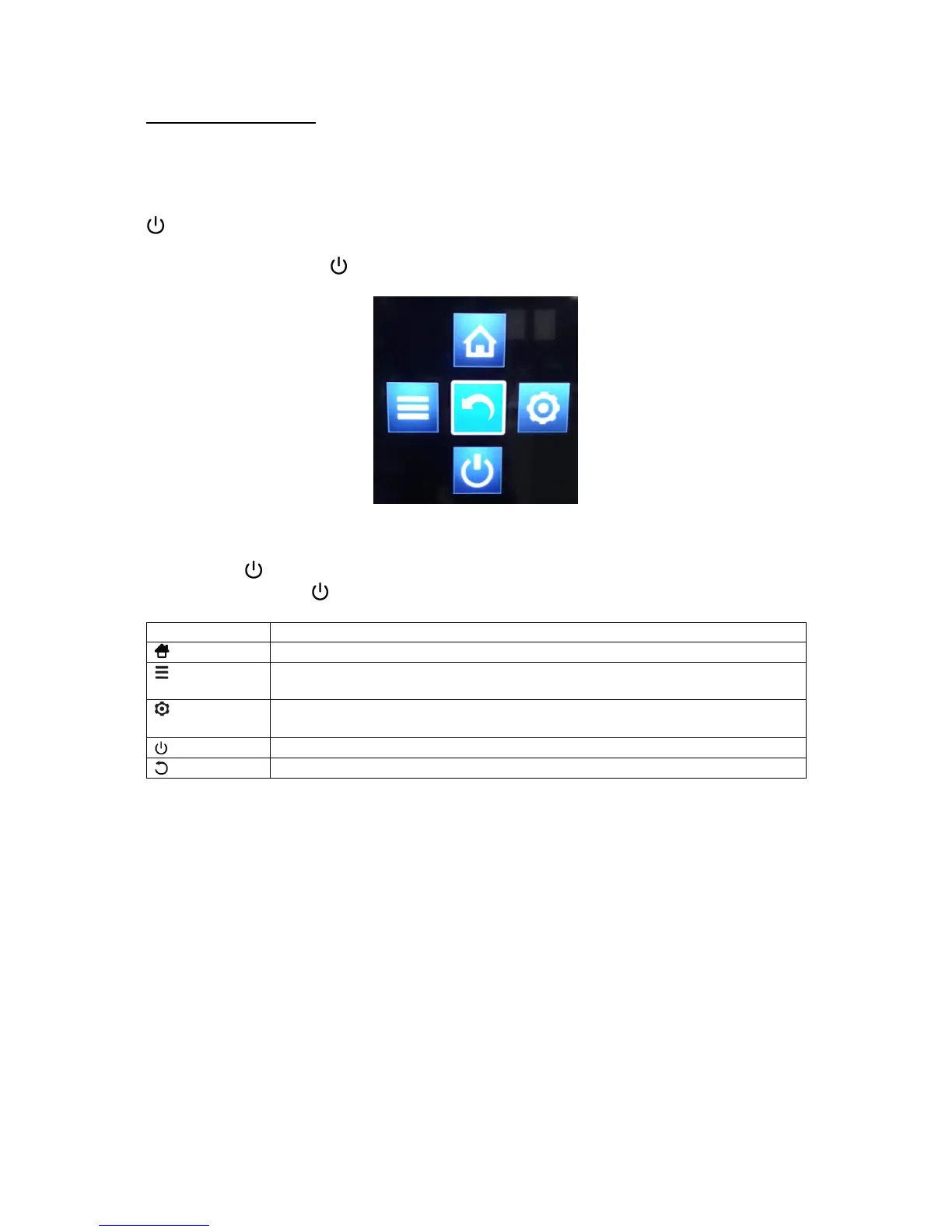
While the TV is on, press / MENU to bring up the menu shown below.
▪ Use the VOL+/- and CH+/- buttons as directional buttons for navigation, and highlight
the desired item.
▪ Press / MENU to confirm your selection.
▪ Press and hold / MENU to return to the previous screen/menu.
Access Wireless Display, Enjoy Music, Sleep Timer, PVR, Soundbar
Ready, and Sports Mode
Enter the on-screen menu (TV, PICTURE, SOUND, TIME, SYSTEM,
LOCK)



 To Next Page