21
Content Type
Press OK to enter, then press ◄/► to select Video, PC and Game
ECO Setting
Press OK to select Off / On for power saving.
Color Temperature
Adjusts the color temperature of the picture. Press ▲/▼ to select the color settings:
Cool for a cooler palette of picture colors;
Warm for a warmer palette of picture colors.
Note: For some models, the Color Temperature option is
not available.
Noise Reduction
Improves the quality of the picture in the case of poor reception. Press to select Off, Low,
Middle, High, Auto.
Dynamic Contrast Enhancement
Adjusts the contrast automatically. Press to select On or Off.
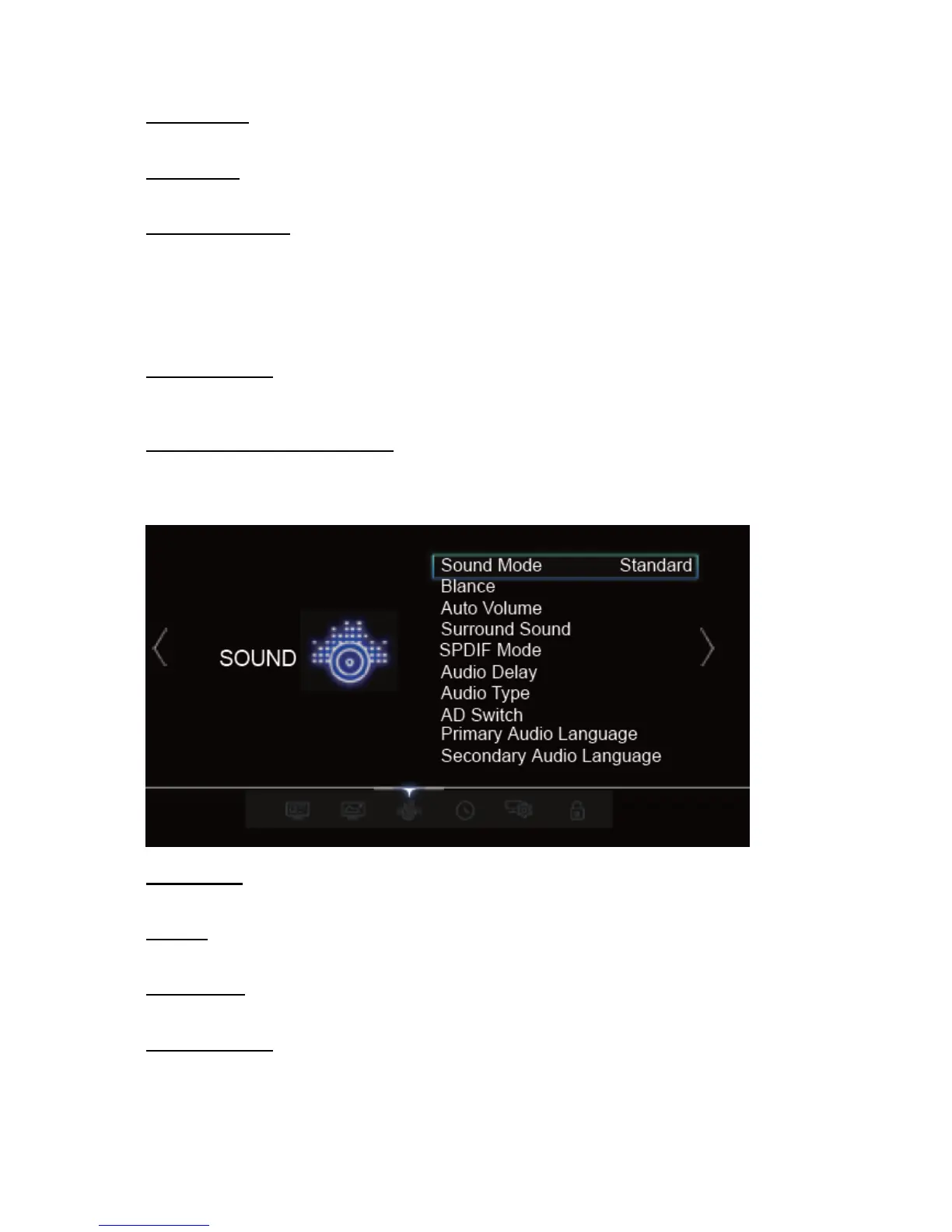
Sound Mode
Press OK to confirm and then press / to cycle through Standard, Music, Movie, News, User
Balance
Press ◄/► to balance the sound between the left and right speakers.
Auto Volume
Press ◄/► to select On/Off.
Surround Sound
Press OK to confirm and the press to cycle through Off ,Surround, TruSurround XT.



 To Next Page