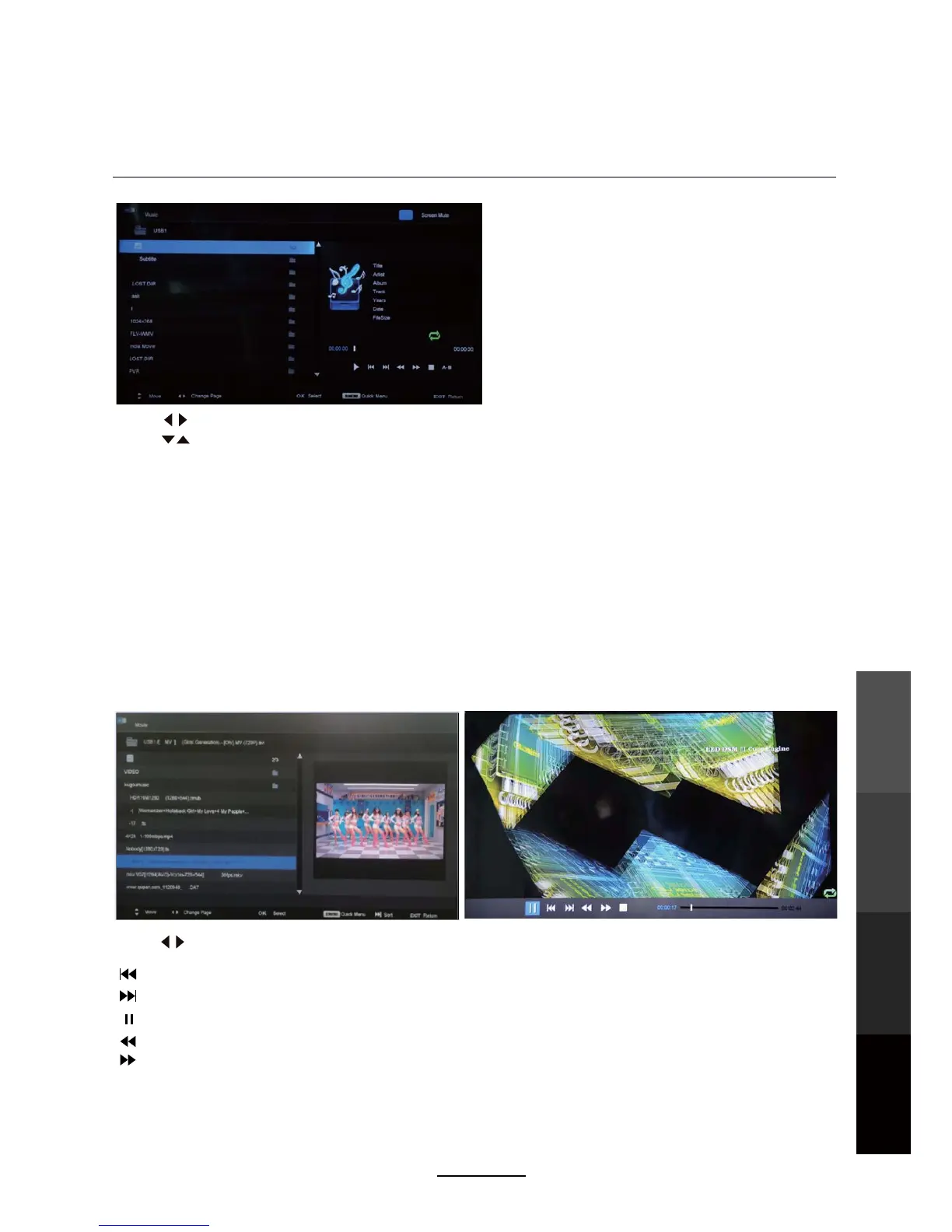
3. Movie
Multimedia Operation
25
Press D.MENU to enter Quick Menu.
Press to select options on the toolbar, and press OK to change.
To play video files, select a file from the folder. If Preview is turned on, the video will start playing
in a window on the side. Press PLAY to start watching the video in full screen.
Repeat: Select the repeat mode from Repeat All, Repeat 1, Repeat None.
: Previous chapter.
: Next chapter.
: Fast reverse.
: Fast forward.
: Play/Pause program.
Quick MENU:
Preview: Turn preview on or off.
Encode Type: Select the encode type for the movie.
Press to select the option on the table, and press OK to change.
Press to search for music, and press OK to select.
Repeat: Select the repeat mode from Repeat All, Repeat 1, Repeat None.
Sort:
Screen Mute: Press the BLUE button to switch off the screen display.
Press the EXIT button and select Back to return to the previous menu.
Quick Menu: Press D.MENU to enter Quick Menu.
Background Music: Turn on/off background music for musical photo/text display.
Sort the file list by File Size or File Name.
NOTE:This is NOT Standby.Turn the screen on with any button on the remote other than the STANDBY
button.
Multimedia
Operation
Recording
Operation
Maintenance
DVD Operation
and Service



 To Next Page