11
ENGLISH
K
M
L
U
N
O
F
E
D
G
P
R
Q
S
J
T
C
J
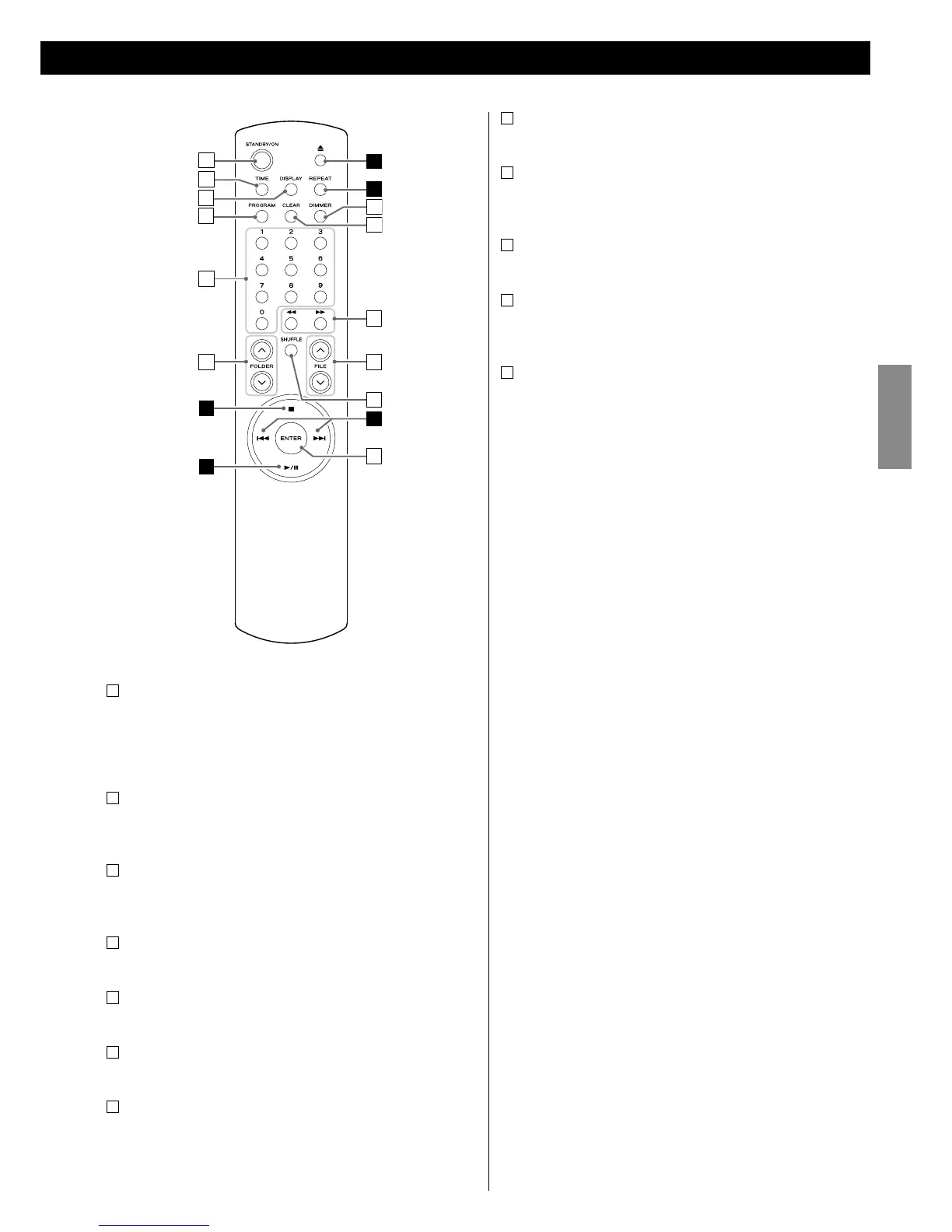
STANDBY/ON
Use this button to turn on or standby the unit.
< While the system control functions are activated, this button does
not work. To turn on or standby this unit, use the remote control
unit (RC-1181) of the AG-H600 series receiver.
K
TIME
Use this button to change the time information on the display.
(See page 18.)
L
DISPLAY
Use this button to change the information on the display. (See
page 18.)
M
PROGRAM
Use this button to enter the program mode. (See page 16.)
N
Numeric buttons
Use these buttons to select a track/file number. (See page 14.)
O
FOLDER (°/‡)
Use these buttons to select a folder of MP3/WMA. (See page 14.)
P
DIMMER
Use this button to dim the display. (See page 17.)
Q
CLEAR
Use this button to clear a programmed track. (See page 16.)
R
Search (m/,)
During playback, use these buttons to search the part you want
to listen to. (See page 13.)
S
FILE (°/‡)
Use these buttons to select a file of MP3/WMA. (See page 14.)
T
SHUFFLE
Use this button to enter the shuffle playback mode. (See page
15.)
U
ENTER
Use this button to confirm the selection of a folder/file. (See page
14.)
< You can also use the following buttons on the remote control
unit (RC-1181) of the AG-H600 series receiver:
REPEAT,
Stop (H),
SHUFFLE,
Skip (.//),
Play/Pause (G/J),
Search (m/,)
Refer to the manual of the AG-H600 series receiver.



 To Next Page