16
Note
< When you stop programmed playback, the total number of the
programmed tracks and total time are shown on the display.
< When you press the SHUFFLE button during programmed
playback or you press the SHUFFLE button then press the play/
pause button (G/J) while programmed playback is stopped,
shuffle playback starts, but program mode will not be cancelled.
You can return to the programmed playback by stopping shuffle
playback and pressing the play/pause button (G/J).
To stop programmed playback
Press the stop button (H).
< When the stop button (H) is pressed, playback stops, but program
mode will not be cancelled. You can return to programmed
playback by pressing the play/pause button (G/J).
To check the programmed order
Press the PROGRAM button repeatedly while playback is stopped.
The track number and program number are shown on the
display. “P-end” appears at the end of the program.
< To return to the normal display of programmed playback, start
and stop programmed playback.
You can play up to 30 tracks in a desired order.
< Insert a disc before programming.
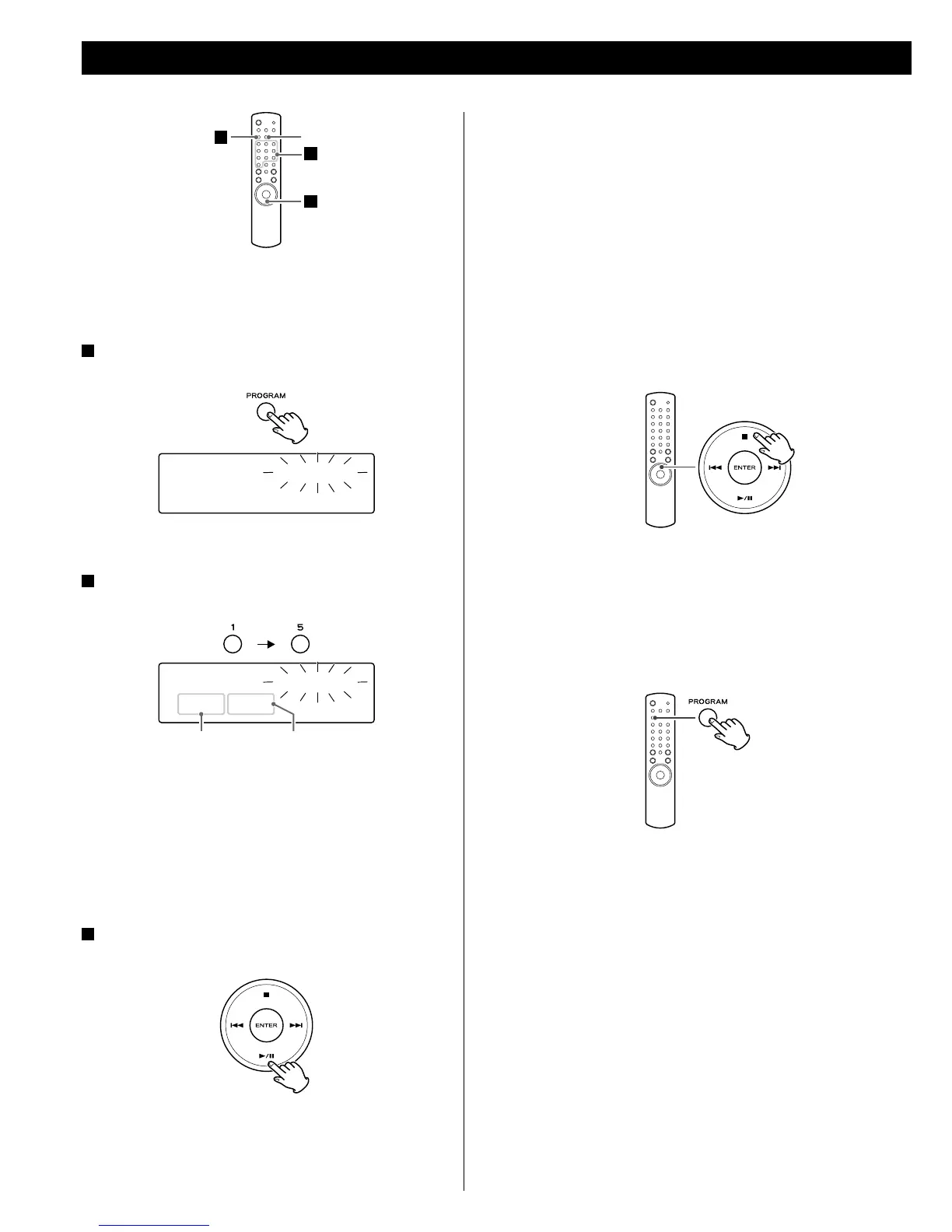
1
Enter the program mode.
Press the PROGRAM button.
< You cannot program during playback.
2
Select a track using the numeric buttons.
Example: to select track/file 15
Repeat the selection until you finish programming desired tracks.
< If you attempt to program more than 30 tracks, ”P-full” (Program
is full) appears and no more tracks can be programmed.
< To correct a selection, press the CLEAR button. The last
programmed track is cleared.
< If you press the stop button (H), all the programmed tracks are
cleared.
3
Start programmed playback.
Press the play/pause button (G/J).
< “PRG” is displayed during programmed playback and while it is
stopped.
< Playback stops automatically after all programmed tracks are
played.
Selected track number
Stop PROGRAM
P-00 T00
Stop PROGRAM
P-01 T15
2
CLEAR
3
1
Program number
Programmed Playback (Audio CD only)



 To Next Page