14
While playing or playback is stopped, you can select and play a
desired folder or a desired file in an MP3/WMA folder.
1
Select a folder.
Press the FOLDER buttons (°/‡).
< When the disc has no folder or only one folder, go to
3
.
< The order of the folders may changed depending on the
hierarchy of the folders.
2
Confirm the selection.
Press the ENTER button.
Playback starts from the beginning of the selected folder.
3
Select a file if you want.
Press the FILE buttons (°/‡).
4
Confirm the selection.
Press the ENTER button.
Playback starts from the selected file.
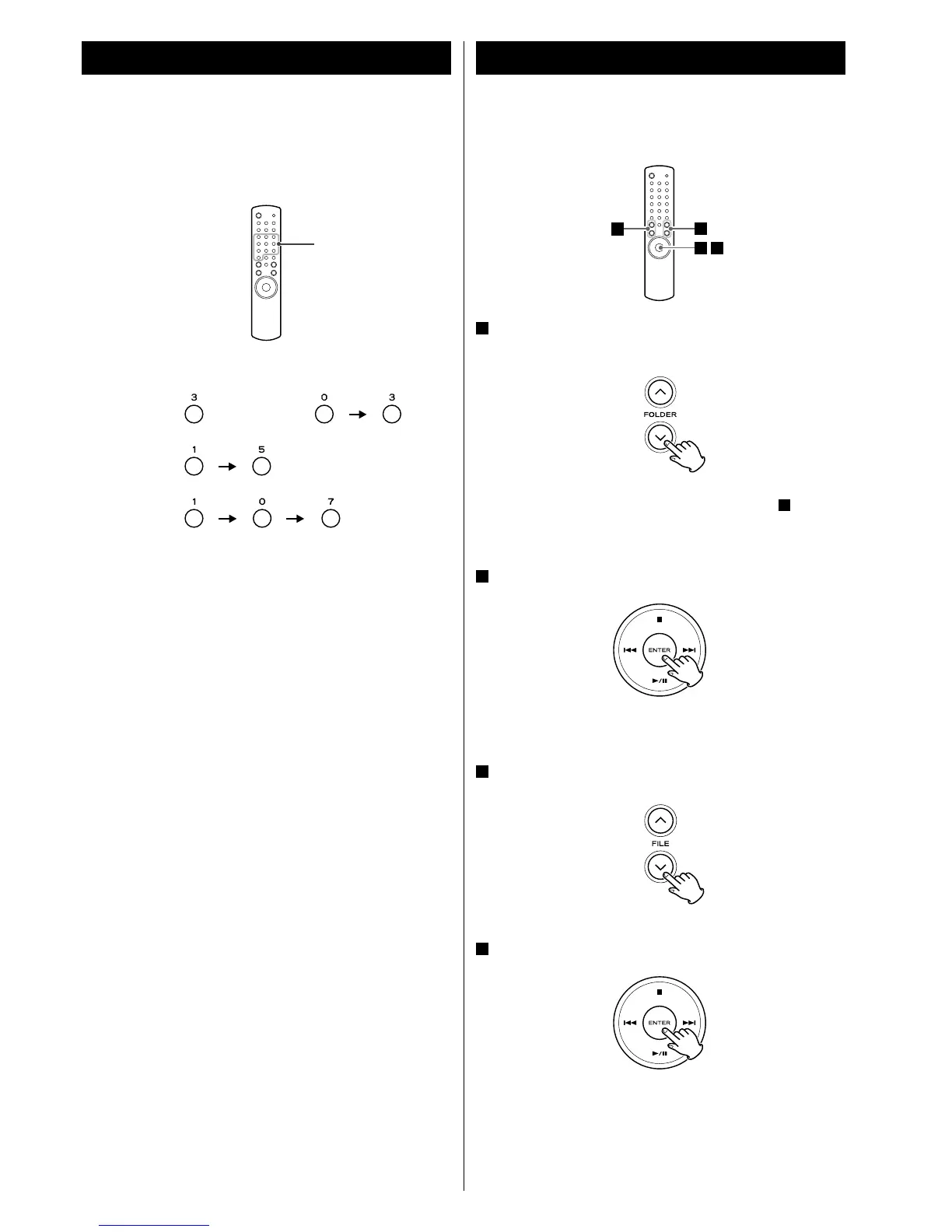
You can use the numeric buttons of the remote control to select a
track/file.
Press the numeric buttons to select a track/file.
Examples:
Track/file 3:
Track/file 15:
File 107:
< If a numeric button is pressed and leave the unit more than 5
seconds, the selection will be entered.
Playback starts from the selected track/file.
or
1
2
3
4
Direct Track/File Selection Folder/File Search
Numeric buttons



 To Next Page