ENGLISH FRANÇAIS
Lecture des disques (5)
36
Playing Discs (5)
Using the Menu for Each DVD
Using the title menu
A DVD is divided into long sections of a
picture or a music piece called “title”.
Normally, a title is composed of several
chapters. When you play a DVD containing
several titles, you can select the title (or
chapter) you want using the title menu.
(Note: Not all DVD discs are separated into
Titles and Chapters. See the instructions for
that particular DVD disc.)
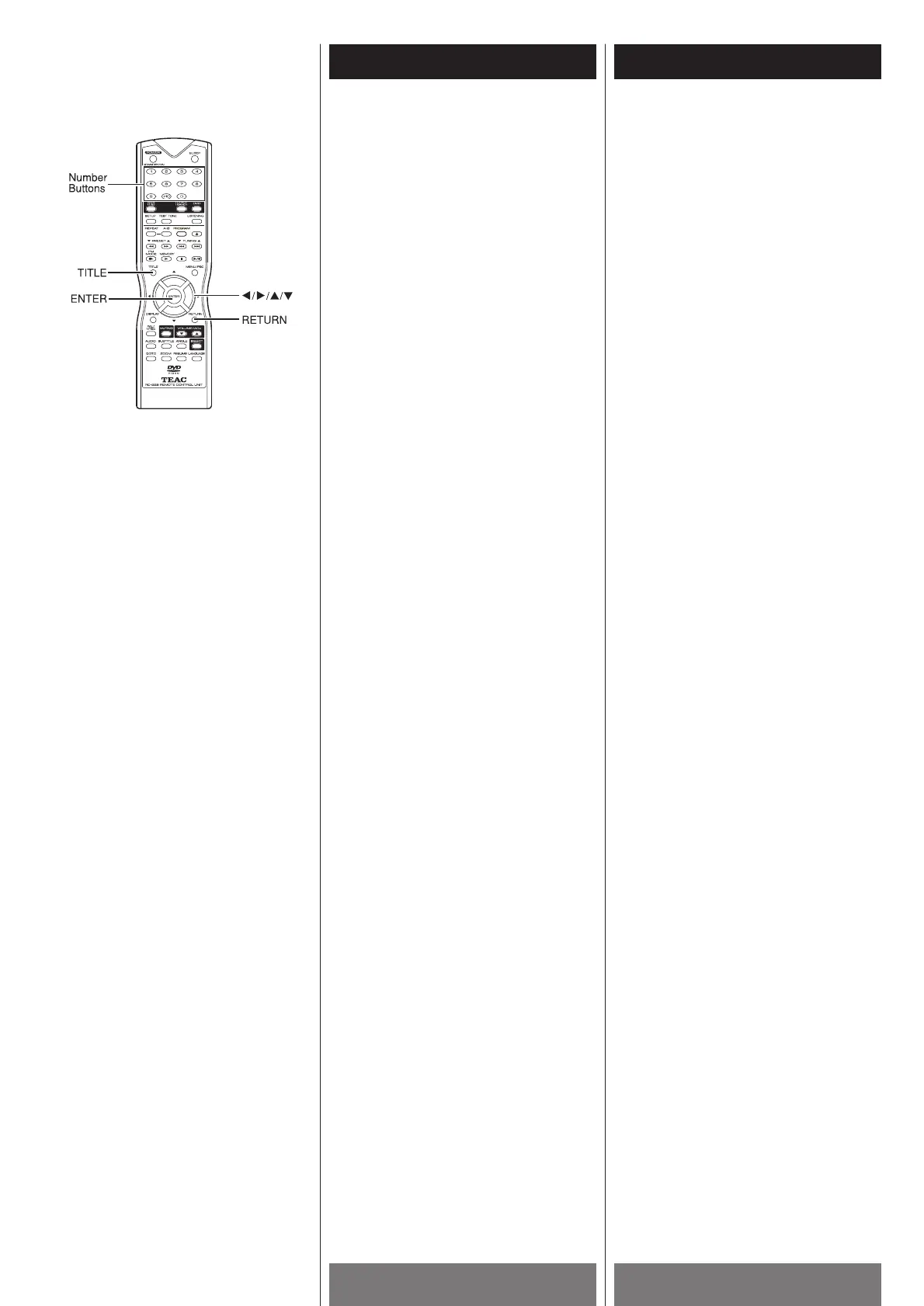
1 Press the TITLE button while playing a
DVD disc.
The “TITLE MENU” will be shown on TV
screen for a moment, and then the title
menu appears. The contents of the menu
vary from disc to disc.
2 Use the g/t/5/b buttons to select the
title (or chapter) you want to play.
Depending on the disc, you can use the
number buttons (0~9 / +10) to select the
title (or chapter).
3 Press the ENTER button.
The player starts playing the selected
title (or chapter).
Notes
< Depending on the DVD disc, you may not
be able to select the title or chapter.
<
Depending on the DVD disc, a “title menu”
may simply be called a “menu” or “title” in
the instructions supplied with the disc.
<
For some DVD disc, when you press the
TITLE button, the playback will restart
from the beginning of the disc.
Utilisation du menu pour
chaque DVD
Utilisation du menu de titre
Un DVD est divisé en longues partitions
d’images ou partitions musicales appelées
“title”. Normalement, un titre se compose de
plusieurs chapitres. Quand vous jouez un
DVD qui contient plusieurs titres, vous
pouvez choisir le titre (ou chapitre) que vous
désirez utilisant le menu des titres.
(Remarque: Pas tous les disques DVD sont
séparés en titres et chapitres. Lire les
instructions du disque DVD en particulier.)
1 Appuyer sur la touche TITLE pendant
qu’un disque DVD joue. “TITLE MENU”
est affiché momentanément et ensuite le
menu des titres apparait. Le contenu du
menu varie d’un disque à l’autre.
2 Utiliser les touches g /t/5 /b pour
choisir le titre (ou chapitre) que vous
désirez joué.
Dépendemment du disque, vous pouvez
utilisés les touches numériques (0-9/+10)
pour choisir le titre (ou chapitre).
3 Appuyer sur la touche ENTER
Le titre (ou chapitre) choisi commence à
jouer
Remarque
< Dépendemment du disque DVD, il est
possible que vous ne pouvez pas choisir le
titre ou chapitre.
<
Dépendemment du disque DVD, un “menu
de titre” peut simplement être appeler un
“menu” ou “titre” dans les instructions
fournies avec le disque.
<
Pour certain disques DVD, quand vous
appuyez sur la touche TITLE, la lecture
recommencera au début du disque.



 To Next Page