ENGLISH FRANÇAIS
32
Playing Discs (1) Lecture des disques (1)
This chapter describes how to play a DVD /
Video CD / CD / MP3 disc.
Basic Play
Depending on the DVD or Video CD discs,
some operations may be different or
restricted. Refer to the instructions supplied
with your disc.
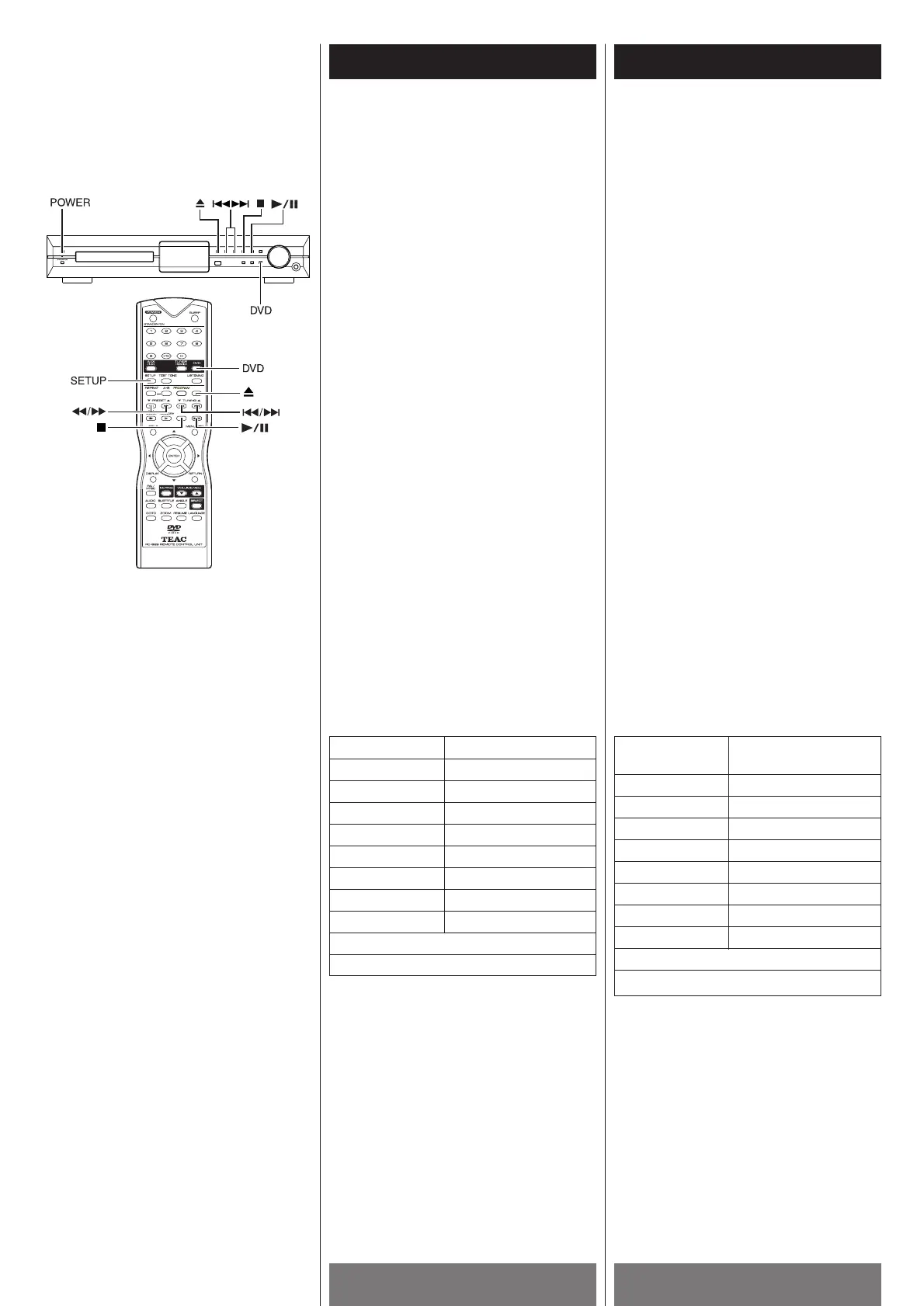
1 Turn on the TV and select the video input
so that you can view the pictures from
this system.
2 Press the POWER button on the front
panel to turn on the main power of this
system. The front panel display lights up,
and the startup screen appears on the TV
screen.
3 If the system is not in the DVD player
mode, press the DVD button.
4 Press the L (OPEN/CLOSE) button, and
place a disc on the disc tray. Press the L
button again to close the tray.
The player starts loading the disc. The
operating message will appear on the TV
screen or/and on the front panel display,
e.g. as the following list:
Ce chapitre décrit comment jouer un disque
DVD / Vidéo CD / CD / MP3.
Lecture de base
Dépendemment des disques DVD ou Vidéo
CD, certaines opérations peuvent différer ou
être restreintes. Reférez-vous aux
instructions fournies avec le disque.
1 Allumer le téléviseur et choisir l’entrée
vidéo, afin de pouvoir regarder les
images de ce système.
2 Appuyer sur la touche POWER sur le
panneau avant pour allumer l’appareil.
L’afficheur du panneau avant s’allume et
l’écran du téléviseur montre la procédure
de départ.
3 Si le système n’est pas en mode lecteur
DVD, appuyer sur la touche DVD.
4 Appuyer sur la touche L (OPEN/CLOSE)
et insérer un disque dans le tirroir.
Appuyer la touche L
de nouveau pour
fermer le tirroir.
Le lecteur charge le disque. Un message
d’opération apparait sur l’écran ou/et sur
le panneau avant, i.e. tel que la liste qui
suit:
On TV screen On front panel display
WAITING
DISC LOADING LOADING
OPEN OPEN
CLOSE CLOSE
PLAY PLAY
NO DISC NO DISC
BAD DISC BAD DISC
DVD/VCD/CD/MP3
WRONG REGION (See page 8)
PARENTAL VIOLATION (See page 54)
Sur l’écran du
Sur le panneau avant
téléviseur
WAITING
DISC LOADING LOADING
OPEN OPEN
CLOSE CLOSE
PLAY PLAY
NO DISC NO DISC
BAD DISC BAD DISC
DVD/VCD/CD/MP3
WRONG REGION (Voir page 8)
PARENTAL VIOLATION (Voir page 54)



 To Next Page