ENGLISH FRANÇAIS
42
Lecture des disques (11)Playing Discs (11)
Selecting a Start Point Using
the Time Code
You can search by inputting the time code.
The time code corresponds to the
approximate actual playing time. For
example, to search for a scene 2 hours 30
minutes 20 seconds past the beginning, key
in 02:30:20.
Note
< This function is not available for CD and
MP3.
If the playing disc is DVD
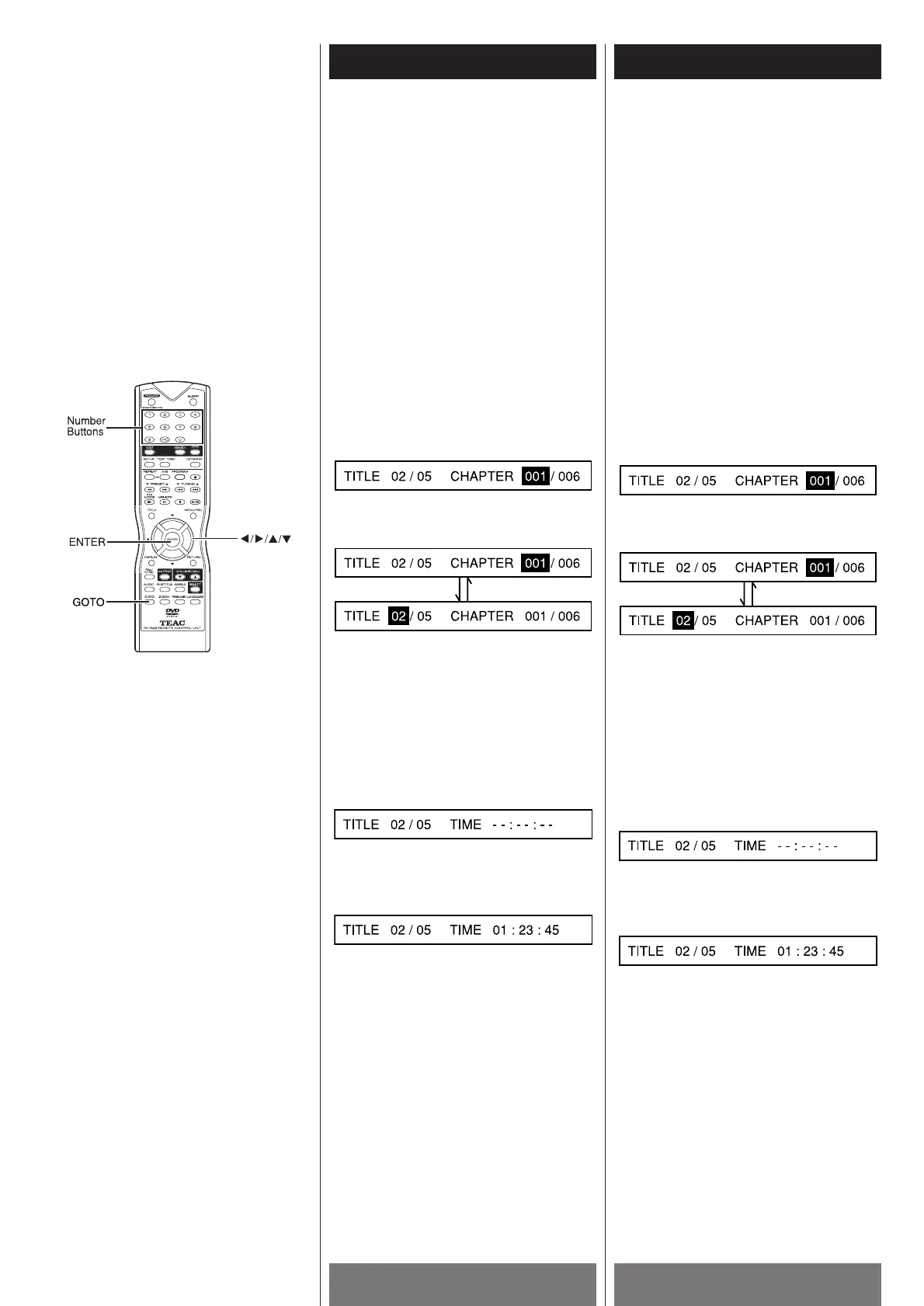
1 Press the GOTO button. The following
menu appears on the TV screen.
2 Use the h or G button to select title
number or chapter number.
Use the number buttons (0~9) to input the
title or chapter number you want.
3 Press ENTER to play your selection.
4 Follow Step 1, press the GOTO button
again to enter time menu shown as
below.
5 Use the number buttons (0~9) to input the
time code you want.
For example, key in 0, 1, 2, 3, 4, 5.
6 Press ENTER to start playing (from the
point of 01:23:45).
7 Follow Step 4, press the GOTO button
again to exit.
Notes
< If the title number, chapter number or time
code you input does not exist in the disc,
the system will not execute your selection
and the selecting menu will exit.
<
The selection menu will time out after a
few seconds if you do not input valid
number.
Sélection d’un point de départ
utilisant le code temporel
Vous pouvez faire une recherche en entrant
le code temporel.
Le code temporel corresponds au temps
actuel approximatif de lecture. Par example,
pour trouver une scène située 2 heures 30
minutes 20 secondes passée le début entrer
02:30:20.
Remarque
< Cette fonction n’est pas disponible pour
CD et MP3.
Si le disque qui joue est un DVD
1 Appuyer sur la touche GOTO, le menu qui
suit apparait sur l’écran:
2 Utiliser la touche h ou G pour choisir
le numéro du titre ou numéro du chapitre.
Utiliser les touches numériques (0-9) pour
entrer le numéro du titre ou chapitre que
vous désirez.
3 Appuyer sur la touche ENTER pour jouer
vore choix.
4 Suivre l’étape 1, appuyer sur la touche
GOTO de nouveau pour engender le
menu de l’heure.
5 Utiliser les touches numériques (0-9) pour
entrer le code temporel désiré.
Par example entrer 0,1,2,3,4,5.
6 Appuyer sur ENTER pour débuter la
lecture (à partir du point 01:23:45).
7 Suivre l’étape 4, appuyer sur la touche
GOTO pour quitter.
Remarque
< Si le numéro du titre, numéro du chapitre
ou code temporel que vous entrez n’existe
pas sur le disque, le système va ignorer
votre choix et quitter le menu.
<
Le menu va aussi s’arrêter pour quelque
secondes si vous n’entrez pas des
numéros valides.



 To Next Page