ENGLISH
31
Programmed playback
MP3 WMA
< If you press one of the following buttons, the programmed
contents will be cleared.
FUNCTION (AUX, USB, TUNER)
OPEN/CLOSE (in DISC mode), STANDBY/ON,
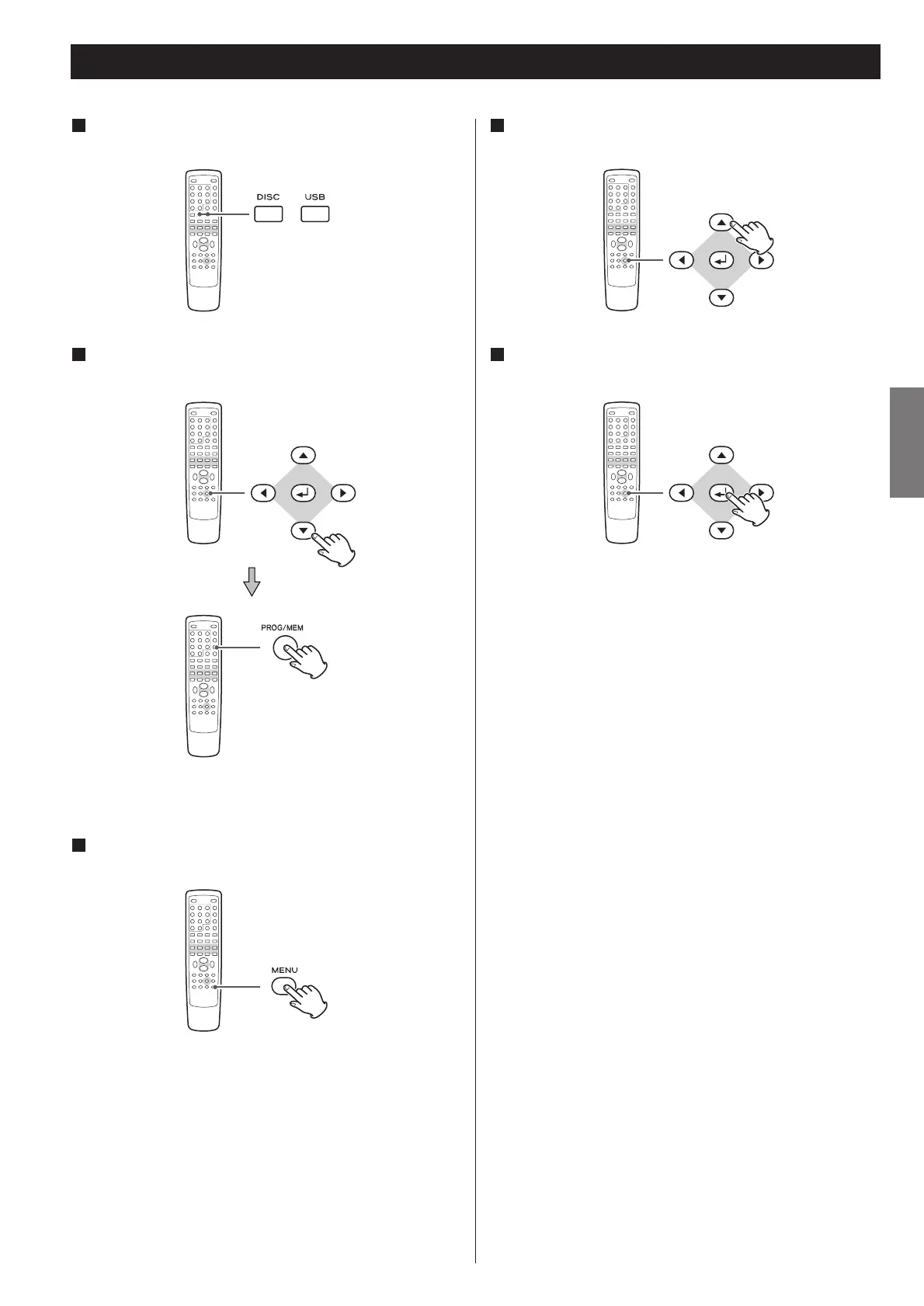
If another source is selected, press the FUNCTION
button to select “DISC” or “USB”.
1
Select a file using the cursor buttons and press the
PROGRAM button.
2
Press the ENTER button or the PLAY/PAUSE button to
start programmed playback.
5
The file is added to the program list.
Press the MENU button once or twice to display the
program list.
3
Highlight the first file in the program list using the
cursor buttons.
4



 To Next Page