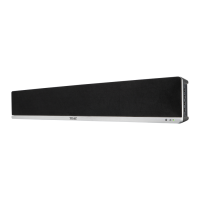
PLAYING AUDIO WIRELESSLY
USING THE USB FUNCTION
USING THE FM FUNCTION
1. Follow the instrucons for pairing a Bluetooth device.
2. Use the nave controls on the connected Bluetooth Device to select a track.
3. Long Press the ‘Play/Pause’ buon to Play or Pause the track.
4. Skip Forwards/Backwards to a selected track using the remote control.
5. Audio played through the connected Bluetooth device will now be heard through the speakers.
1. Insert USB to Play Music Automacally.
2. Select and press the MODE buon repeatedly on the remote control unl in USB mode, or press
the Mode buon repeatedly on the soundbar to enter USB mode.
3. Long Press the ‘Play/Pause’ buon to Play or Pause the track.
4. Skip Forwards/Backwards to a selected track using the remote control.
5. Audio played through the connected Bluetooth device will now be heard through the speakers.
1. Select and press the MODE buon repeatedly on the remote control, or press the Mode
buon on the soundbar repeatedly to enter FM mode.
2. Ensure that the wire aerial on the back panel of the soundbar is extended.
3. When in FM mode, press and hold the ‘Play/Pause’buon on the remote or on the soundbar
to begin searching for available FM staons.
4. Aer the search is complete, the soundbar will save the staons with good signal. To scroll
through these saved staons, press the ‘Previous/Next’ buons on the remote control .
PLEASE NOTE:
If you are having trouble with receiving staons, complete another auto-scan and adjust the
aerial as necessary.


 To Next Page