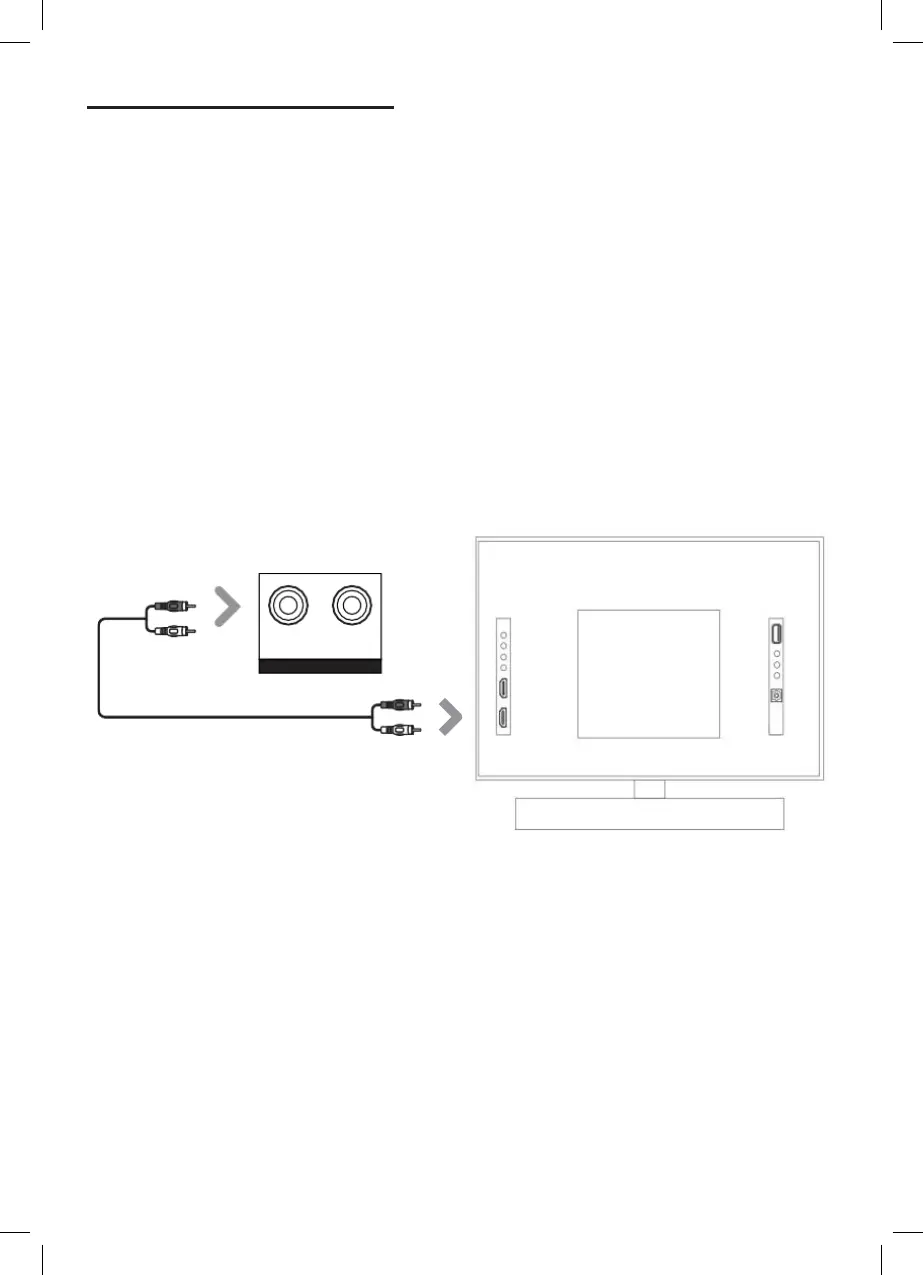
USING THE AUX IN CABLE
1. Use the AUX Stereo Audio Cable (included) to connect to the TV’s stereo AUX
(L/R) audio output socket.
2. Connect the audio output cable of the soundbar via the ‘AUX’ input sockets
of the unit. Then press MODE on the remote control or press the Mode
buon on the unit to scroll to the AUX IN funcon.
3. Turn on your television.
AUX stereo audio cable
Rear view of the unit
Troubleshoong
If you are not receiving a picture or encountering interference, please ensure that the AUX
cable is being connected to ‘output’ AUX port on your TV set. This will ensure that the sound is
being exported correctly. If your TV does not have ‘output’ AUX port, please use an alternave
connecon method.
AUX


 To Next Page