30
< The unit can be programmed to turn on
at a specified time. The unit will turn off
60 minutes after the specified time.
< The unit can store 2 timer settings into
memory.
< Adjust the clock before setting the timer
(see page 17).
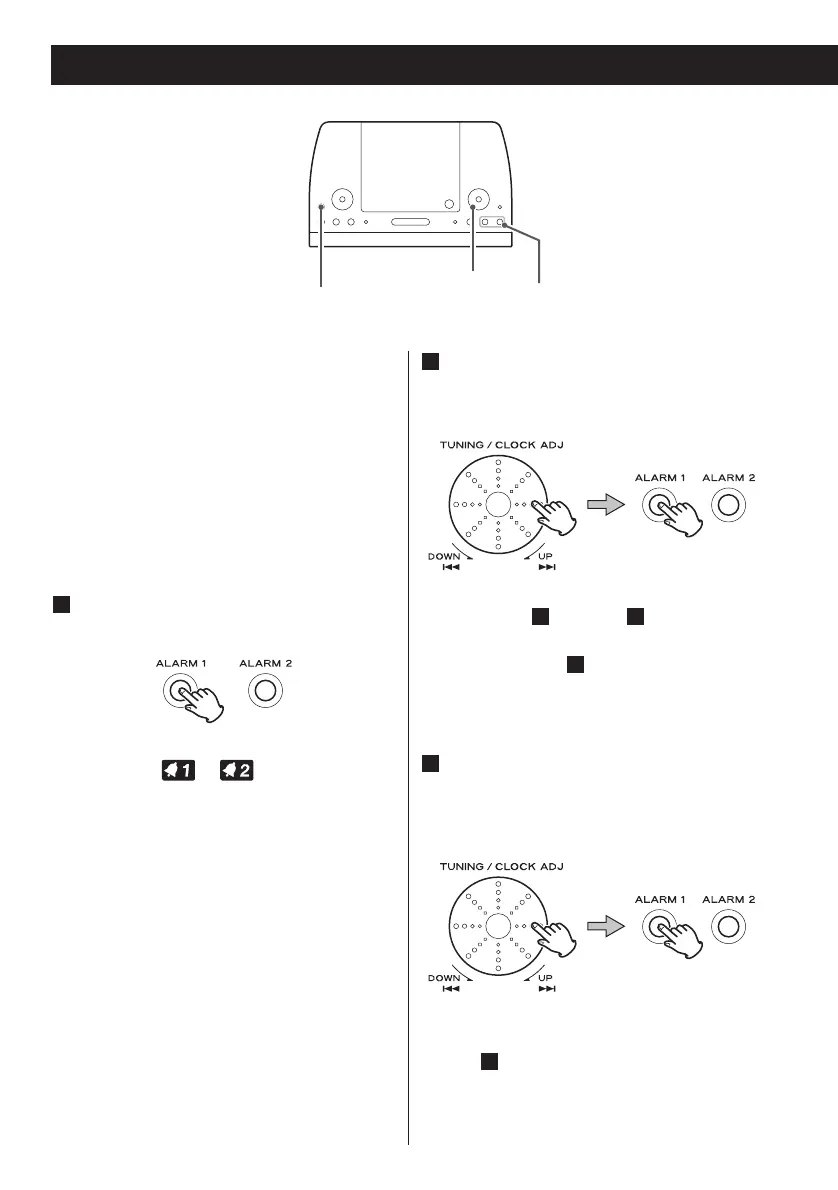
Press and hold the ALARM button (1
or 2) for more than 3 seconds.
The digital clock blinks and the ALARM
indicator ( or ) appears on the
display.
< If no button is pressed for 60 seconds,
the timer setting mode will be cancelled.
1
Turn the Skip rotary knob (. or
/) to set the start time, and then
press the ALARM button.
< From step through , make sure to
press the same ALARM button you
selected in step .
Turn the Skip rotary knob (. or
/) to select a source (CD, TUNER or
BUZZ), and then press the ALARM
button.
< You cannot select “AUX”.
< If you select BUZZ (buzzer), proceed to
step .
6
3
1
42
2
Timer 1



 To Next Page