Contents
Thank you for choosing TEAC. Read this manual carefully to get
the best performance from this unit.
IMPORTANT SAFETY INSTRUCTIONS ...........................2
Wireless equipment precautions (TN-180BT only)..............3
Trademarks and copyrights....................................3
Before use.....................................................4
Connections ..................................................5
Names and functions of parts .................................5
Handling records..............................................6
Dust cover ....................................................6
Basic operation................................................7
Notes about record styluses ...................................8
Recording with a computer (TN-100 only) .....................8
Listening with Bluetooth® speakers (TN-180BT only) . . . . . . . . . . . 9
Troubleshooting .............................................10
Specifications ................................................11
Before use
Included items
Check to be sure the box includes all the supplied accessories
shown below. Please contact the store where you purchased
this unit if any of these accessories are missing or have been
damaged during transportation.
Rubber mat × 1
45 RPM record (EP) adapter × 1
Dust cover × 1
Hinges × 2
RCA audio cable × 1
AC adapter (GPE053A-V120050) × 1
Owner’s manual (this document) × 1
o Keep this manual in a safe place for future reference.
Warranty card × 1 (for customers in the USA and Canada
only)
o See the back of this document for information about
the warranty in Europe and other countries or areas.
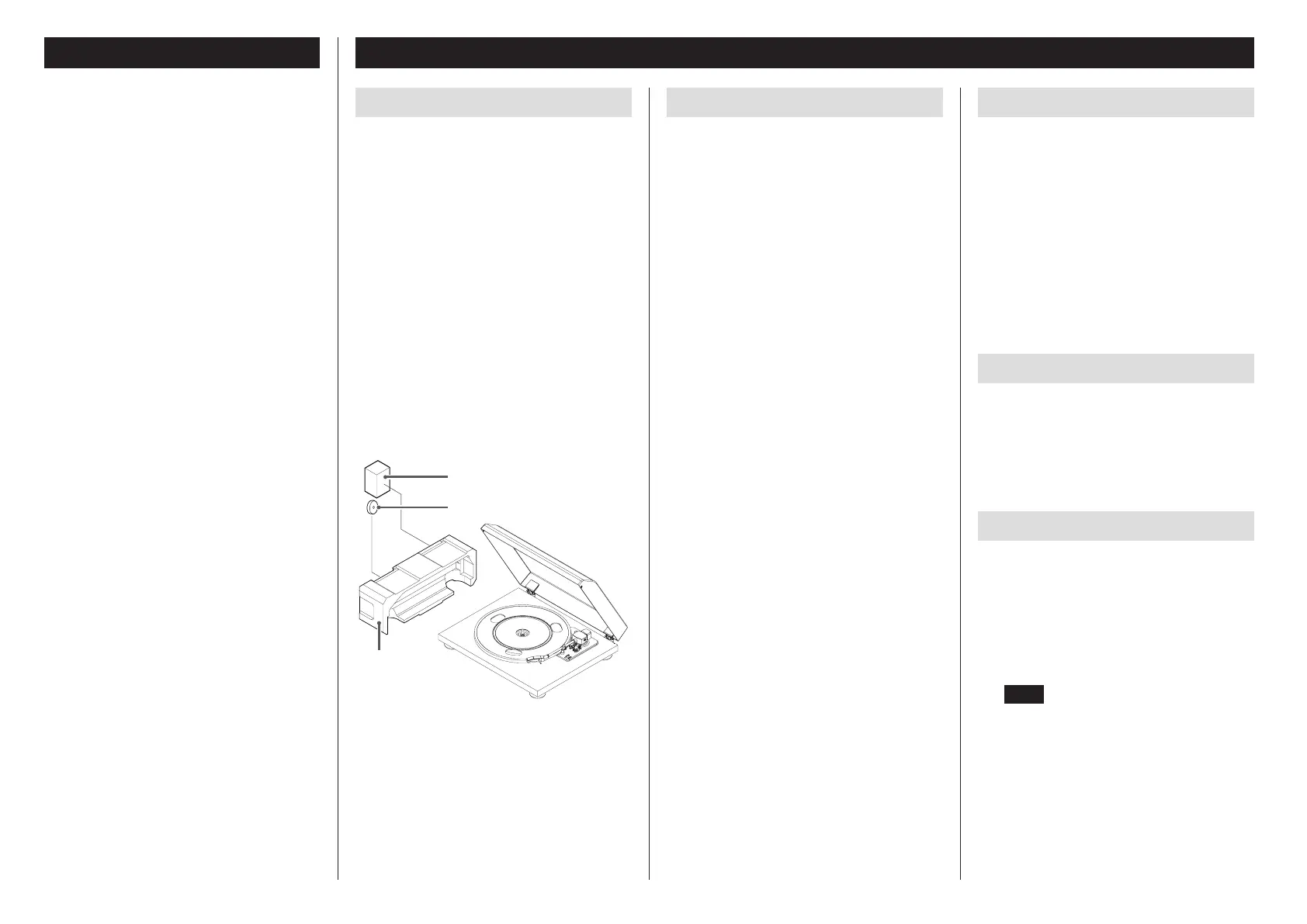
o The 45 RPM adapter and the box that contains the AC
adapter and other included accessories are inside the pack-
ing material as shown in the illustration below.
Box with AC adapter
and other accessories
45 RPM adapter
Packing material
Precautions for use
o Place the unit on a flat surface.
o Do not place anything on the dust cover. Objects on the
cover might cause noise due to vibrations or fall off, espe-
cially during playback.
o Avoid placing the unit in direct sunlight, close to a source
of heat or in other similar conditions. Do not place the unit
on top of an amplifier or other equipment that might gen-
erate heat that exceeds the operating temperature range of
this unit. Doing so could cause discoloration, deformation
or malfunction.
o As the unit could become warm during operation, always
leave sufficient space around it for ventilation. When
installing this unit, leave a little space (at least 20 cm (8”))
between it and other devices and walls to allow good heat
dissipation.
When placing it in a rack, for example, leave at least 35
cm (13 3/4”) open above it and 10 cm (4”) open behind it.
Failure to provide these gaps could cause heat to build up
inside and result in fire.
o DO NOT MOVE THE UNIT DURING PLAYBACK. During play-
back, the record rotates. Do not lift or move the unit during
playback. Doing so may damage the record, the stylus, the
cartridge or the unit.
o Always remove the record before relocating or moving this
unit. Moving the unit with a record on the turntable could
damage the record, the stylus and the cartridge or could
cause a malfunction.
o The voltage supplied to the unit should match the voltage
as printed on the rear panel. If you are in any doubt regard-
ing this matter, consult an electrician.
Maintenance
If the surface of the unit gets dirty, wipe it with a soft cloth or
use diluted mild liquid soap. Allow the surface of the unit to dry
completely before using.
o Do not use chemical cleaning cloths, thinner or similar sub-
stances as they could damage the surface of the unit.
V
CAUTION
For safety, disconnect the power cord from the socket before
cleaning.
Product registration
Customers in the USA, please visit the following TEAC website
to register your TEAC product online.
http://audio.teac.com/support/registration/
Using the TEAC Global Site
You can download updates for this unit from the TEAC Global
Site:
http://teac-global.com/
1) Open the TEAC Global Site.
2) In the TEAC Downloads section, click the desired language
to open the Downloads website page for that language.
NOTE
If the desired language does not appear, click Other
Languages.
3) Click the “Search by Model Name” section to open the
Downloads page for that product. (Users in Europe should
click the product name in the “Products” section instead.)
4) Select and download any updates that are needed.
4



 To Next Page
 Loading...