15
EN
Settings (1)
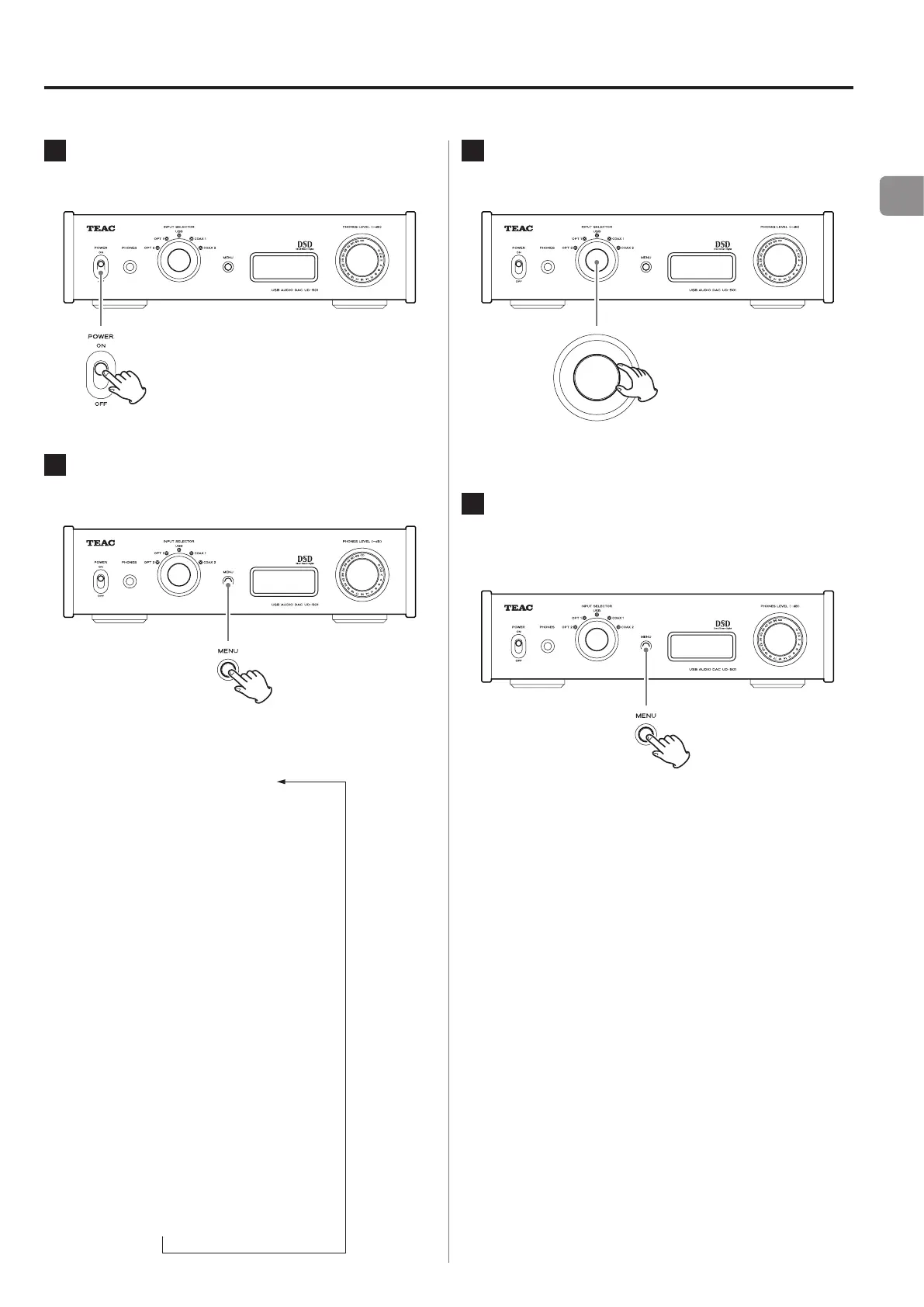
1
Press the POWER button to turn this unit
on.
2
Press the MENU button to show the
setting items.
Press the MENU repeatedly to cycle through the
menu items as shown below.
x
x
x
x
x
x
x
x
3
Turn the INPUT SELECTOR knob to change
the setting value.
o
The currently set value is shown on the display.
4
When you are done changing settings,
press the MENU button to show the input
source again.
o
If you do not do anything for 10 seconds, the dis-
play will return to showing the input source.
o
You can also press the MENU for 2 seconds or lon-
ger to show the input source.


 To Next Page