1
Z
Installation guide for the TEAC ASIO USB DRIVER
For Windows only
Supported products
UD-501, UD-301, AI-301DA, UD-503, NT-503, HR-X101(CR-H101)
Recommended hardware
PC with Intel Core 2 Duo or faster processor
and 1 GB or more memory
Supported operating systems (as of July, 2016)
Windows 7 (32/64-bit)
Windows 8 (32/64-bit)
Windows 8.1 (32/64-bit)
Windows 10 (32/64-bit)
Precautions before installation
Install the dedicated driver software before connecting
the computer by USB.
ASIO is a trademark and software of Steinberg Media Technologies
GmbH.
Microsoft, Windows and Windows Media are either registered trade-
marks or trademarks of Microsoft Corporation in the United States
and/or other countries.
Apple and iTunes are trademarks of Apple Inc., registered in the U.S.
and other countries.
Other company names and product names in this document are
the trademarks or registered trademarks of their respective owners.
Driver installation procedures
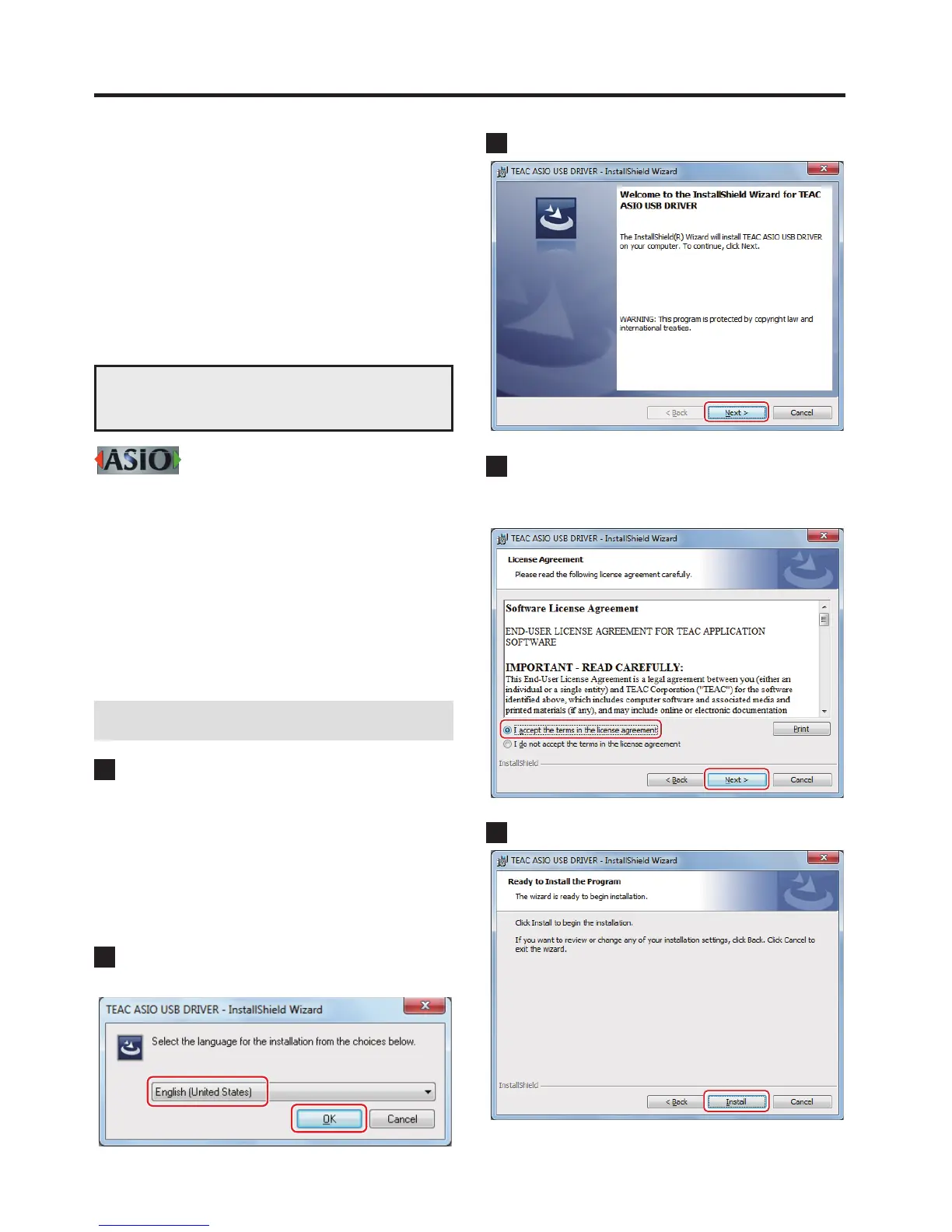
1 If using a 32-bit operating system, double-click the
TEAC-AudioHS32.exe le to open the installation
wizard.
If using a 64-bit operating system, double-click the
TEAC-AudioHS64.exe file to open the installation
wizard.
If a Software (program) use confirmation pop-up appears, click
“Run” or “Yes” to continue with installation of the driver file.
2 Select the language that you want to use for instal-
lation and click “OK”.
3 Click “Next”.
4 After confirming the contents of the License
Agreement, select “I accept the terms in the license
agreement” and click “Next”.
5 Click “Install”.
D01190320F Continued on the next page e



 To Next Page