Z
2
Installation guide for the TEAC ASIO USB DRIVER
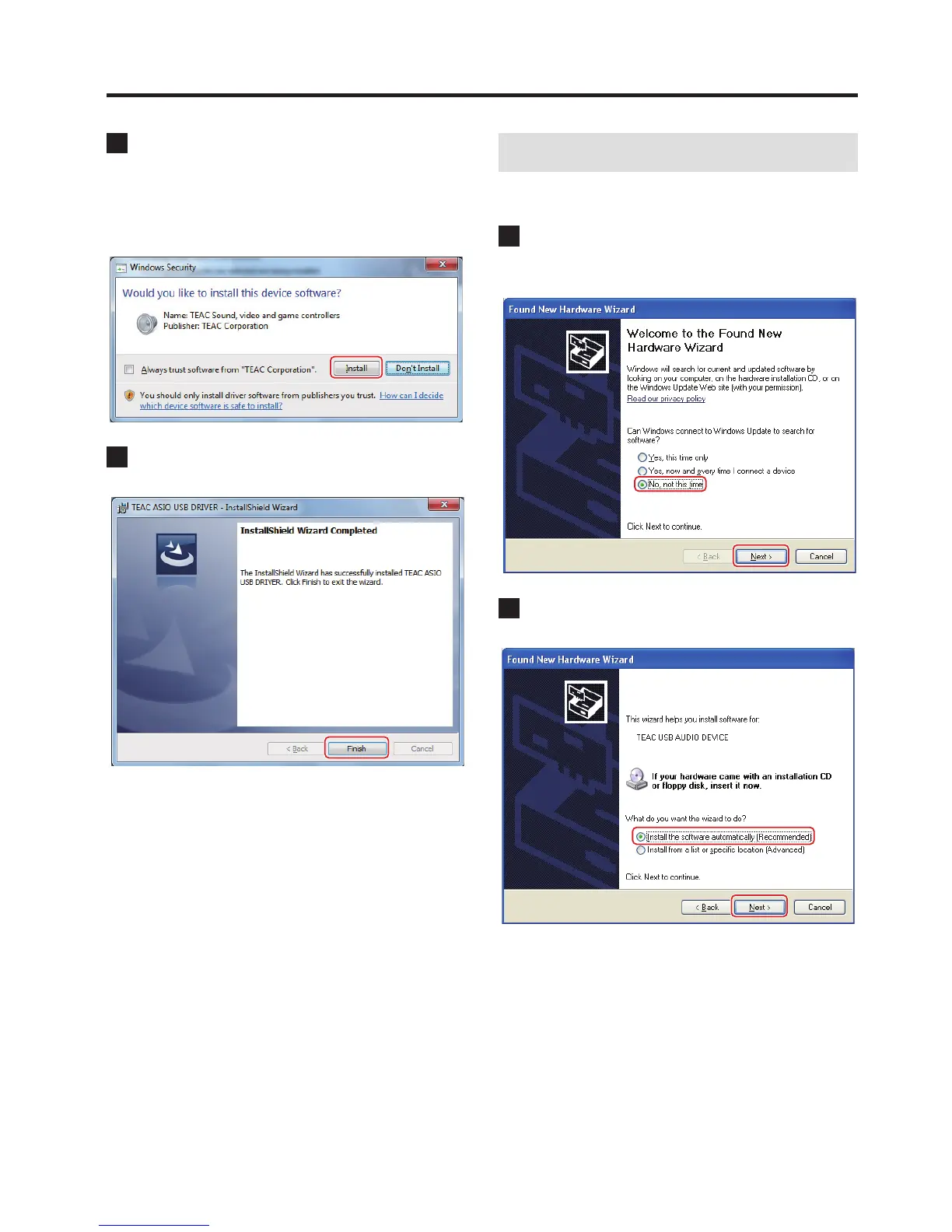
6 If a Windows security pop-up message appears
during installation, click “Install” or “Continue
Anyway”.
On Windows 7
Display example
7 When the wizard's completion screen appears, click
“Finish” to nish the installation.
Connecting with a computer
The first time the unit is connected to one of the computer's USB
ports, a driver will be detected automatically.
1
If a window with “Can Windows connect to Windows
Update to search for software?” appears, select “No,
not this time” and click “Next”.
2 Select “Install the software automatically” and click
“Next”.



 To Next Page