Page 28
TEBO
TM
Elite Massage Chair Owner’s Manual
6. Setting
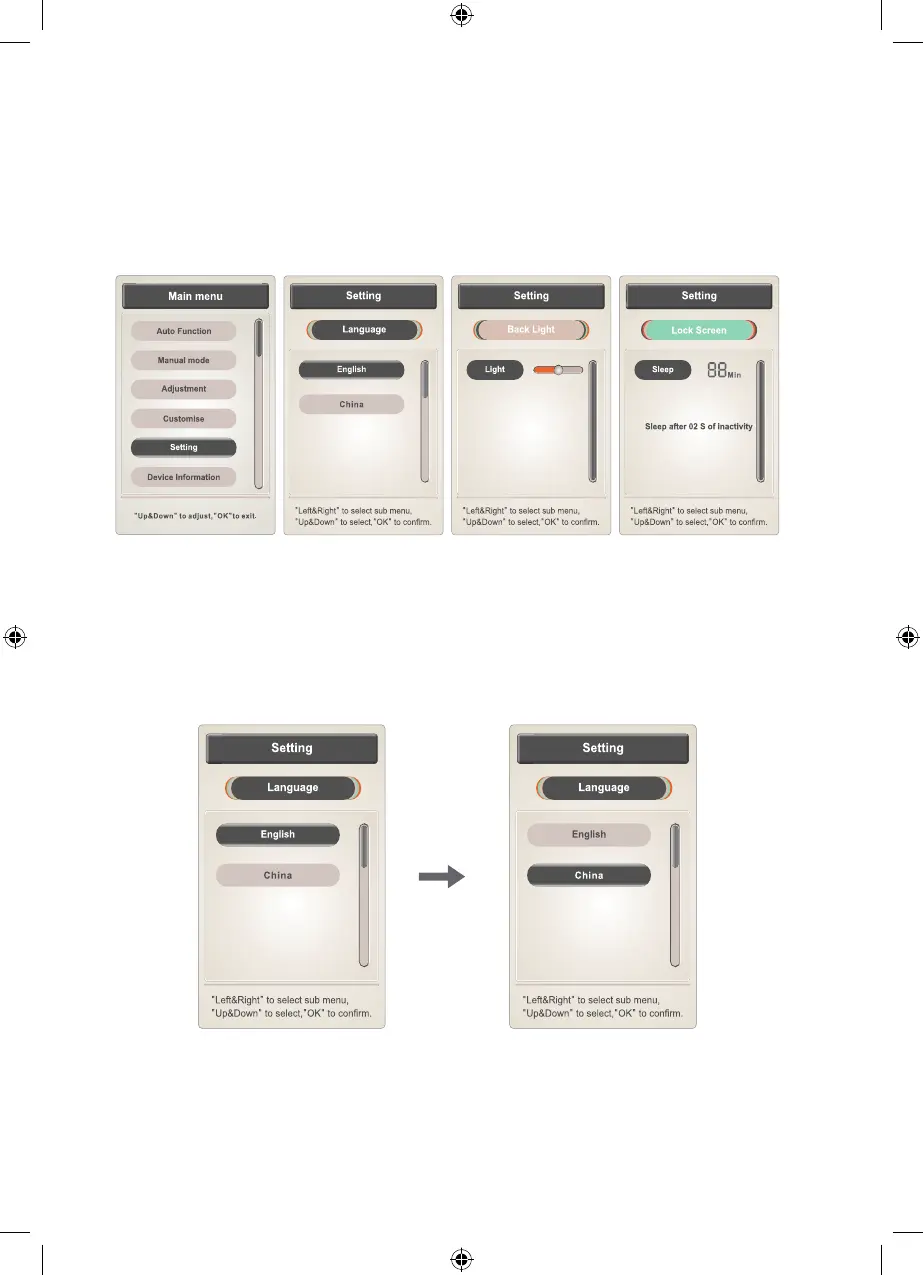
Press “menu” button to enter main menu interface, choose “setting” function
icon, enter setting interface include language, backlight, lock screen and so on.
Press “left” or “right” button to switch to submenu. Press “up” or “down” button to
select function or press “return” button return to operating information interface
6.1 Language
Setting (language): set language to Chinese or English
Press “up” or “down” button to choose one language, press "OK" button
to conrm.
TEBO Chair - Elite - Owners Manual - BDV1.indd 28TEBO Chair - Elite - Owners Manual - BDV1.indd 28 17/08/2020 6:17:30 p.m.17/08/2020 6:17:30 p.m.


 To Next Page