EN
12
Remarks: Users can press button “LENGTH” to adjust the
transmission distance of the device automatically or manually. If
usersdonotpressthis button when power on,thenthedevicewill
worklikethislasttimebecausememoryfunctions.Ifuserspressthis
buttonafterpoweronthefirsttwopresseswillmakethedeviceadjust
the distance according to the network cable length automatically.
Afterthistwopress,ifuserscontinuetopressthisbutton,thenwillgo
tothemodeof adjusting transmission distancemanually.Thereare
12levelstotallyandaddingonemorepressmeansanewlevel.When
usersfinishthe12levelsadjustingmanually,itwillbebacktoadjust
transmissiondistanceautomaticallymodeandintothenewloop.
INSTALLATION PROCEDURES
How to make a Cat.5/6 network cable
FollowthestandardEIA-568B:
1-Orange/white
2-Orange
3-Green/white
4-Blue
5-Blue/white
6-Green
7-Brown/white
8-Brown
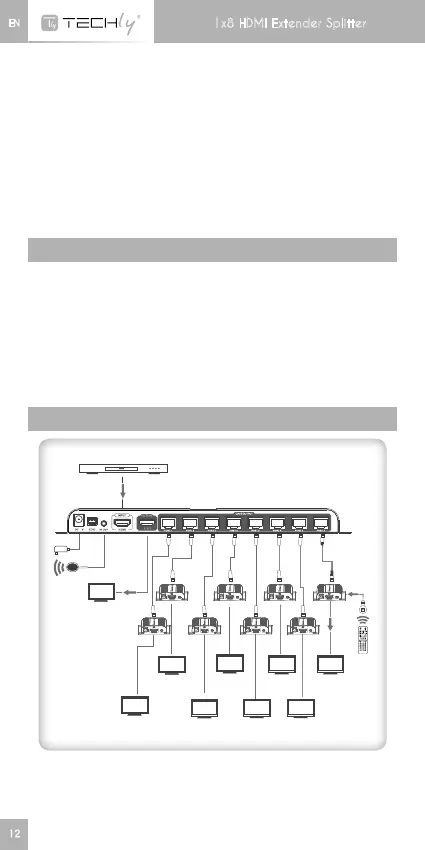
CONNECTION
Receiver
power
HDMI I nput
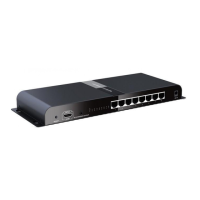
HDMI extender splitter
Cable
HDMI Out
DVD
HDMI Display
HDMI Display
HDMI Display
HDMI Display
HDMI Display
HDMI Display
HDMI DisplayHDMI Display
HDMI Display
12
Remarks: Please do not remote control two or more RX units’ IR
signalatthesametime,whichtoavoidinterference.
1x8 HDMI Extender Splitter



 To Next Page