EN
13
CONNECTION INSTRUCTION
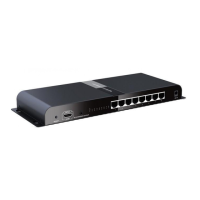
1) ConnecttheHDMIsignalsourcedevicetotheTransmitterHDMI
inputportwithHDMIcable.
2) ConnectIRblastertoEXTENDERIROUT.
3) ConnecttheTransmitterRJ45porttoHDMIEXTENDERRX’sRJ45
inputportbynetworkcable.
4) Connect HDMI EXTENDER RX’s HDMI output port to HDMI
display’s HDMI input port by HDMI cable and set the HDMI
display’ssignalsourcetobeHDMIport.
5) Supplythepower(whenpowerison,ifthereis signal input,the
powerlightisblue,otherwiseitisred),theproductwillwork.
EDID Setting
1) HDMIsourcedevicereadstheEDIDinformationofthetransmitter
(TX)andthenoutputtherelativeHDMIsignalformat.
2) There are 8build-in EDIDstatus, switch theDial Dipto choose
one.ThedetailSettingInformationshownasbelow:
Switch UP:usetheArabicnumeral“1”torepresent
Switch DOWN:usetheArabicnumeral“0”torepresent
Statodelloswitch
SW1 SW2 SW3 EDIDmode
0 0 0 720P@50Hz2.1CH
1 0 0 720P@50Hz7.1CH
0 1 0 1080i@60Hz2.1CH
1 1 0 1080i@60Hz7.1CH
0 0 1 1080P@60Hz2.1CH
1 0 1 1080P@60Hz7.1CH
0 1 1
ReadLoop-out(ifnot
connecttheloop-outshow
default)
1 1 1 Default720P@50Hz2.1CH



 To Next Page