HDMI EXTENDER OVER CAT.6/7 CABLE WITH EDID
11
ENEN
InstaLLatIon ProcEdurEs
How to make a Cat6 network cable?
Follow the standard of EIA-568:
1-Orange/white 2-Orange 3-Green/white
4-Blue 5-Blue/white 6-Green
7-Brown/white 8-Brown
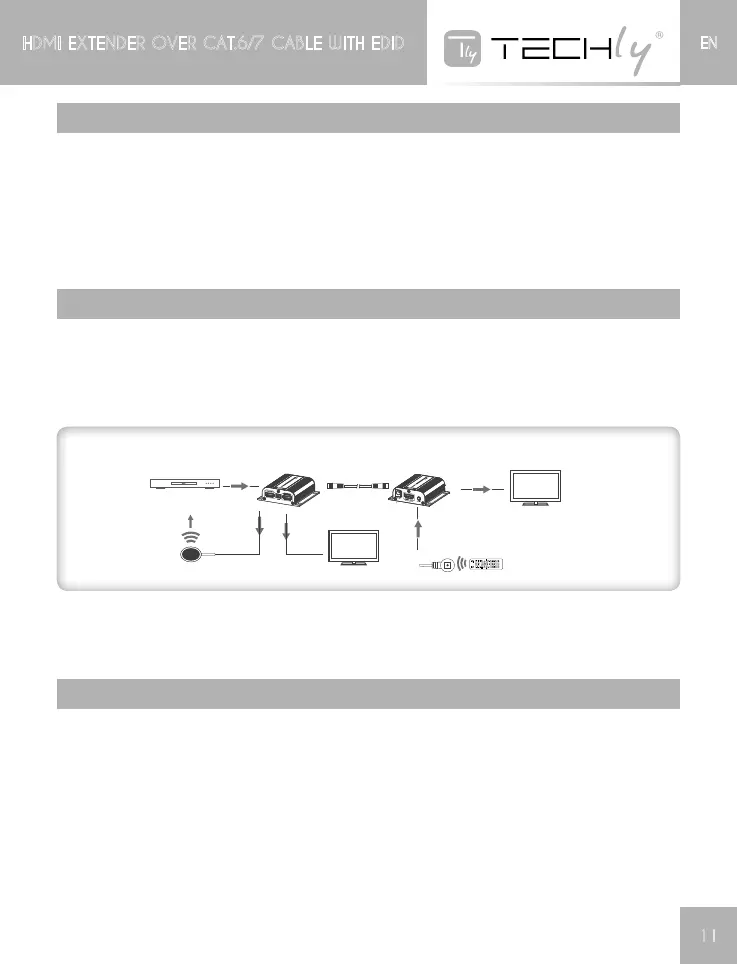
connEctIon InstructIon
1) Connectsourcedevicetotransmitterunit(TX)anddisplaydevicetoreceiverunit(RX)viaHDM
cables.
2) Connecttransmitterunit(TX)andreceiverunit(RX)vianetworkcables(CAT6/CAT6A/CAT7)
3) Plugthepower supplyto transmitterunitonly,each unitwill power upthen initializeitself, this
HDMIextenderworks.
HDMI OUT
HDMI E X TENDER
TX
HDMI E X TENDER
RX
C AT 6 / 6 A / 7 C a bl e
HDMI display
D V D
HDMI OUT
HDMI display
NOTE
Itisrecommendedtousealengthrangewithin15~40mnetworkcable.IftheCAT6cableistooshort,
theremaybenodisplayoutputbecausethesignalistoostrong.IftheCAT6cableistoolong,the
outputmaybewithpoorquality.
Ir usEr guIdE
1) IRblasterextensioncableshouldplugintheIROUTportofTX(Sender)ofHDMIextenderandthe
IRreceiverextensioncableshouldintheIRINportoftheRX(Receiver)
2) TheemitteroftheIRblastershouldascloseaspossibletotheIRreceiverwindowofthesignal
source device.
3) UsingtheIRremotecontrollerofthesignalsourcedevicetowardstheIRreceiver(connectedto
the receiver), to remote control source media playback.














 To Next Page