EN
12
HDMI EXTENDER OVER CAT.5/5E/6
EN
INSTALLATION AND CONNECTION
How to make a Cat5/5e/6 network cable?
Follow the standard of EIA-568:
1-Orange/white 2-Orange 3-Green/white
4-Blue 5-Blue/white 6-Green
7-Brown/white 8-Brown
CONNECTION
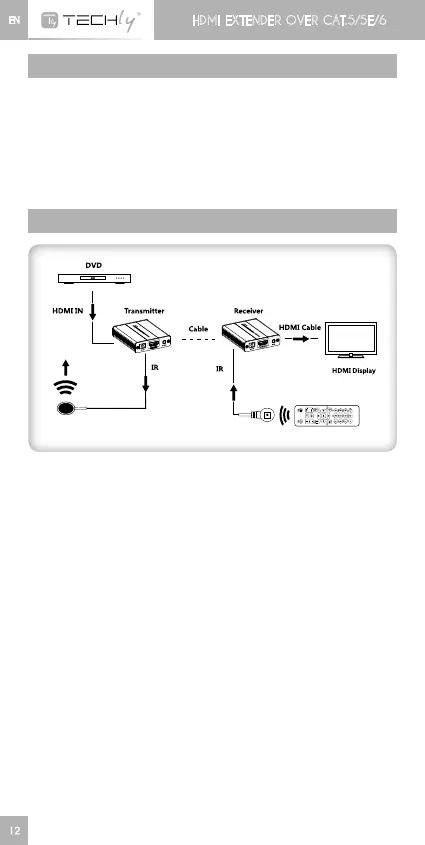
Connection instruction:
1) Connectsourcedevicetotransmitterunit(TX)anddisplaydevice
toreceiverunit(RX)viaHDMIcables.
2) Connect transmitter unit (TX) and receiverunit (RX) via network
cables(CAT5/5e/6)
3) Plug the power supplies to transmitter and receiver units, each
unitwillpoweruptheninitializeitself,thisHDMIextenderworks.













 To Next Page