IT
4
HDMI KVM EXTENDER SU CAVO DI RETE
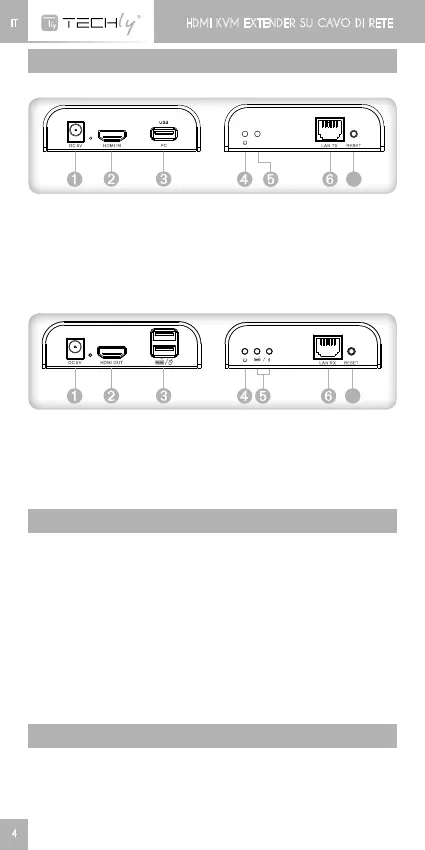
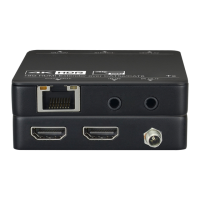
DESCRIZIONE PANNELLO
1. HDMI EXTENDER TX (Trasmettitore)
PC
H D M I
USB
cabl e
Tran sm itter T X
TV
Recei v er RX
Ch inese _CH 3 4 XSER_Drive r
Eng lish _CH 34XSER_Driver
USB
key b oar d / m o u se
7
PC
H D M I
USB
cabl e
Tran sm itter T X
TV
Recei v er RX
Ch inese _CH 3 4 XSER_Drive r
Eng lish _CH 34XSER_Driver
USB
➊
Ingresso alimentazione
(DC5V)
➋
IngressosegnaleHDMI
➌
PortaUSB:perconnettere
ilPC
➍
Indicatore di accensione
➎
Indicatore connessione
USB
➏
UscitasegnaleLAN
➐
Tasto reset
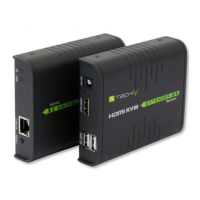
2. HDMI EXTENDER RX (Ricevitore)
PC
H D M I
USB
cabl e
Tran sm itter T X
TV
Recei v er RX
Ch inese _CH 3 4 XSER_Drive r
Eng lish _CH 34XSER_Driver
USB
key b oar d / m o u se
7
PC
H D M I
USB
cabl e
Tran sm itter T X
TV
Recei v er RX
Ch inese _CH 3 4 XSER_Drive r
Eng lish _CH 34XSER_Driver
USB
key b oar d / m o u se
➊
Ingresso alimentazione
(DC5V)
➋
UscitasegnaleHDMI
➌
PortaUSB:percollegarela
tastiera e il mouse
➍
Indicatore di accensione
➎
Indicatore connessione USB
➏
IngressosegnaleLAN
➐
Tasto reset
PROCEDURE DI INSTALLAZIONE
Come preparare un cavo di rete
SeguirelostandardEIA-568B:
1-Arancio/bianco
2-Arancio
3-Verde/bianco
4-Blu
5-Blu/bianco
6-Verde
7-Marrone/bianco
8-Marrone
Installare i driver sul computer prima di utilizzare questa
apparecchiatura
1. SceglierelacartellaCH34XSER_Driver
2. Nonèrichiestoilriavviodellaperifericadopoche l’istallazioneè
stata effettuata
SISTEMI OPERATIVI SUPPORTATI E VERSIONI
Windows 10, Windows 8, Windows 7, Windows 7 x64, Windows
Server 2008, Windows Server 2008 x64, Windows Vista, Windows
Vista x64, Windows Server 2003, Windows XP, Windows XP-x64,
Windows2000,WindowsME,Windows98SE







 To Next Page