EN
9
PANEL DESCRIPTION
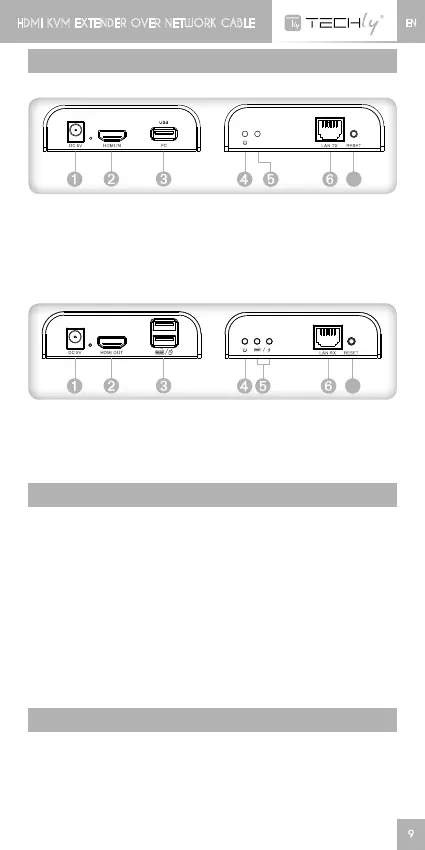
1. HDMI EXTENDER TX (Transmitter)
PC
H D M I
USB
cabl e
Tran sm itter T X
TV
Recei v er RX
Ch inese _CH 3 4 XSER_Drive r
Eng lish _CH 34XSER_Driver
USB
key b oar d / m o u se
7
PC
H D M I
USB
cabl e
Tran sm itter T X
TV
Recei v er RX
Ch inese _CH 3 4 XSER_Drive r
Eng lish _CH 34XSER_Driver
USB
➊
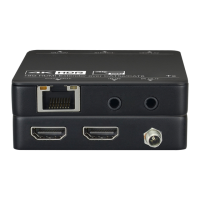
Powerinput(DC5V)
➋
HDMIsignalinput
➌
USBport:toconnectwith
PC
➍
Power indicator
➎
USB connection indicator
➏
LANsignaloutput
➐
Resetbutton
2. HDMI EXTENDER RX (Receiver)
PC
H D M I
USB
cabl e
Tran sm itter T X
TV
Recei v er RX
Ch inese _CH 3 4 XSER_Drive r
Eng lish _CH 34XSER_Driver
USB
key b oar d / m o u se
7
PC
H D M I
USB
cabl e
Tran sm itter T X
TV
Recei v er RX
Ch inese _CH 3 4 XSER_Drive r
Eng lish _CH 34XSER_Driver
USB
key b oar d / m o u se
➊
Powerinput(DC5V)
➋
HDMIsignaloutput
➌
USBport:toconnectwith
keyboard/mouse
➍
Power indicator
➎
USB connection indicator
➏
LANsignalinput
➐
Resetbutton
INSTALLATION PROCEDURE
How to make a Cat5E/Cat6 network cable
FollowthestandardEIA-568B:
1-Orange/white
2-Orange
3-Green/white
4-Blue
5-Blue/white
6-Green
7-Brown/white
8-Brown
Install driving Software of computer USB port before using the
device
1. ChoseEnglish“CH34XSER_Driver”folder
2. Noneedrestartwhentheinstallationiscompleted
SUPPORTED OS AND VERSION
Windows 10, Windows 8, Windows 7, Windows 7 x64, Windows
Server 2008, Windows Server 2008 x64, Windows Vista, Windows
Vista x64, Windows Server 2003, Windows XP, Windows XP-x64,
Windows2000,WindowsME,Windows98SE
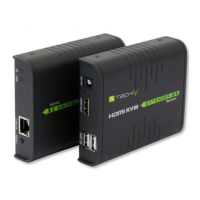
HDMI KVM EXTENDER OVER NETWORK CABLE HDMI KVM EXTENDER OVER NETWORK CABLE







 To Next Page