71
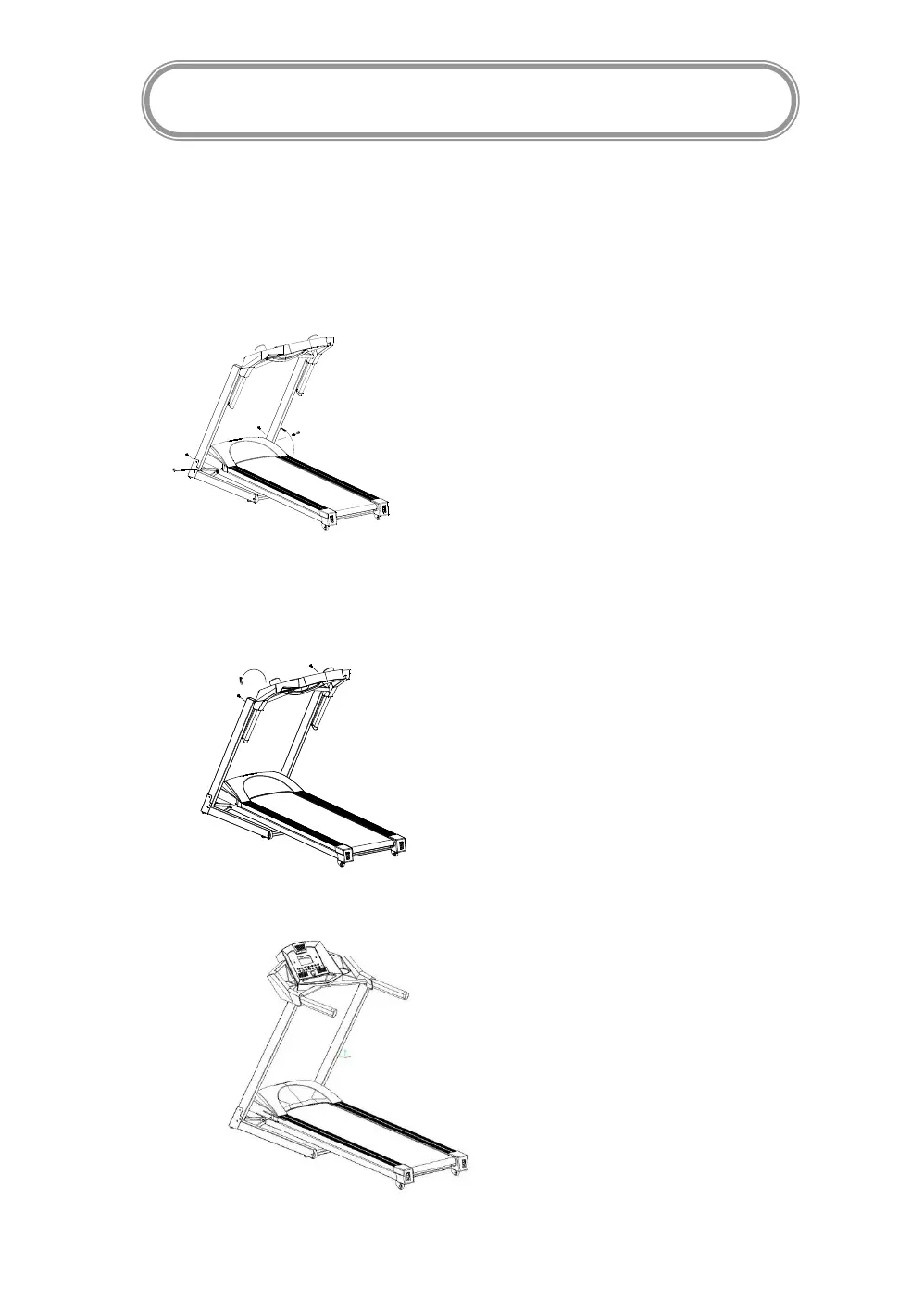
Step 1: Take the machine from the package,place on the floor. Place one hand on the handle
bar; lift up the upright post slowly (as below). Then put screw M8X40X20 in the left and right
side. Put screw M8X15 in the rear side. Tight the screws well.
Step 2: Lift up the computer as far as it goes (as below). Use the screw M8*15 to fix the
computer to the upright post.
Step 3: Tighten all the screws well.
ASSEMBLY INSTRUCTIONS


 To Next Page