Install Battery Compartment
6.1Check to make sure the sensor cord and motor cord will reach the battery compartment before mounting.
6.2Remove battery compartment cover by unscrewing the two Phillips screws. Inside the battery box (K) there are two large
screws and anchors (L). Place the battery compartment (K) in a convenient location under the tank, ensuring easy access.
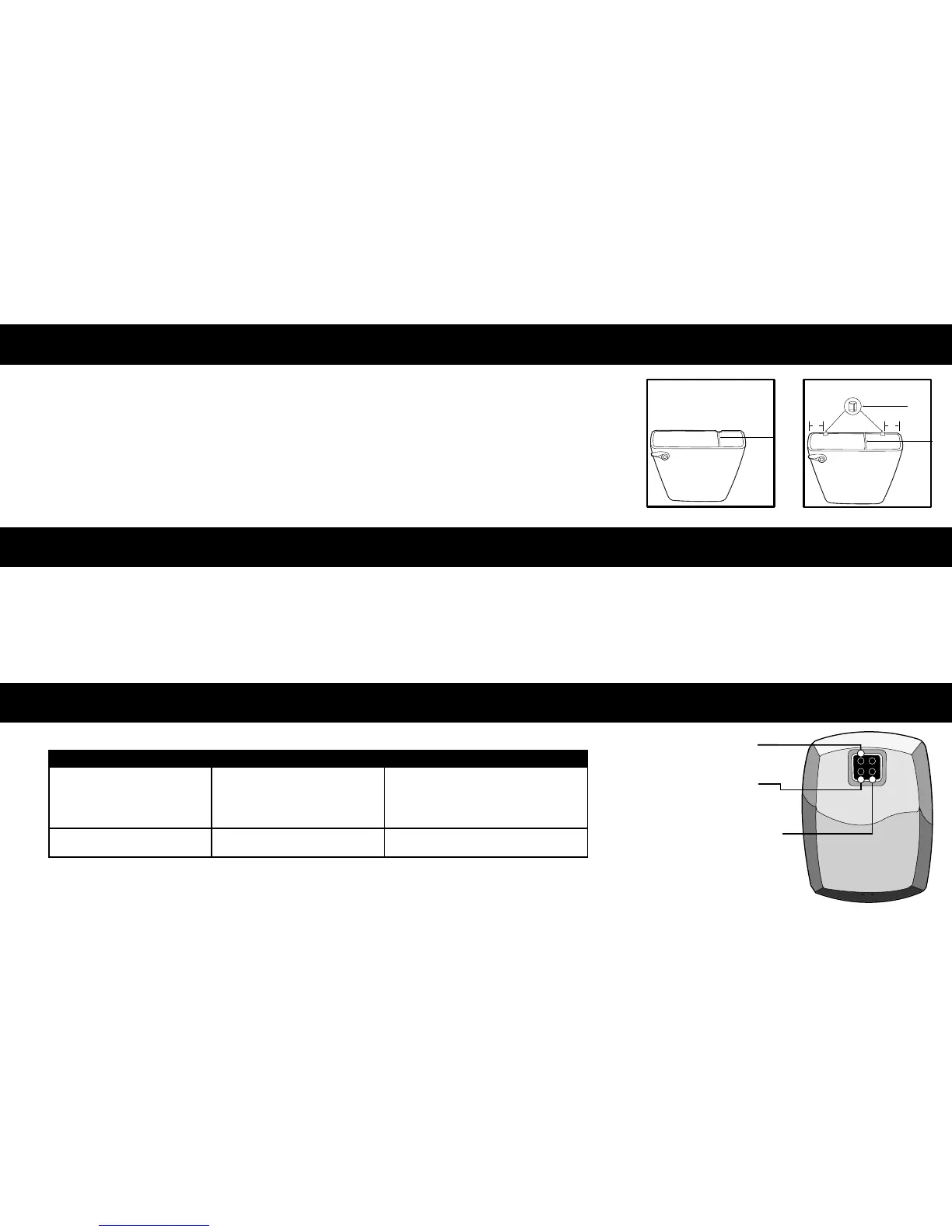
6.3 Secure to wall with screws and anchors, or double-sided tape (R). Note: The battery compartment may be mounted using one
screw and anchor with the top slot facilitating easy removal for battery replacement. Make sure the motor cord is placed in the
notch at the back edge of the toilet tank (6.3a). If there is not a notch then use the two clear plastic shims (Q)(6.3b).
6.4Plug in the cord from the motor (A) into either one of the receptacles in the battery compartment.
6.5 Install four (4) "D" cell alkaline batteries (P). Noting the battery position marks on the inside of the compartment. Replace
cover on battery box.
7.1Turn water on and replace toilet tank cover.
7.2Your AutoFlush unit comes preset from the factory. If special circumstances require adjustment of the activation distance, see Appendix A – Adjusting
Your AutoFlush. The AutoFlush unit has a 7 minute start-up sequence in which the Object Lock Sensor will activate the User-In-View green L.E.D.
continuously as long as a user or object is in view. After the start-up sequence is completed and when the Object Lock Sensor has a user in view, the
User-In-View green L.E.D. will flash 3 times once the user is in front of the unit for a minimum of 5 seconds. This prevents needless flushes when
someone walks by.
Green L.E.D. (light) flashes 3 times
when there are no users.
Yellow L.E.D. (light) flashes.
Front of Object Lock Sensor is
covered or Object Lock Sensor
is set too far out, registering
unwanted object.
Batteries need replacing.
Remove item covering sensor
or adjust Object Lock
Sensor activation distance.
(See Appendix A - Adjusting the AutoFlush)
Replace batteries. Use Only Alkaline Batteries.
USER-IN-VIEW L.E.D. - Green light flashes
3 times, after 5 second delay, when a user
is in view. The green light flashes constantly
when a user is in view during the 7 minute
start up sequence.
BATTERY L.E.D. - Yellow light flashes
indicating it is time to replace the batteries .
OBJECT LOCK SENSOR - Detects user
or object.
6
Activation
7
Troubleshooting Guide
8
PROBLEM CAUSE SOLUTION TO PROBLEM
NOTE: Do not use in-tank cleaners which may damage the motor housing and other tank components.
2"2"
motor cord
motor cord
TANK TOILET WITH NOTCH
TANK TOILET WITHOUT NOTCH
clear plastic shim
6.3a 6.3b


 To Next Page
 Loading...