CGA0112 Cable Modem
User’s Manual
14
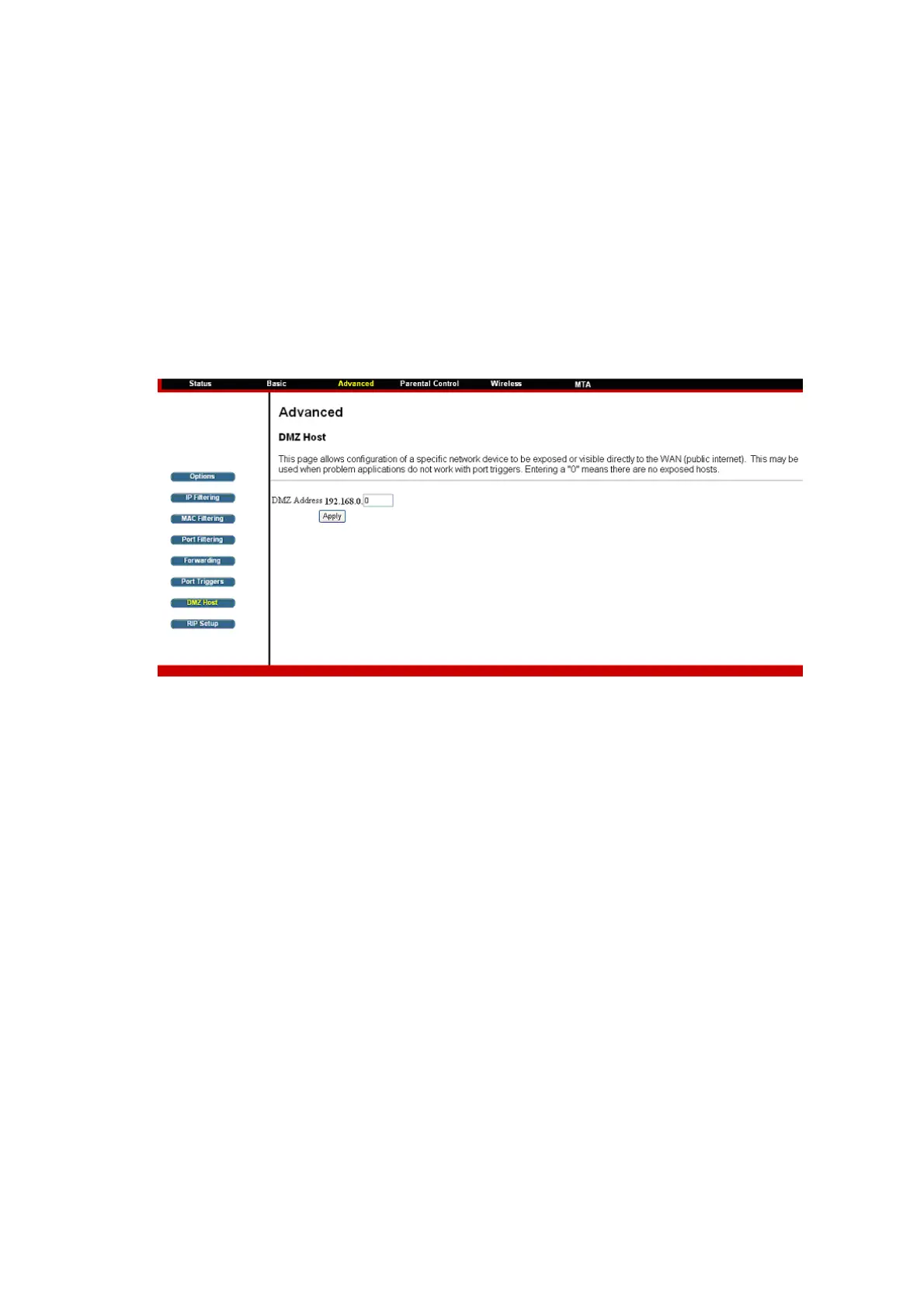
4.4.7 DMZ Host
The DMZ page allows you to configure a specific network device to be
exposed or visible directly to the WAN (public Internet). Setting a host on your
local network as demilitarized zone (DMZ) forwards any network traffic that is
not redirected to another host via the port forwarding feature to the IP address
of the host (PC). This designates one PC on your LAN that should be left
accessible to all PCs from the WAN side for all ports. For example, if you
locate a HTTP server on this machine, anyone will be able to access that
HTTP server by using your CGA0112 ’s IP address as the destination. This
may be used when problem applications do not work with port triggers. The
setting of “0” indicates NO DMZ PC.













 To Next Page