12
3 ASSOCIATE YOU
R WIRELESS USB ADAPTOR TO YO
UR ACCESS POINT
E-DOC-CTC-20100623-0002 v2.0
3.2.1 Association on Windows 7
Procedure
Proceed as follows:
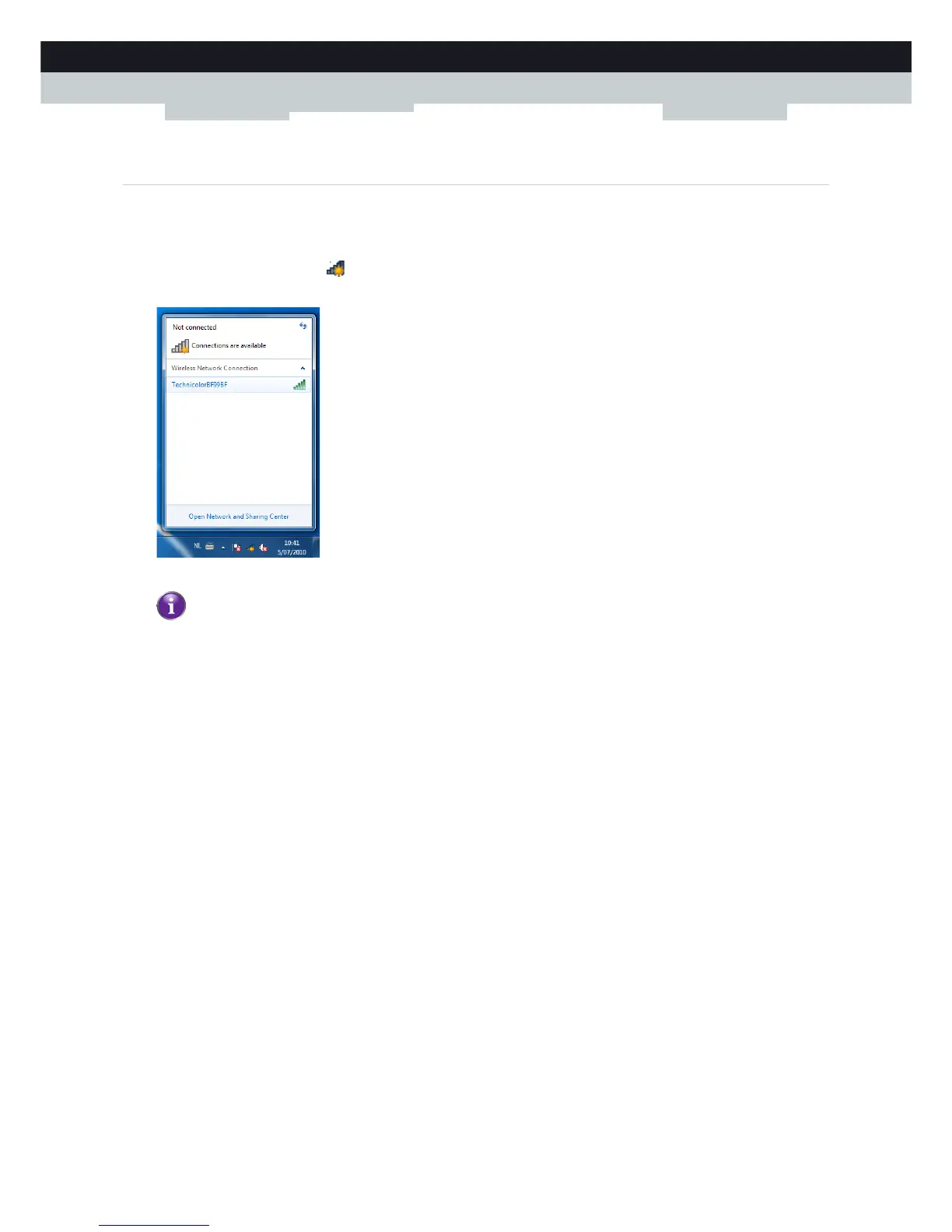
1 On the notification area, click .
2 A list of the available wireless networks appears.
Double-click your wireless access point.
3 Follows the instructions.
If your wireless access point does not broadcast its network name (SSID), it will not be displayed in this list. Click
Open Network and Sharing Center > Set up a new connection or network and configure your wireless client
manually. For more information, consult the Windows help.


 To Next Page