EasyManua.ls Logo

Technics SC-CH700 - Maintenance: Head Care and Surface Cleaning

Technics SC-CH700
80 pages
Print Icon
To Next Page IconTo Next Page
To Previous Page IconTo Previous Page
Loading...
Maintenance
Head
care
Head
demagnetization
To
assure
good
sound
quality
for
recording
and
playback,
be
sure
to
clean
the
heads
after
approximately
every
10
hours
of
use.
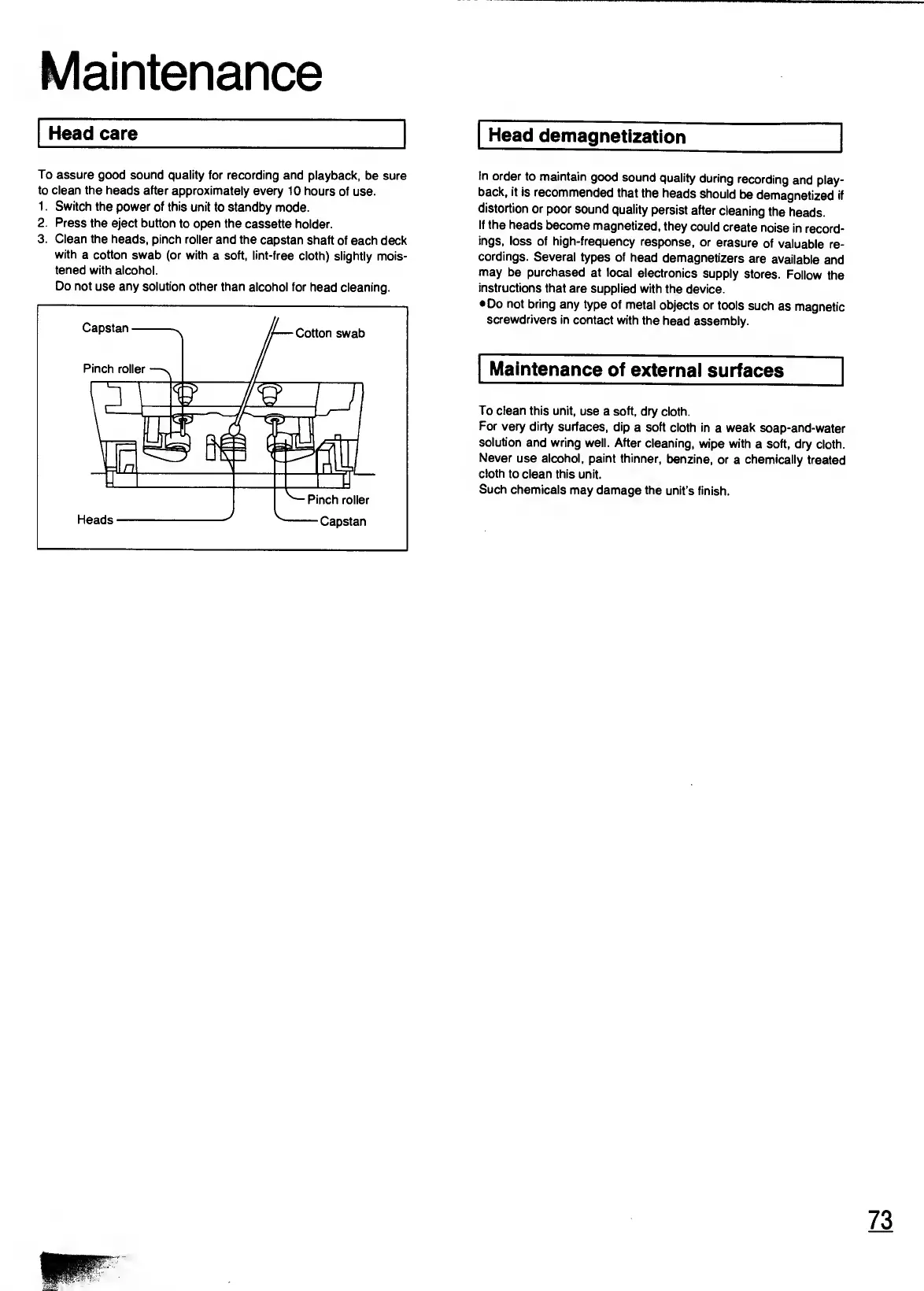
1.
Switch
the
power
of
this
unit
to
standby
mode.
2.
Press
the
eject
button
to
open
the
cassette
holder.
3.
Clean
the
heads,
pinch
roller
and
the
capstan
shaft
of
each
deck
with
a
cotton
swab
(or
with
a
soft,
lint-free
cloth)
slightly
mois¬
tened
with
alcohol.
Do
not
use
any
solution
other
than
alcohol
for
head
cleaning.
In
order
to
maintain
good
sound
quality
during
recording
and
play¬
back,
it
is
recommended
that
the
heads
should
be
demagnetized
if
distortion
or
poor
sound
quality
persist
after
cleaning
the
heads.
If
the
heads
become
magnetized,
they
could
create
noise
in
record¬
ings,
loss
of
high-frequency
response,
or
erasure
of
valuable
re¬
cordings.
Several
types
of
head
demagnetizers
are
available
and
may
be
purchased
at
local
electronics
supply
stores.
Follow
the
instructions
that
are
supplied
with
the
device.
Do
not
bring
any
type
of
metal
objects
or
tools
such
as
magnetic
screwdrivers
in
contact
with
the
head
assembly.
Maintenance
of
external
surfaces
To
clean
this
unit,
use
a
soft,
dry
cloth.
For
very
dirty
surfaces,
dip
a
soft
cloth
in
a
weak
soap-and-water
solution
and
wring
well.
After
cleaning,
wipe
with
a
soft,
dry
cloth.
Never
use
alcohol,
paint
thinner,
benzine,
or
a
chemically
treated
cloth
to
clean
this
unit.
Such
chemicals
may
damage
the
unit’s
finish.
73

Related product manuals