EasyManua.ls Logo

Technics SL-BD21 - Page 4

Technics SL-BD21
16 pages
Print Icon
To Next Page IconTo Next Page
To Previous Page IconTo Previous Page
Loading...
@
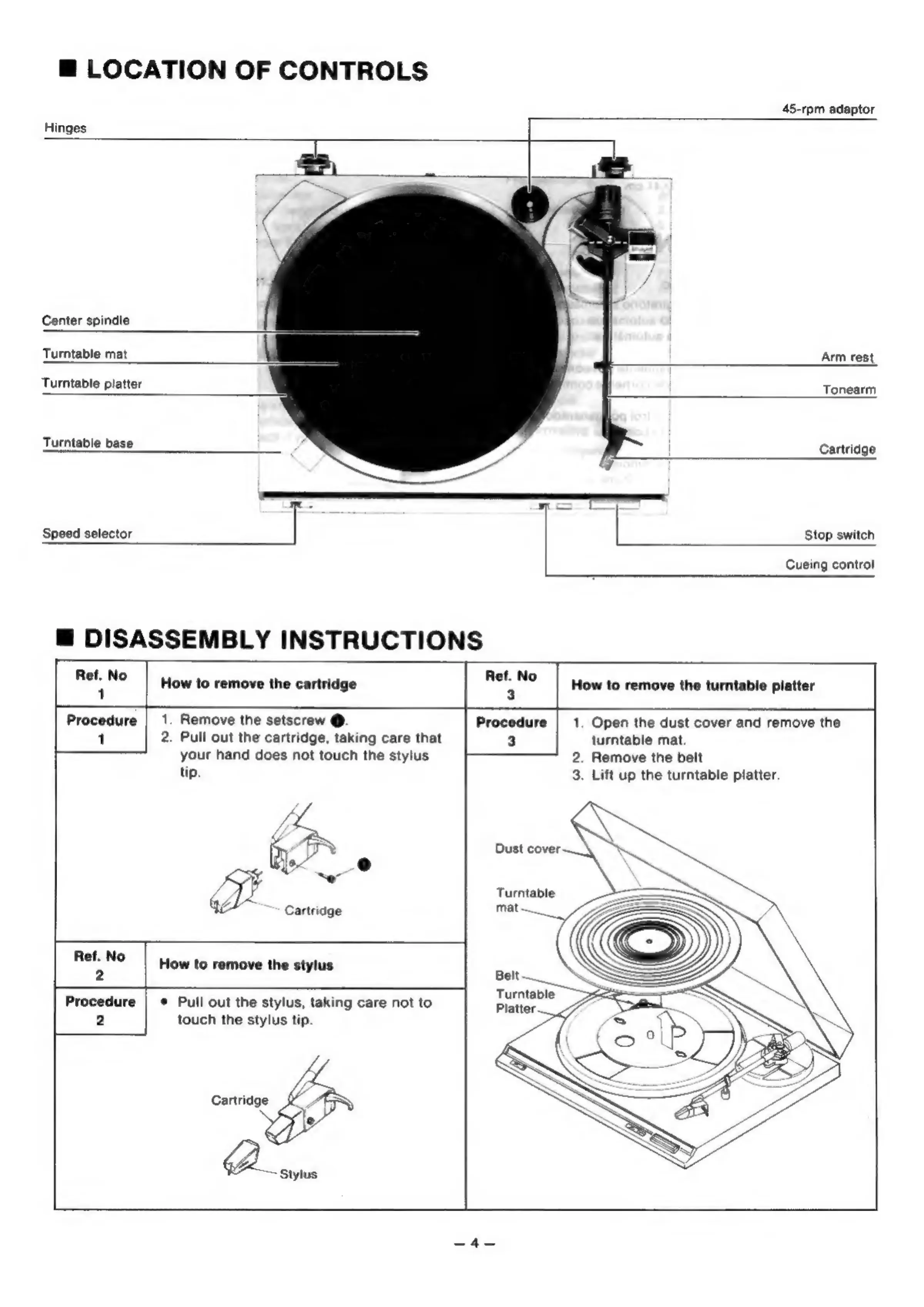
LOCATION
OF
CONTROLS
45-rpm
adaptor
Hinges
_
=
Center
spindle
Turntable
mat
Arm
rest
Turntable
platter
Tonearm
Turntable
base
Cartridge
Speed
selector
]
|
Stop
switch
Cueing
control
@
DISASSEMBLY
INSTRUCTIONS
aie
No
How
to
remove
the
cartridge
met
No
Procedure
|
1.
Remove
the
setscrew
@.
Procedure
|
1.
Open
the
dust
cover
and
remove
the
1
2.
Pull
out
the
cartridge,
taking
care
that
3
turntable
mat.
your
hand
does
not
touch
the
stylus
2.
Remove
the
belt
tip.
3.
Lift
up
the
turntable
platter.
How
to
remove
the
turntable
platter
eo
i
Dust
cover
4
Turntable
Cartridge
Ref.
No
2
Turntable
Procedure
|
¢
Pull
out
the
stylus,
taking
care
not
to
Platter
2
touch
the
stylus
tip.
How
to
remove
the
stylus

Related product manuals