USING YOUR CAMERA - OVERVIEW OF FUNCTIONS
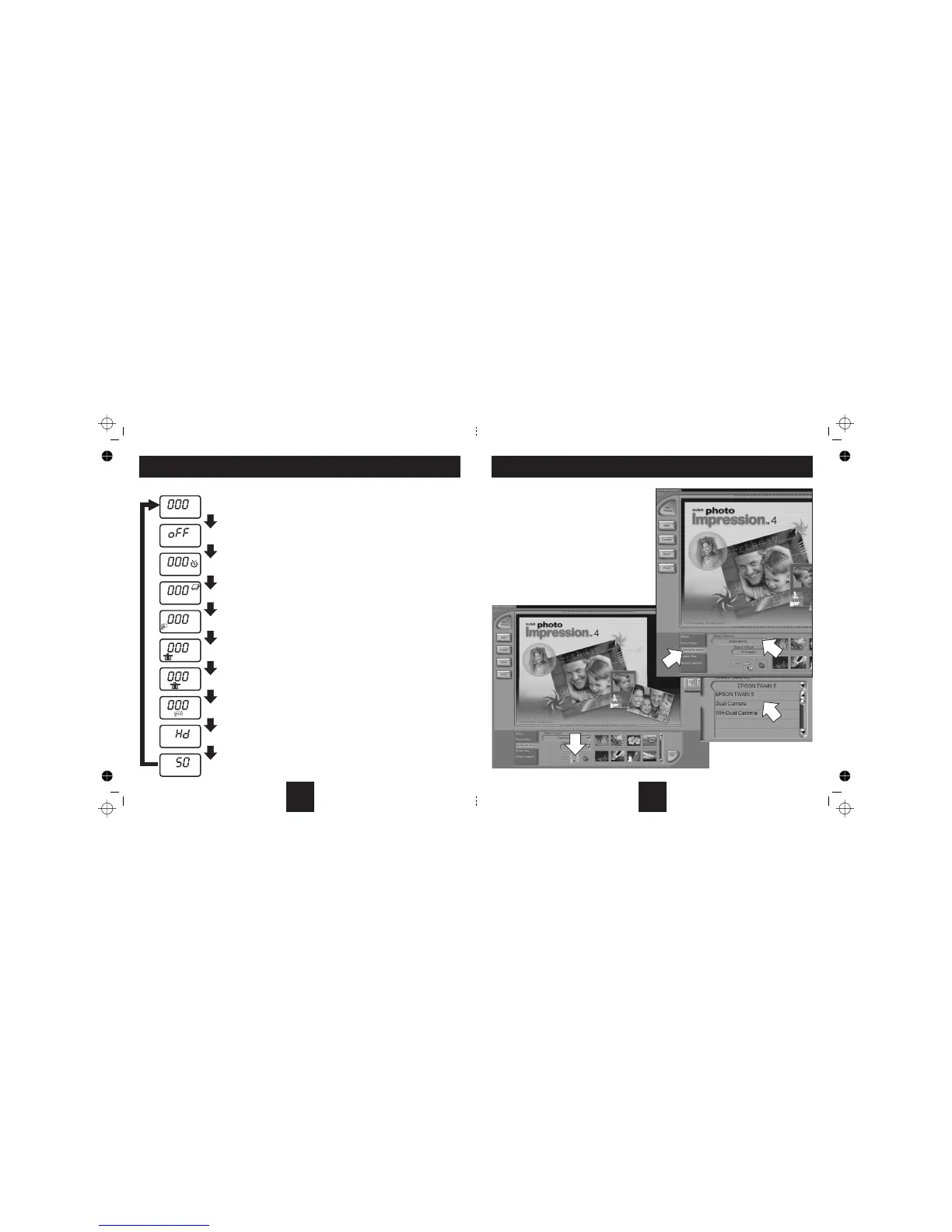
SwitchthecameraonwiththeON/OFFswitch.PresstheMODEbuttontocyclethecamera betweenthe functions:
HI
HI
Single Shot mode.
Press the shutter to take one picture.within 5 seconds
Off.
Press the Shutter within 5 seconds to switch the camera off
Press MODE to select OFF.
Timer Shot. Press MODE to select Timer Shot
Press the Shutter. After 10 seconds the camera will take the photograph.
Continuous Shooting. Press the Shutter to take pictures continuously.
The camera will keep taking pictures until the memory is full.
Burst Shooting. Press MODE to select Burst Shooting
Press the Shutter. The camera will take the photographs in bursts of three
Delete the most recent picture. Press MODE to select.
Press the Shutter. The most recent picture is deleted and the counter will move back by one.
Delete all pictures. Press MODE to select . Now press the shutter - the display will flash.
reset toPress the Shutter again. All pictures in the memory are deleted and the counter 000
Select High or Low resolution. Press MODE to select .
Press MODE to change the camera resolution from High (Hi) to Low (Lo) and vice versa.
Select High or Low compression. Press MODE to select .
compressionPress MODE to change the from High to Low and vice versa.
Select Flicker Rate. Press MODE to select.
Press the Shutter to change the flicker rate from 50Hz (UK etc) to 60Hz (USA) and vice versa.
8
UPLOADING PICTURES TO THE COMPUTER
1.
2. PhotoImpression
3. Camera/Scanner
4. SelectSource
5. Dual Camera
6. Camera/Scanner
ConnectyourcameratocomputerwiththesuppliedUSBcable
Double-clickthe icon on your desktop.
Clickthe button.
Clicktheicon
Click
Clickthe Icon
Alist of connected scanners and cameras will appear
6
3
4
5
13



 To Next Page