9
CONNECTING USB MEDIA LOADING FLASH CARDS
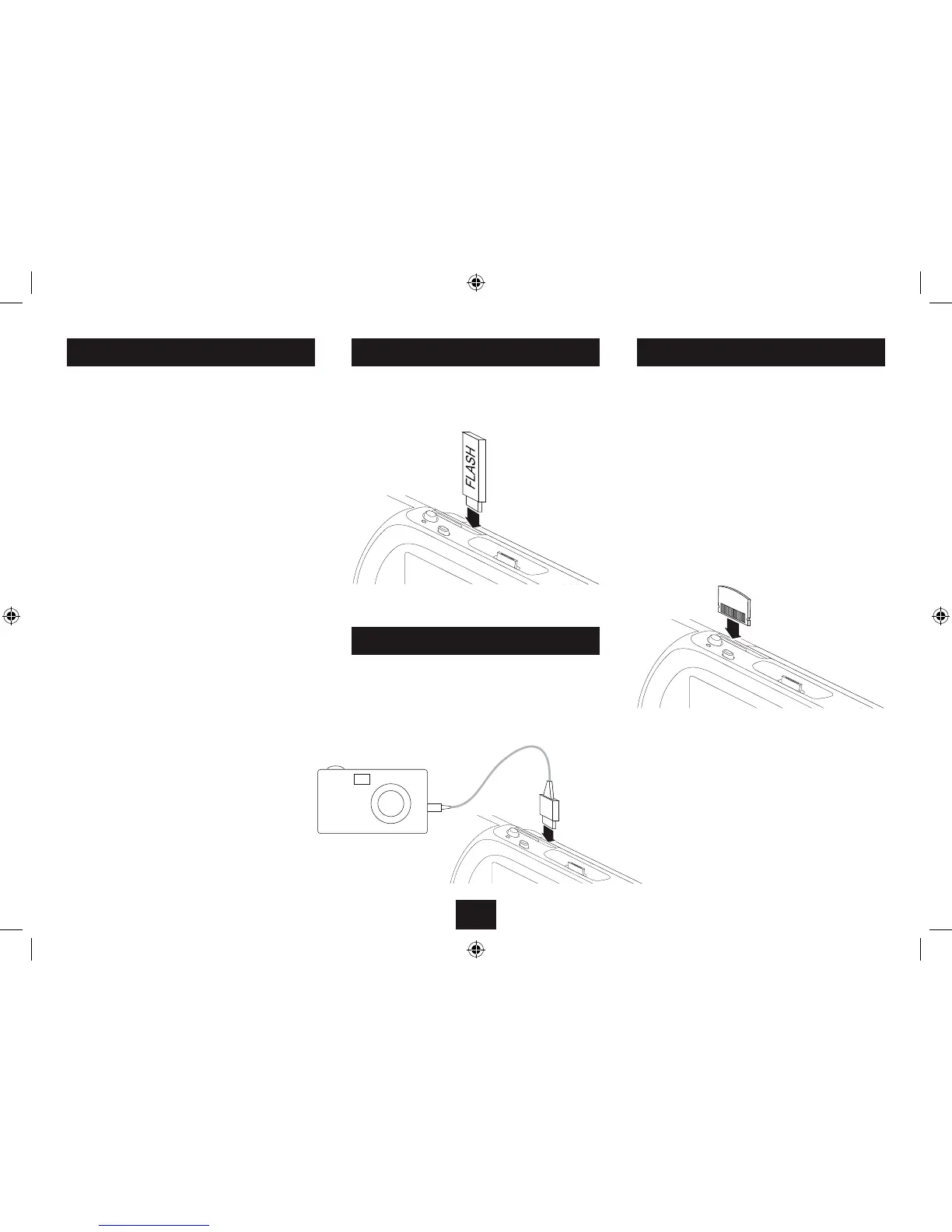
To connect a USB ash drive or MP3 player:
Insert the drive or player into the USB jack on the top •
panel.
You can also load media saved to a Flash Card from your
Digital Camera, Computer or other device. The unit is
compatible with SD, MMC and MS Flash Cards.
To load a Flash Card:
Gently insert the Flash Card into the Flash Card slot on the •
top panel of the unit. If the Flash Card is marked with an
arrow this should be aligned to the back of the unit.
NOTE:- Flash Cards are polarised and can only be inserted one
way round. If the Flash Card will not load easily you may need
to reverse it. Never force a Flash Card into the Card Reader
slot.
To connect a Digital Camera via a USB cable:
Connect a USB camera cable (not supplied) to the camera.•
Connect the USB cable to the USB jack on the top panel.•
NOTE:- Some digital cameras may not be compatible with
direct connection to your player.
FLASH DRIVES AND CARDS
You can play compatible audio, video and photo media les
stored on USB Flash drives, USB personal Audio players,
Digital Cameras or Flash Cards.
USB media may include the following
USB Flash drives.•
MP3 audio players with USB plug connection.•
A Digital camera connected via a USB cable.•
Compatible Flash cards
MMC cards•
SD cards•
MS cards•
Compatible le formats
File formats that are compatible with your player are -
MP3 audio les•
JPG photo les•
XVID, motion JPEG, Divx4.0, Divx5.0, MPEG1, MPEG2 •
video les.
USB cable
Digital camera
CONNECTING A CAMERA
NOTE:- If you load a USB ash drive and a Flash Card at the
same time, the Flash Card will be detected and played (not
the USB ash drive).


 To Next Page