8.9 Overwriting/deleting a station memory slot
> Simply save a new station to a favourite memory slot as described.
When retrieving the factory seings all memory slots are deleted.
9 AUX input
The AUX input mode allows music to be played on this radio from an external
playback device.
> To do so, connect your playback device to the AUX input on the rear of the
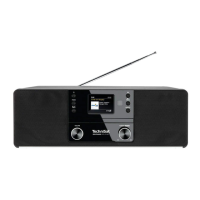
DIGITRADIO 20 CD. Use a standard 3.5 mm jack cable.
> Press the MODE buon as oen as required until [AUX] is shown on the
display.
Apart from the volume adjustment, the rest of the operation now takes place
on your playback device.
Ensure that the volume on your external playback device is not too low,
otherwise there could be background noises.
To save electricity, the device switches to standby mode aer approx. 15
minutes if no playback takes place.
10 Timer
Your DIGITRADIO 20 CD has a countdown timer which, for example, can be used as
an egg timer.
> Press the TIMER buon to activate the countdown timer.
> Rotate the SCROLL&SELECT knob to set the countdown time. Press the
SCROLL&SELECT knob to accept the time.
> Proceed to rotate the SCROLL&SELECT knob to set the volume of the alarm
sound. Press the SCROLL&SELECT knob to accept the volume and to start the
timer.
> The timer now starts running.
Once the timer has run down, the alarm goes o. End the alarm by pressing the
TIMER buon.
11 CD player
General information on CDs/MP3 CDs
The device is designed for music CDs that are played with audio data (CD-DA or MP3
for CD-R and CD-RW). MP3 formats must be created with ISO 9660 Level 1 or Level
2. Multi-session CDs cannot be read.
The device sorts the albums of an MP3 CD or the tracks of an album into alphabetical
order by name. If you prefer a dierent order, change the name of the track or album
and place a number in front of the name.
25
EN
FR
IT
NL
NW
DK
PL
CZ
SK










 To Next Page
