11
ENFRESITGRNLNODASVFIPLCZHURU
Initial installation
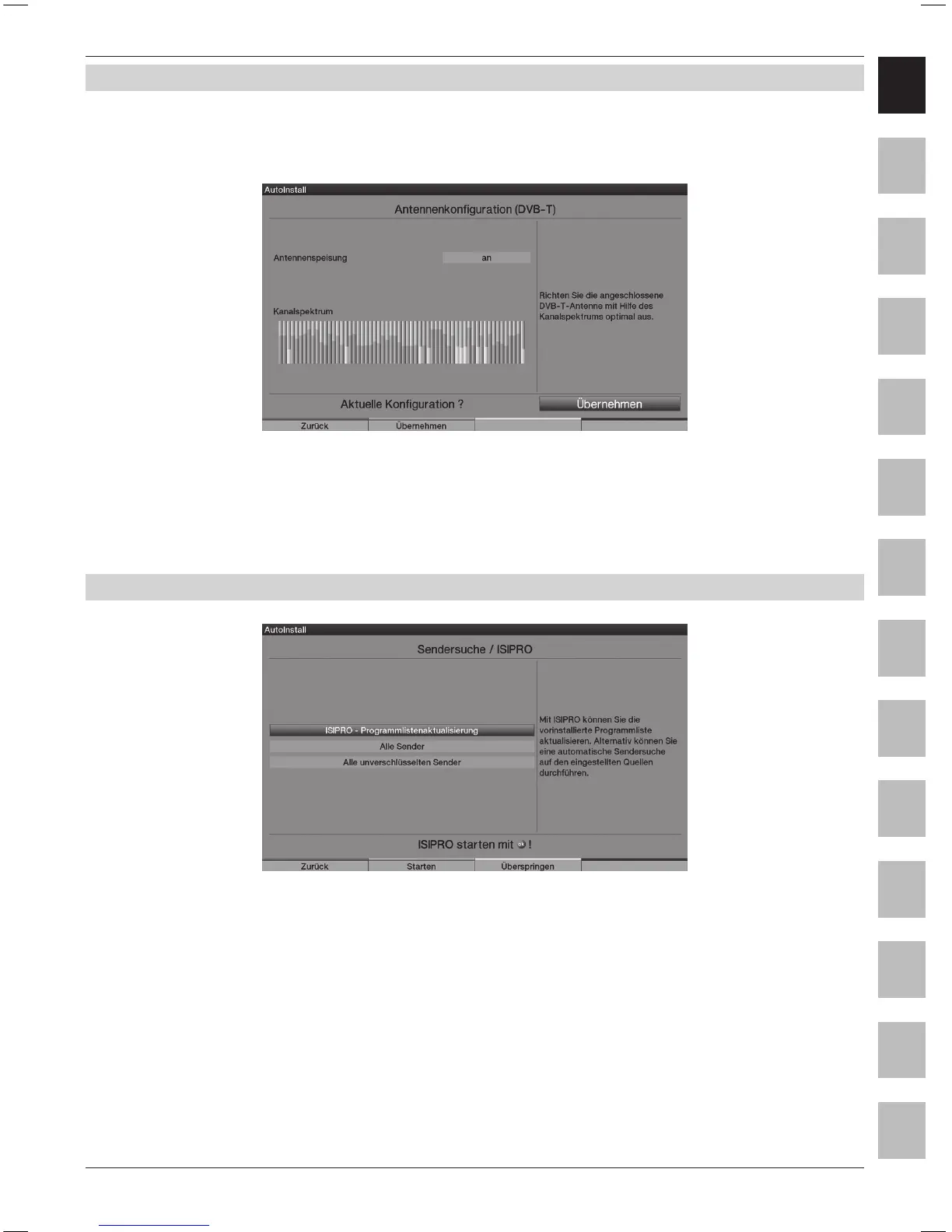
5.6 Antenna settings (DVB-T)
In this step, a channel spectrum with the signal levels of the dierent channels is displayed,
in order to be able to align the DVB-T antenna to achieve the best possible reception.
(The “Station search run/ISIPRO” is immediately displayed, if the DVB-T source has been deactivated)
> Switch the power supply on with the Arrow keys right/left, if you want to feed an active DVB-T
antenna via the coaxial cable and/or o, if you would like to use a passive DVB-T antenna or to
feed the active DVB-T antenna via a separate mains adapter.
> Accept the setting by pressing the green Accept control key.
5.7 Station search run / ISIPRO (only for DVB-S via ASTRA 19.2° East)
> In order to download an existing current programme list, use the Arrow keys up/down
to highlight the line ISIPRO - Programme List Update.
The programme list is now downloaded from the satellite; this is followed by a station
search run via “All stations”, which scans all further selected reception sources.
> In order to execute a station search run for all activated sources, mark the eld
“All Stations” or “All Unencrypted Stations” with the Arrow keys up/down.
> Pressing the green Start control key starts the programme list update and/or station search run.



 To Next Page