10
Initial installation
5.5 Antenna configuration (DVB-S)
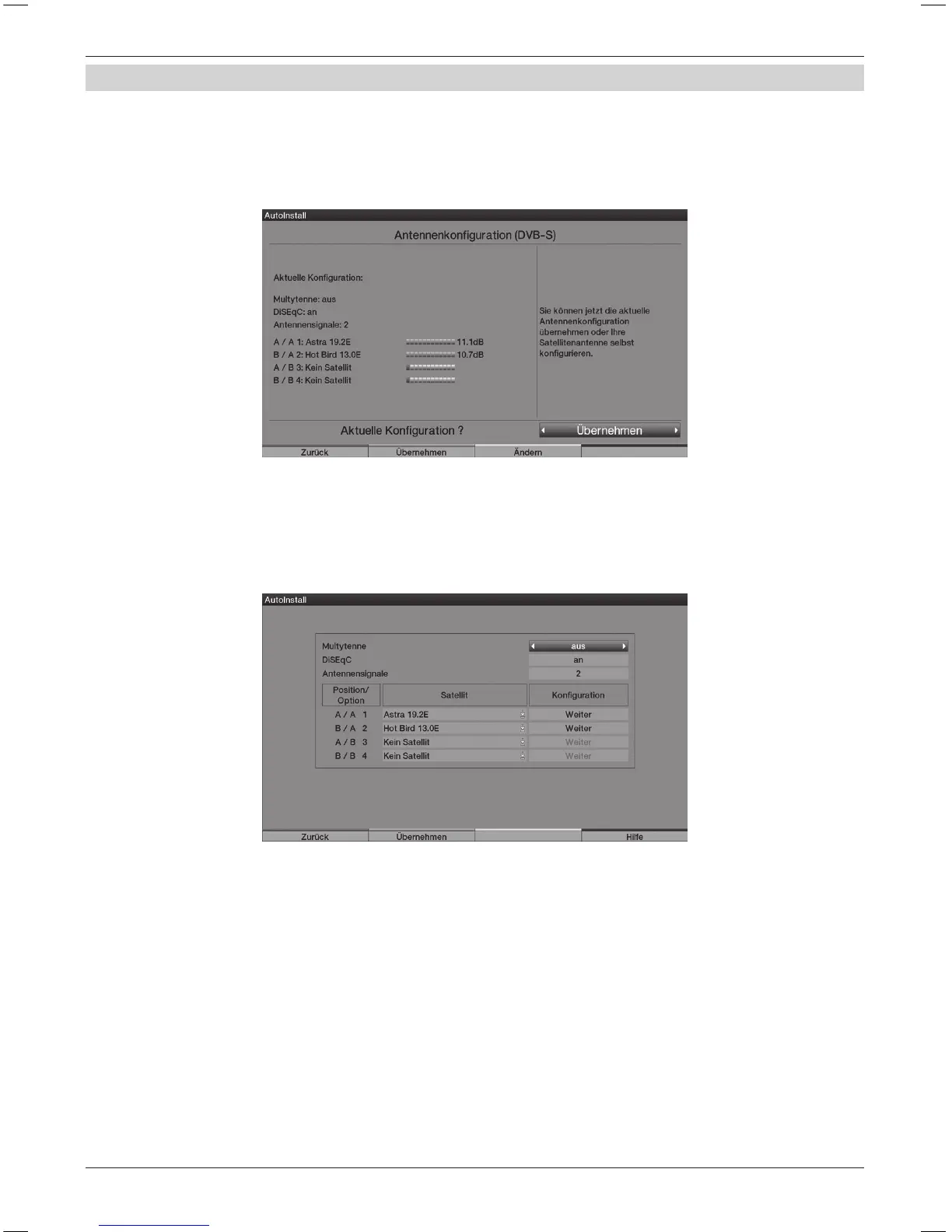
In this installation step, you can adapt the settings of your TV set to the conguration
of your satellite antenna. (If the source DVB-S has been deactivated, as described in the step
“Selection of the reception signals”, the “Antenna settings (DVB-T)” window is displayed
in place of this window of the installation assistant)
> If you would like to accept the standard antenna setting, press the green Accept control key.
In this case continue with the “Antenna settings (DVB-T)”.
> If the conguration of your reception equipment does not comply
to the standard setting press in the yellow Change control key.
> After adapting the conguration press the green Accept control key.
The set satellite is now displayed again, in order to check it.
> To accept the setting, press the green Accept control key,
to change again press the yellow Change control key.



 To Next Page