9
ENFRESITGRNLNODASVFIPLCZHURU
Initial installation
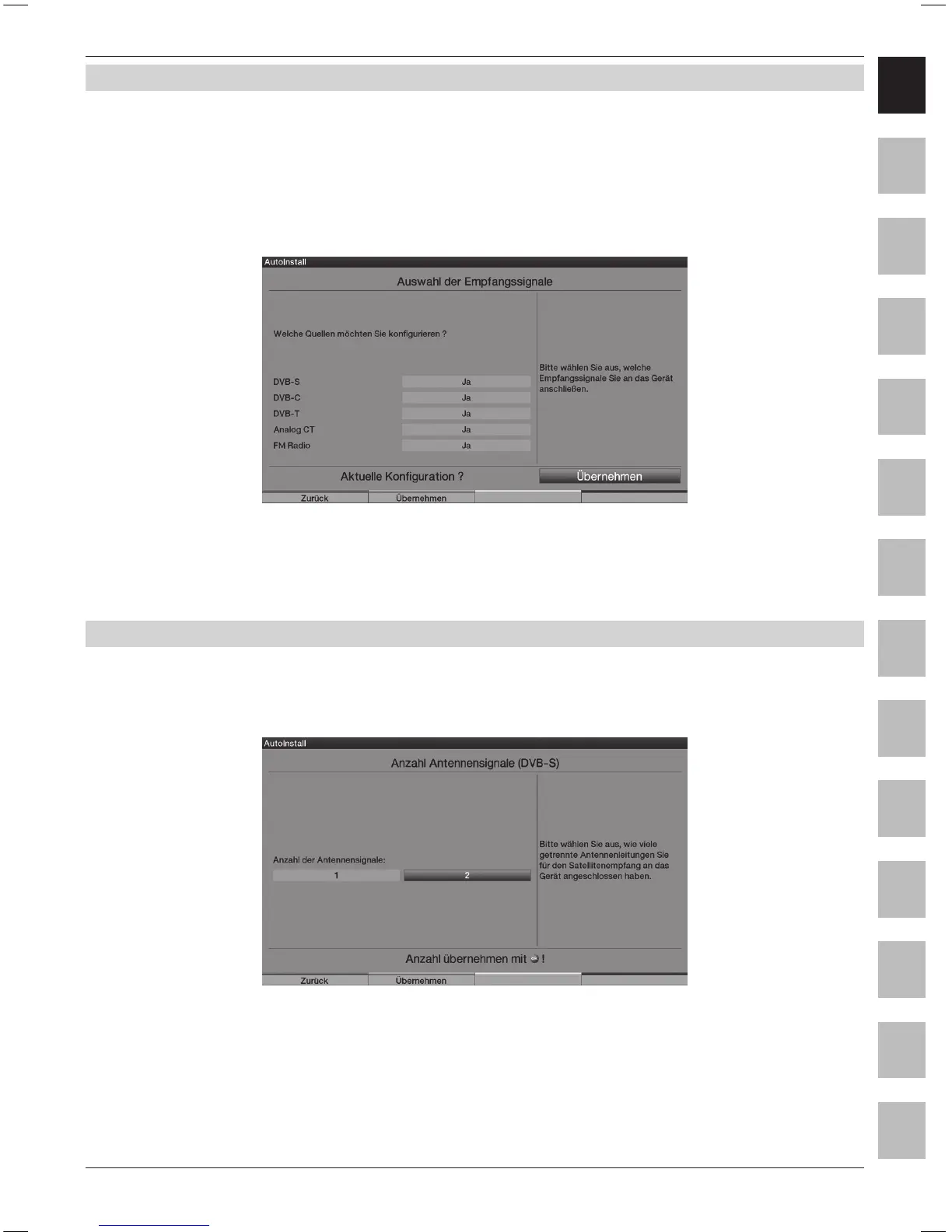
5.3 Selection of the reception signals
> Select the available reception signals with the up/down Arrow keys.
DVB-S for digital satellite programmes;
DVB-C for digital cable programmes;
DVB-T for digital terrestrial programmes;
Analogue CT for analogue terrestrial and cable programmes;
FM radio for VHF radio stations.
> Use the right/left Arrow keys to determine, whether the marked
reception signal is available at your location (Yes) or (No).
> In order to save the settings, press the green Accept control key.
5.4 Antenna signals (DVB-S)
Select the number of connected DVB-S antenna feeders. (If the source DVB-S has been deactivated,
as described in the step “Selection of the reception signals”, the “Antenna settings (DVB-T)”
window is displayed in place of this window of the installation assistant)
> Using the Arrow keys right/left, select whether you have connected one or two antenna signals.
> Conrm the selection with the green Accept control key,
in order to continue to the “Antenna conguration (DVB-S)”.



 To Next Page