78
6.4 General device functionality
6.4.1 Switching on the device
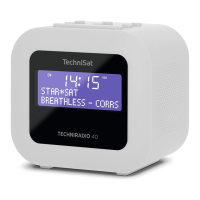
> First prepare the TECHNIRADIO 40 for operation in accordance with the
descriptions in Sections 6.3.1 and 6.3.2.
> Switch on the TECHNIRADIO 40 by pressing On/Standby/Mode buon (4).
Aer switching on for the first time, you need to select the operating language
using the Next/Prev. (6, 7) buons, and push the Snooze/Select (10) buon
to accept the language. This will then be followed by a full station scan via
DAB+.
Aer the scan is complete, the first station is played back in alphanumeric
order.


 To Next Page